Here is another example, more complicated than the one provided by Leo: FAYT script : Dynamic Tab Groups
This can demonstrate the feasability.
Here's a toolbar in edit mode:
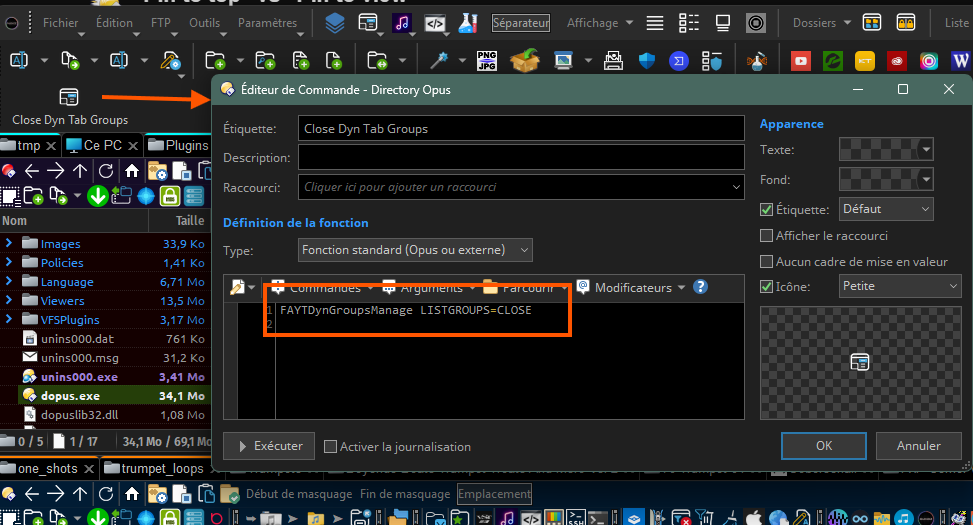
It has only one button and it's using a custom command from the script linked above.
That script is made to open tab groups (from the ones you can define in the Preferences) and add/remove them from your current lister.
The lister I used it here has a few of those groups opened, so the LISTGROUP=CLOSE option from my command will generate one button for each group that has been previously opened with the appropriate command.
This is how it looks when quitting customize mode:
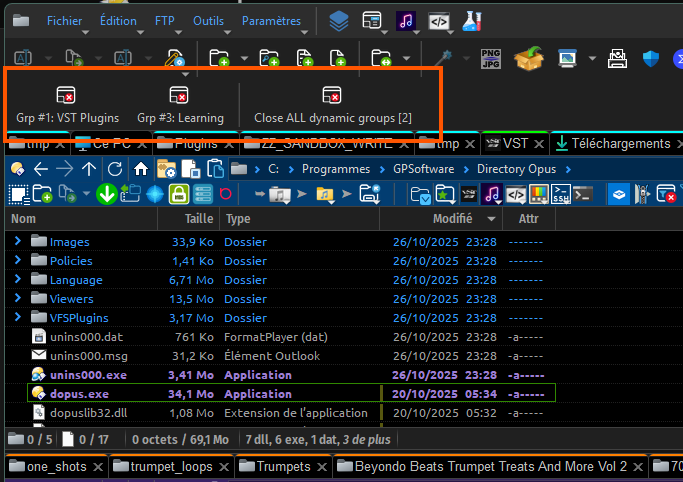
The different buttons are generated by the script depending on what groups have been previously added.
The logic would be the same for you except you'll need to refresh the list of buttons upon entering a new folder (and associate the action/command triggered by the button accordingly).