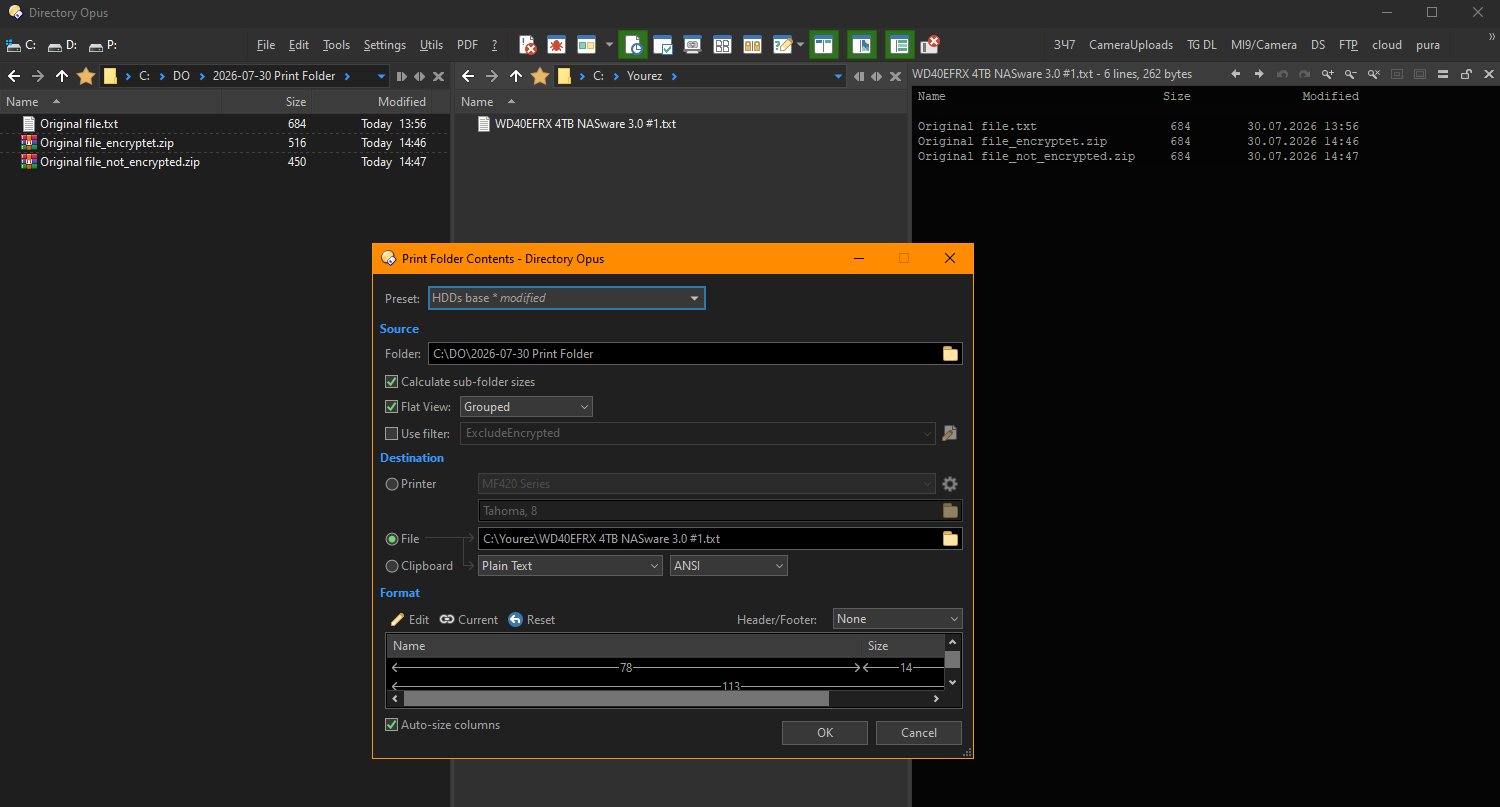
I want to print folder contents in order to get exact folder list/structure of folders and files within it. Print Folder Contents (PFC) looks inside archives (*.zip, for example) and even asks me the passwords for encrypted archives. Thus PFC prints not compressed size of archive (real size of zip-file, which placed on the drive), but uncompressed size of files in archive.
There's three of files files with different sizes (at the left), but PFC prints out same sizes for them calculating uncompressed size of the contents (at the right).
IMHO it's a bug. Otherwise, let's show the size of the unpacked image instead of the JPG-file size which taking up disk space?
I don't think it's a bug, since people may want to print archive contents. (And "Calculate sub-folder sizes" means you'll get the size of what's in the zip, not the size of the zip, if the zip is treated like a folder.)
But a way to specify whether to treat zips as files or folders in that dialog would definitely make sense. I'll add it to the list.