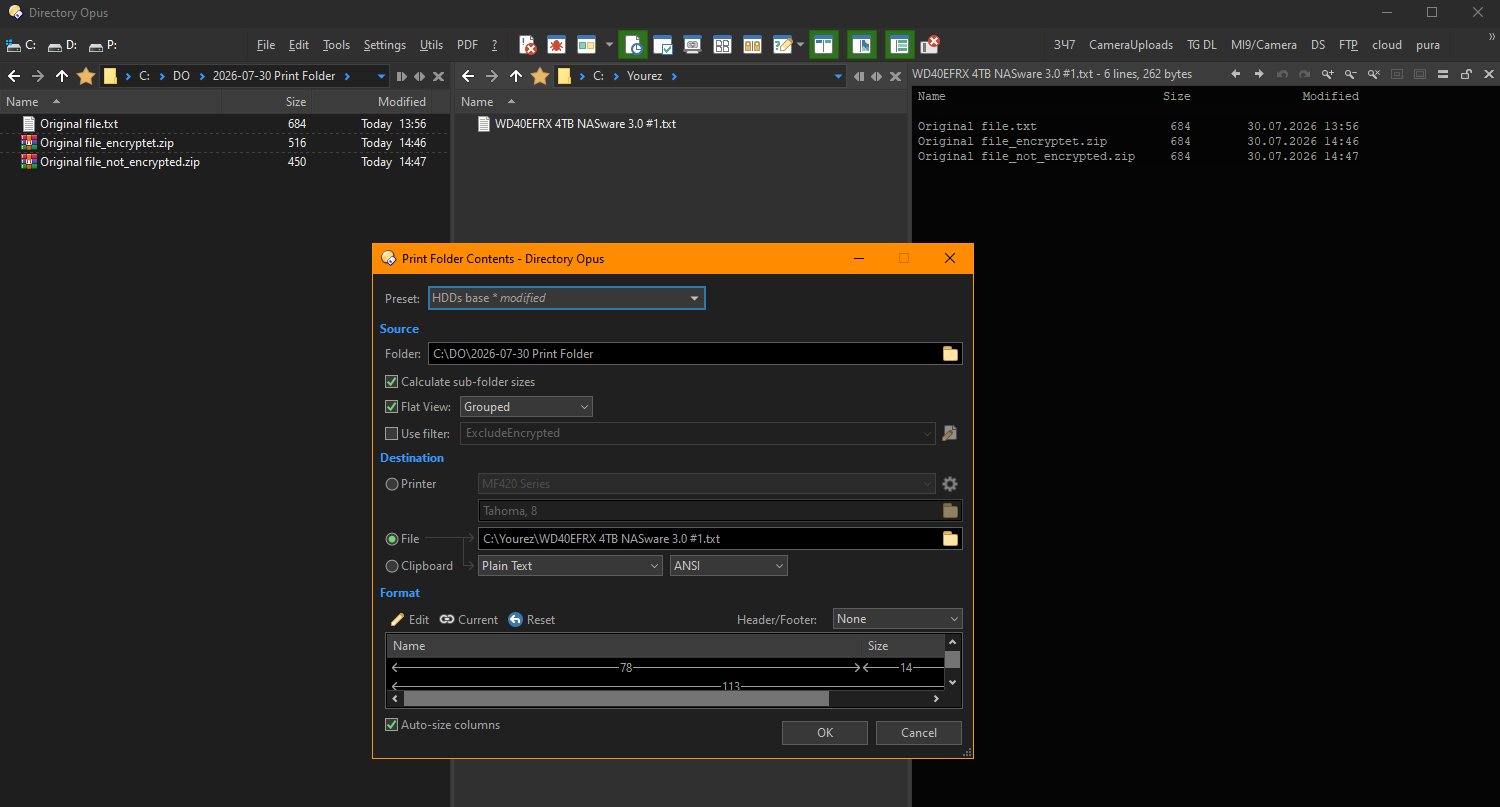
Hi all!
How to setup Print/Export Folder Listing in order to skip archives (ZIP, RAR, etc.) protected by password?
Now it hangs on every protected archive to enter the password.
Hi all!
How to setup Print/Export Folder Listing in order to skip archives (ZIP, RAR, etc.) protected by password?
Now it hangs on every protected archive to enter the password.
Try adding a filter that uses IsEncrypted.
It works! Thanks a lot!
Another side: is there a way to pass specific password to all the archives (if it is inappropriate - to skip the archive)?
Not sure I understand the question. Do you mean the script column? And which password is inappropriate?
Now my question no longer makes sense. And here's why.
Initially I thought Print Folder required a password to open the archive to print out it's file structure. But now I see that the password is only needed just to show uncompressed size of archive's contents...
Is it expected behavior? I think it's incorrect. I expect to see the compressed (real) size of ZIP file. Am I wrong?
It depends a lot on the archive type, and how the archive was encrypted. Some archives only encrypt the data and let you list the files without a password. Some require a password to open the archive at all.
Why Print Folder prints uncompressed size of archive contents instead of actual ZIP-file size?
Isn't it a bug?
Please start a new thread for new issues, and give more details / examples.