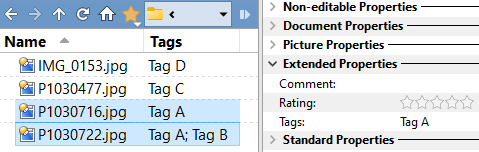
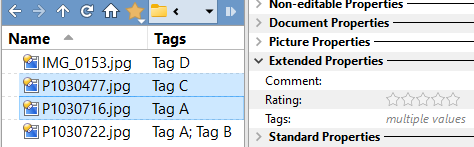
As a temporary workaround, it works if you select the 2nd file, then the 1st, just not the other way around. (Of course, with more files and tags, that may still not help.)
The problem is more serious that I originally thought.
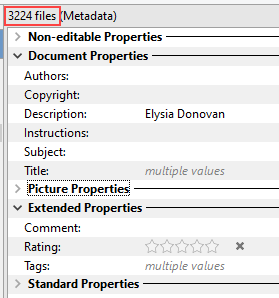
I tried to add the name that's in the Description field to 3,224 photos that already have Tags.
Fortunately, I made a copy of the folder before adding the Tag.
Even though 'multiple values' was displayed in the tags field, when I added the tag, it over-wrote the Tag (single Tags only, I think) of 1,808 photos!
You could make following button to add tags, that avoids overwriting of existing ones. The critical symbol is the "+" in the code. For adding multiple tags this way, i recommend to run a test beforehand.
@nodeselect
SetAttr META "tags:+{dlgstring}"
Select Next
When selecting them, select the photos with the single Tag first. then select the photo with 2 tags.
Look at the tags field.
I the photos are selected in the reverse order, 'multiple values' will be displayed.
Edit: Then, even though 'multiple values' is displayed, it will overwrite, not append.
And yes, Add to multi-value fields by default, when multiple files are selected , is on.
That describes the original problem, which we have a fix for.
But I wanted to know how to reproduce the second problem, when it's displaying "multiple values" and you add a tag but something goes wrong.
So far I can't reproduce that with the old or new code. (In my tests, the old code only goes wrong when it should display "multiple values" but doesn't, which is part of the original problem we already have a fix for.)
I don't know if I've misunderstood the issue, or if I'm not adding the tag in the correct way to make it go wrong.
(I'm assuming you've turned on Add to multi-value fields by default, when multiple files are selected, which could be a factor. But I've tried with that both on and off without seeing any issues as long as "multiple values" is correctly displayed before I edit the Tags field.)