When some programs are updated, the program icons that were placed on Directory Opus buttons are lost. When I make a new button for that programs all is fine again. But how to update the program icons without the process of making a new button? In customize mode I didn´t see a possibility for that.
First you need to work out why the icons are breaking in order to know how to work around it.
For example, are the programs changing the paths to their exe/dll/ico files when updated? (E.g. They might have version numbers in their install paths.)
That was the thing I thought first too, but the paths are the same, the buttons were working as intended. I think as it is really rare it doesnt matter not so much.
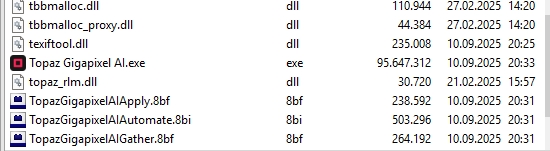
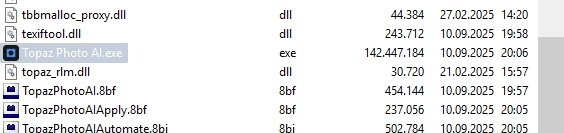
If you browse to the programs' folders and look at their exes there, do the icons show up?
The exes show up and the paths are the same:
C:\Program Files\Topaz Labs LLC\Topaz Gigapixel AI\Topaz Gigapixel AI.exe
C:\Program Files\Topaz Labs LLC\Topaz Gigapixel AI\Topaz Gigapixel AI.exe
C:\Program Files\Topaz Labs LLC\Topaz Photo AI\Topaz Photo AI.exe
C:\Program Files\Topaz Labs LLC\Topaz Photo AI\Topaz Photo AI.exe
Does the problem still happen after a reboot?
Yes, also after reboot. But it was a problem only with these two buttons and so I corrected it by creating these buttons new and now it´s all fine again.
Today I uninstalled 3dsMAX 2025. I had it parallel with 3dsMAX 2026 to made the change easier. After uninstalling the older Version the programm icon was also lost from all the “filename.max” files of that program in the lister but also in explorer, although the new version also has the same format “.max”
Now I know what causes loosing of program icons of a button during installing updates. When I looked into the In the Command editor there usually a path is listed under "Show image" —> “External image file” to the *.exe of the program. After an update of a programm Windows seems to write an temporary installation path in that field, something like "C:\WINDOWS\Installer{D6D8828D-89AB-4F3C-B040-EB41B3945279}\max.ico". In that path I can really find an “max.ico” in this case. But it seems that Dopus can´t read that file.
So my solution is easyly to look in which directory the “real” exe of a program is and enter that path in the “External image file”.
1 Like