Question about Script Dialog and ListView columns

Hi, I have a question regarding Script Dialogs.
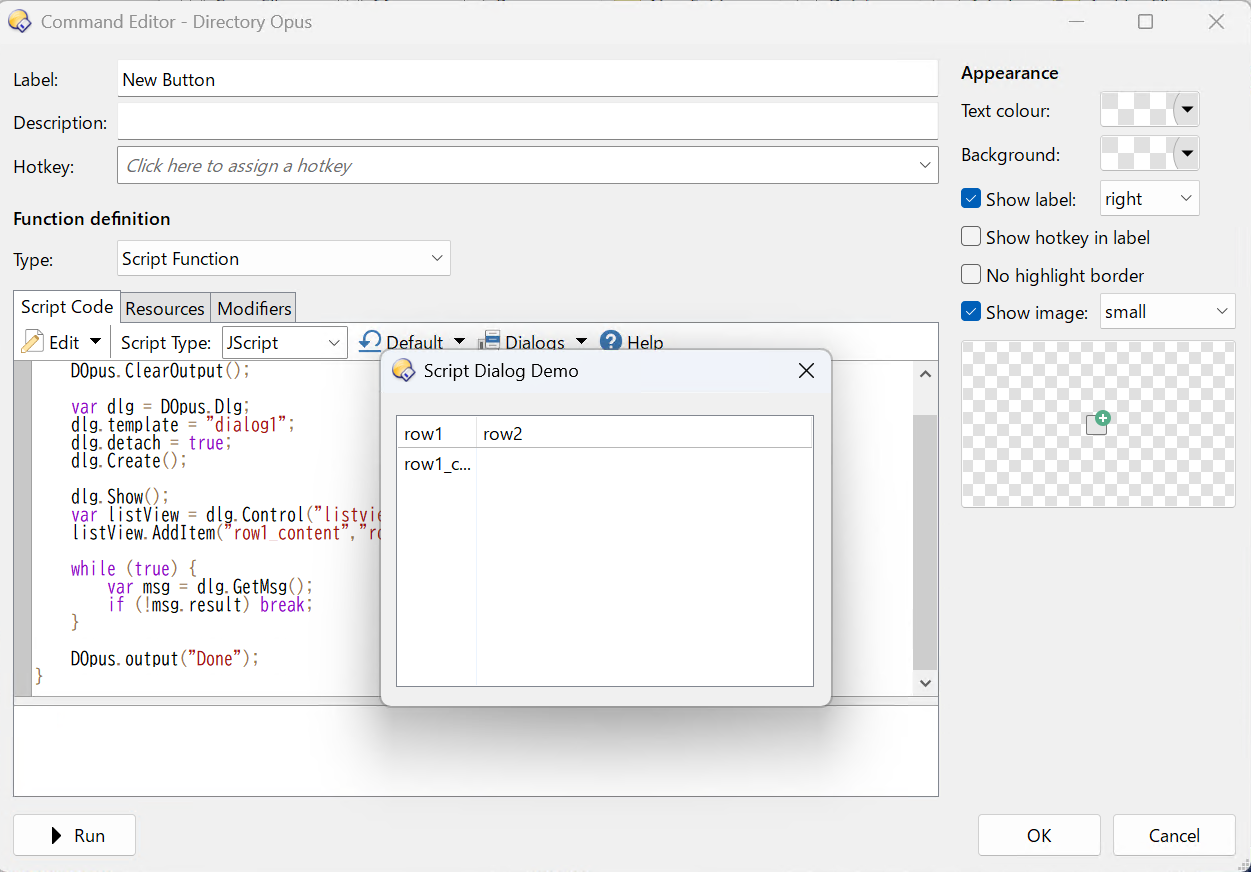
I'm trying to display multiple columns in a listview control using "details" view mode. I've defined two columns in the XML resource and added an item using AddItem("row1_content", "row2_content"), but only one column seems to appear.
Could you advise how to properly show multiple columns in the listview?
Thank you!

// @script JScript
function OnClick(clickData) {
	DOpus.ClearOutput();

    var dlg = DOpus.Dlg;
    dlg.template = "dialog1";
    dlg.detach = true;
    dlg.Create();

    dlg.Show();
    var listView = dlg.Control("listview1");
	listView.AddItem("row1_content","row2_content");

    while (true) {
        var msg = dlg.GetMsg();
        if (!msg.result) break;
    }

	DOpus.output("Done");
}
<resources>
	<resource name="dialog1" type="dialog">
		<dialog height="100" lang="jpn" title="Script Dialog Demo" width="180">
			<control height="87" name="listview1" type="listview" viewmode="details" width="167" x="6" y="7">
				<columns>
					<item text="row1" />
					<item text="row2" />
				</columns>
			</control>
		</dialog>
	</resource>
</resources>

As per the Control object documentation:

var i = listview.AddItem("This is col 1");
listview.GetItemAt(i).subitems(0) = "This is col 2";
listview.GetItemAt(i).subitems(1) = "This is col 3";

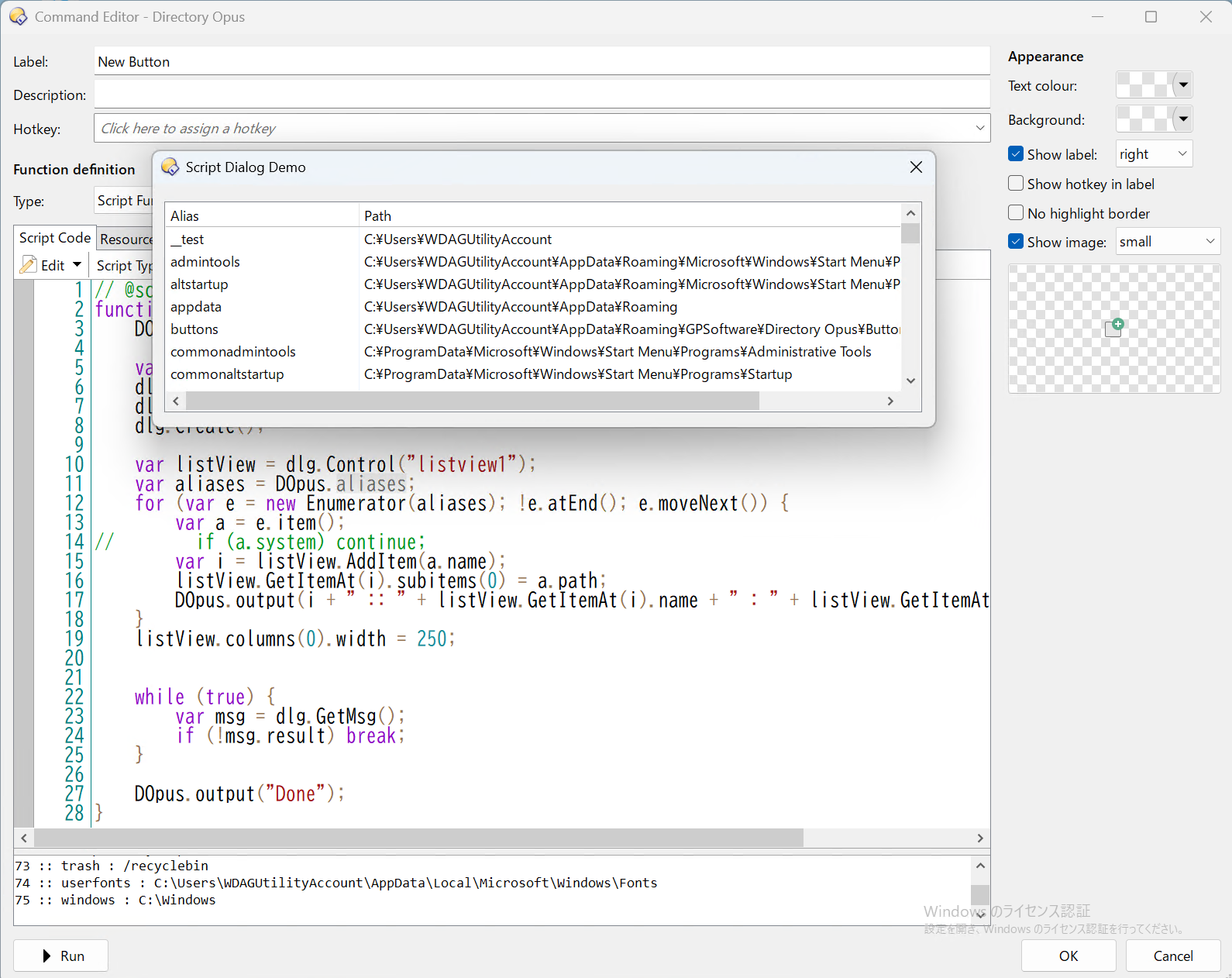
Thank you! I was able to do what I wanted.

// @script JScript
function OnClick(clickData) {
	DOpus.ClearOutput();

    var dlg = DOpus.Dlg;
    dlg.template = "dialog1";
    dlg.detach = true;
    dlg.Create();

    var listView = dlg.Control("listview1");
    var aliases = DOpus.aliases;
    for (var e = new Enumerator(aliases); !e.atEnd(); e.moveNext()) {
        var a = e.item();
//        if (a.system) continue;
        var i = listView.AddItem(a.name);
        listView.GetItemAt(i).subitems(0) = a.path;
        DOpus.output(i + " :: " + listView.GetItemAt(i).name + " : " + listView.GetItemAt(i).subitems(0));
    }
    listView.columns(0).width = 250;


    while (true) {
        var msg = dlg.GetMsg();
        if (!msg.result) break;
    }

	DOpus.output("Done");
}

Note that in order to have a proper display of the paths, you should change the AddItem instruction to:

var i = listView.AddItem(a.name.replace(/\\/g,"\\\\"));

This will replace every backslah by two backslashes, so the string escapes them before displaying.

You shouldn’t need to double the backslashes there.

The ¥ path separator is normal if Windows is running in Japanese (and maybe other languages too).

Whoops! I used Windows Sandbox to avoid the Japanese UI, but the Japanese font remained as-is :rofl:

I understood that the \ escape sequence doesn't need to be considered outside script code.
I tried registering an alias in another dialog with an Edit control, and it worked fine.
I'm not familiar with jScript, so I might be writing something odd.
Thanks so much for the advice!