A simple script to copy and transfer tab colors to other tabs without the need to open color dialog.
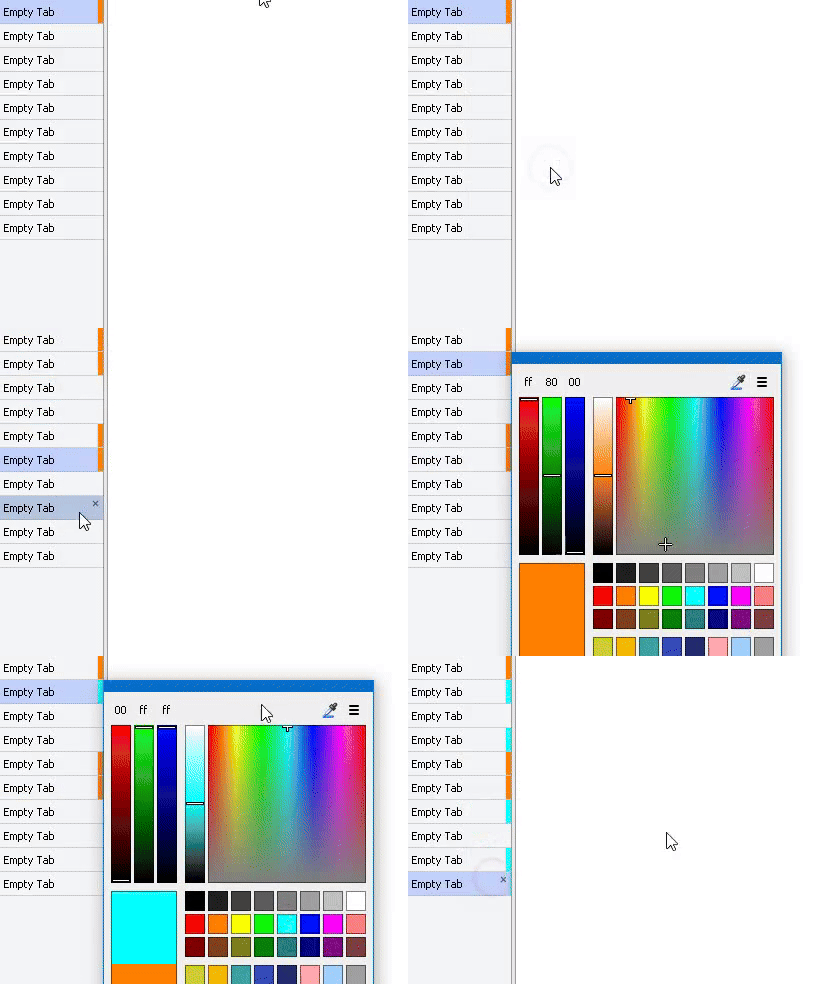
Demo:
Files:
Script v1.1:
TabColor.js.txt (2.5 KB)
Menu button:
Set Tab Color....dcf (1.5 KB)
Setup:
- Type
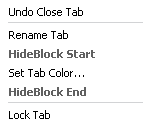
/scriptsin a lister hit enter and copy script to that location. - Enter customize mode and replace the default 'Set Tab Color...' button with .dcf file above. Found in the customize window, Context Menus tab, from the list double-click 'Folder Tabs' then drag-n-drop .dcf file into the menu.
Operation:
-
Copy a color:
Right-click a colored tab then right-click 'Set Tab Color...' -
Transfer to another tab after copied:
Hold Ctrl+Shift and left-click any tab
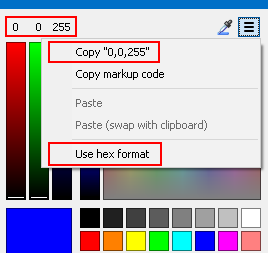
If a color you want doesn't exist in any tabs you obviously need to open color dialog and choose a color. If you plan to apply that same color to other tabs you can hit Ctrl+C while the color dialog is open to copy the color value. This allows to bypass operation step 1 and proceed with step 2.
-
Middle-click the tab menu 'Set Tab Color...' will remove the tab color and set clipboard text to #clear.
If the text #clear is in the clipboard Ctrl+Shift and left-clicking any tab will clear other tab colors. -
Holding Ctrl key while performing step 3 will clear all tab colors. (Except for any in set within Preferences / Folder Tabs / Edge Colors)
Caveats:
-
If you try to copy a color and it doesn't get copied it's because the tab color is most likely set from
Preferences / Folder Tabs / Edge Colors -
The script only copies hexadecimal values (#000000) but supports transferring RGB decimal values (255,255,255). In the event where Ctrl+C is pressed from the color dialog and it is set to show decimal instead of hexadecimal.