I think this an interesting approach. I need to experiment with it.
In order to make it more attractive for an English-speaking audience interested in this approach, here is the same code with the Chinese text translated (and some unnecessary stuff eliminated in order to keep it as short as possible).
Disclaimer: I have nothing against Chinese people or the Chinese language as such. But for people like me who have absolutely no clue what to make of Chinese (except for throwing it at Google translate) it is really much easier to get the gist of what is going on when we can read it in plain english.
// RecentFilesLog - Record recent opened files into Collections.
// (c) 2025 bytim

// When you double-click on a file or press {Enter} key on selected files,
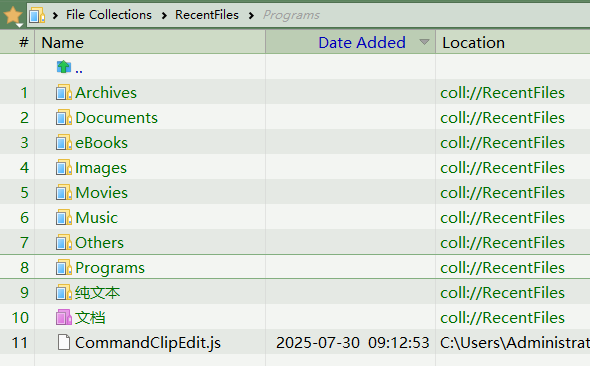
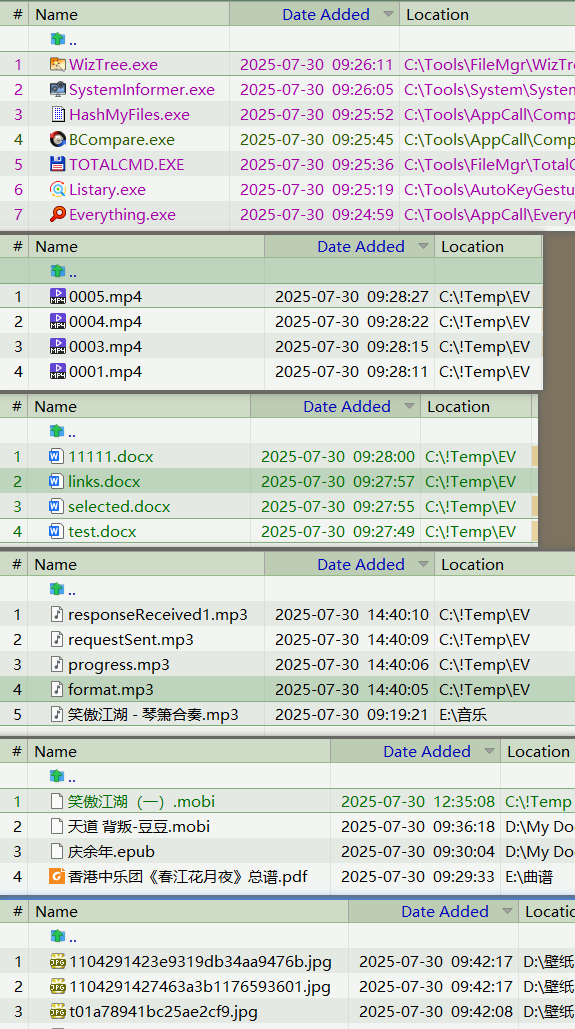
// This script will add the file/files into collections according to its type group.

// Although the Windows OS already has a folder "/recent" for recording recent documents,
// it is still not enough for me.
// I need to record any file every time I double-click, even .exe files

// DOpus v13.16.6 (2025.7.2)
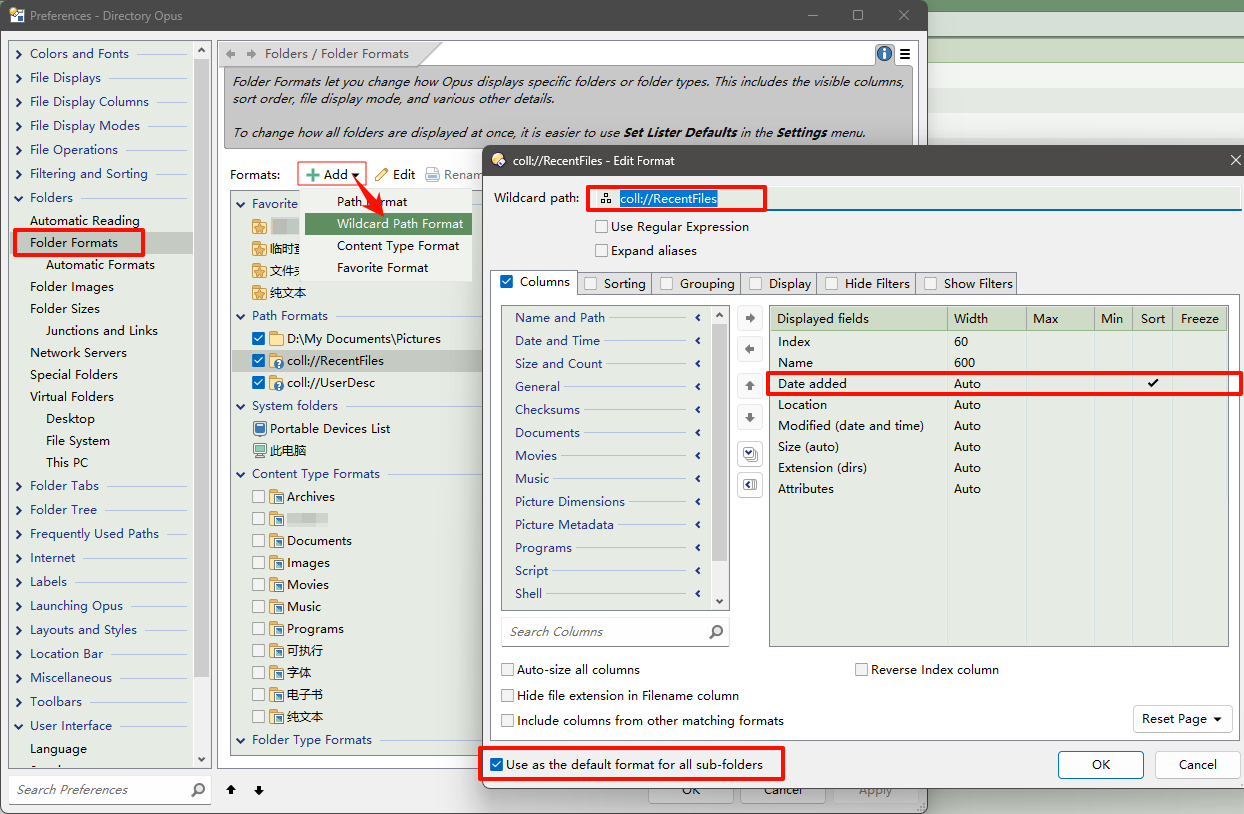
// Changes: In file collections a new column, Date Added, is available. This displays the date/time that each item was added to the collection.

// To clear all collections, use this command: dopusrt /col delete "RecentFiles"

// To do:
// 1.If the file already exists in the collection, update its "added date".
// 2.Limit the number of items in a single collection, delete the earliest added files when the collection is full.

// v1.0 The first version. 2025.7.30

function OnInit(initData)
{
	initData.name = "Event.RecentFilesLog";
	initData.version = "1.0";
	initData.copyright = "(c) 2025 bytim";
	initData.url = "https://resource.dopus.com/t/recentfileslog-record-recent-opened-files-into-collections/56682";
	initData.desc = DOpus.strings.Get('ScriptDesc');
	initData.default_enable = true;
	initData.min_version = "13.0"; //v13.16.6
	//initData.early_dblclk = true;

	//initData.config_desc = DOpus.Create.Map();
	initData.config = DOpus.Create().OrderedMap();
	initData.config_desc = DOpus.Create().OrderedMap();
	initData.config_groups = DOpus.Create().OrderedMap();

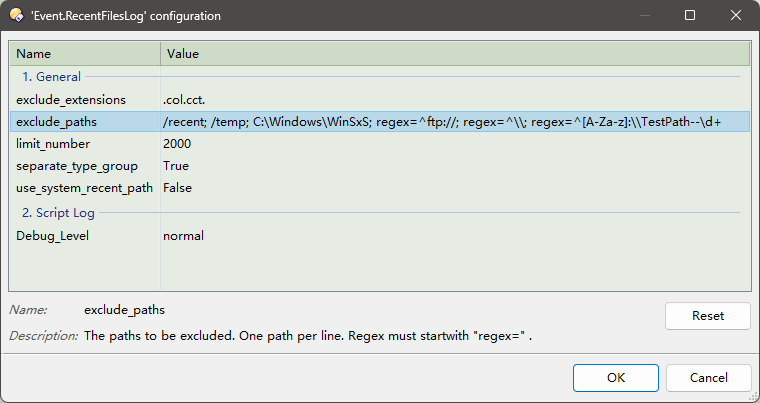
	AddConfig('exclude_extensions', ".col.cct.", DOpus.strings.Get('exclude_extensions'), '1. General');
	AddConfig('exclude_paths', DOpus.Create.Vector("/recent", "/temp", "C:\\Windows\\WinSxS", "regex=^ftp://", "regex=^\\\\", "regex=^[A-Za-z]:\\\\TestPath--\\d+"), DOpus.strings.Get('exclude_paths'), '1. General'); //要排除的路径
	AddConfig('limit_number', 2000, DOpus.strings.Get('limit_number'), '1. General');
	AddConfig('separate_type_group', true, DOpus.strings.Get('separate_type_group'), '1. General'); //Whether to create collections by file type group
	AddConfig('use_system_recent_path', false, DOpus.strings.Get('use_system_recent_path'), '1. General'); //C:\Users\<username>\AppData\Roaming\Microsoft\Windows\Recent
	AddConfig('Debug_Level', DOpus.Create.Vector(1, 'debug', 'normal', 'warning', 'off'), DOpus.strings.Get('Debug_Level'), '2. Script Log');

	function AddConfig(name, value, desc, group) {
		initData.config[name] = value;
		initData.config_desc(name) = desc;
		initData.config_groups(name) = group;
	}
}

// Called when a file or folder is double-clicked
function OnDoubleClick(doubleClickData)
{
	var fsu = DOpus.FSUtil;
	if(doubleClickData.is_dir) return; //Ignore folder double click
	var srcPath = doubleClickData.tab.path;
	if(fsu.PathType(srcPath) == "coll") return; //Ignore double-click actions in file collections
	var exclude_paths = Script.config["exclude_paths"];

	for (var n=0; n<exclude_paths.count; n++){
		var pp = "";
		if(exclude_paths(n).search(/^regex=/i) != -1){ //is a regular expression
			pp = exclude_paths(n).replace(/^regex=/i, "");
			Log("Regex patern:" + pp, 1)
			pp = new RegExp(pp, "i");
			if ((srcPath+"").search(pp) != -1) { return; }
		} else {
			//if(srcPath+"" == fsu.Resolve("/recent")) return; //Ignore /recent dDouble-click operation under the path
			pp = fsu.Resolve(exclude_paths(n));
			Log("exclude_path: " + exclude_paths(n), 1)
			if (fsu.ComparePath(srcPath, pp, "p")) { return; } //Path comparison, if pp is equal to srcPath,or pp is the parent of srcPath, then true
		}
	}

	var excl_exts = "." + Script.config["exclude_extensions"] + "."; //Excluded extensions
	var item = doubleClickData.item;
	var iExt = (item.ext + ".").toLowerCase();
	if (excl_exts.indexOf(iExt) != -1) return; //DO file collection corresponding disk files, .col .cct to be excluded
	//Log(doubleClickData.qualifiers, 1)

	cmd = DOpus.Create.Command;
	cmd.ClearFiles;

	var toPath = "/recent";  // or /temp

	if(Script.config["use_system_recent_path"]){
		var lnk = "/recent\\"+doubleClickData.path.filepart+".lnk"
		//var lnk = "/recent\\"+doubleClickData.path.stem+".lnk";
		if(fsu.Exists(lnk))
			cmd.RunCommand('Delete "' + lnk + '"');
		//cmd.RunCommand('Copy FILE="' + doubleClickData.path + '" MAKELINK=softlink TO "' + toPath + '"');
		cmd.RunCommand('Copy FILE="' + doubleClickData.path + '" MAKELINK PATTERN * AS *.lnk TO "' + toPath + '"');
		//Some programs (such as WPS) will automatically create shortcuts to /recent
	} else { //Add to the corresponding file collection according to the belonging type group
		var collName = DOpus.strings.Get('CollectionName');
		var subCollName = "";

		if(Script.config["separate_type_group"]){
			Log(item.groups.count, 1); //Number of type groups
			//Log(item.groupsobject(0).display_name, 1); //Current type group

			//First determine the custom type group to facilitate obtaining multilingual strings (because the custom group is not set to multilingual)
			//Callable getGroupsNames() Output all groups and find your custom group
			//Also view /dopusdata\Formats\contenttype.off
			if (item.InGroup("name:{7F257B73-5CE8-42E3-9404-9BAD71FC51DB}")) {
				subCollName = DOpus.strings.Get('eBooks');
			} else if(item.groups.count > 0){ //Native type group, automatic conversion of multiple languages
				subCollName = item.groupsobject(0).display_name;
			} else subCollName = DOpus.strings.Get('Others');
			subCollName = '/' + subCollName;
		}
		var now = "";
		//now = DOpus.Create.Date.Format("D#yyyy-MM-dd"); //Append current date "D#yyyy-MM-dd T#HH-mm-ss"
		var fullCollName = collName + subCollName + now;

		cmd.AddFile(doubleClickData.path);

		//Add to collection, sort by double click time (time added to collection)
		if (cmd.filecount > 0) {
			cmd.RunCommand('Copy COPYTOCOLL=member CREATEFOLDER="coll://' + fullCollName + '" WHENEXISTS=replace'); //Cannot be replaced, only skipped
			//v13.17.1(2025-07-25) New Commands: SetAttr COLLDATEADDED - You can set the "add time" attribute of the files in the collection
			Log("Added to: coll://" + fullCollName, 2);
			var limit_number = Script.config["limit_number"];
			//if (CollFilesCount > limit_number) { //Remove the oldest added one from the collection
				//var oldest = (I don't know how to get the file with the earliest addition date)
				//cmd.RunCommand('Delete REMOVECOLLECTION FILE="coll://' + fullCollName + '/' + oldest + '"');
				//There is a problem here: files with the same name but different real paths have the same path in the collection, so there is no guarantee that the current file will be deleted.
			//}
		}
	}
}

//Displays the internal and display names of defined type groups.
function getGroupsNames(){
	for(var g = 0; g<DOpus.filetypegroups.count; g++){
		Log(g +" : "+DOpus.filetypegroups(g)+" : "+DOpus.filetypegroups(g).display_name, 2)
	}
}
function tyof(obj){return DOpus.Typeof(obj);}
function Log(text, level) { //Borrowed from errante
	if(tyof(level) != "int") level = 2;
	if (level === 4 || Script.config['Debug_Level'] < level) {
		if (level == 1) DOpus.Output('<#%vs_dragdrop_normal_action>DEBUG   => ' + text + '</#>');
		else if (level == 2) DOpus.Output(text, false, true); //2=Normal
		else if (level === 3) DOpus.Output('<#%vs_dragdrop_warning_action>WARNING => ' + text + '</#>');
		else DOpus.Output('ERROR   => ' + text, true); //4=Error level, always output
	}
}