Is there a way to go back to how Directory Opus 12 showed hotkeys in toolbar menu entries? In version 13, the hotkeys stand out more and use a larger monospaced font.
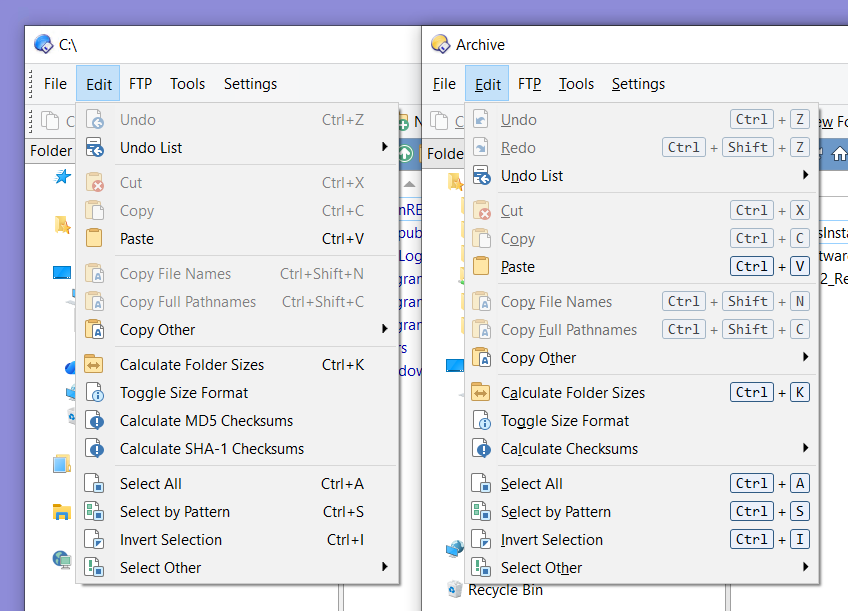
There isn't an option to turn off the effect entirely, but you can change the colors (Preferences / Colours and Fonts / Directory Opus Colours: Miscellaneous 2) and font (Preferences / Colours and Fonts / Fonts: Hotkeys).
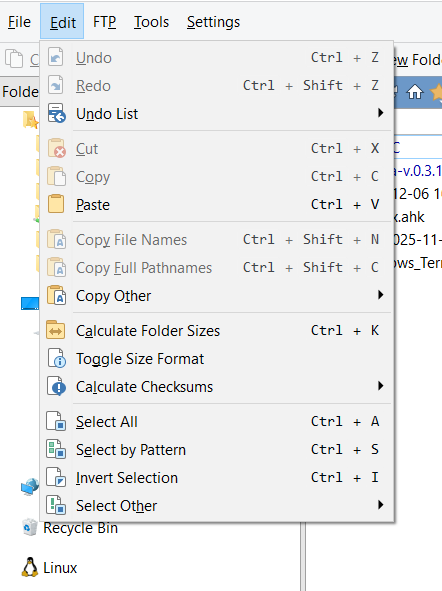
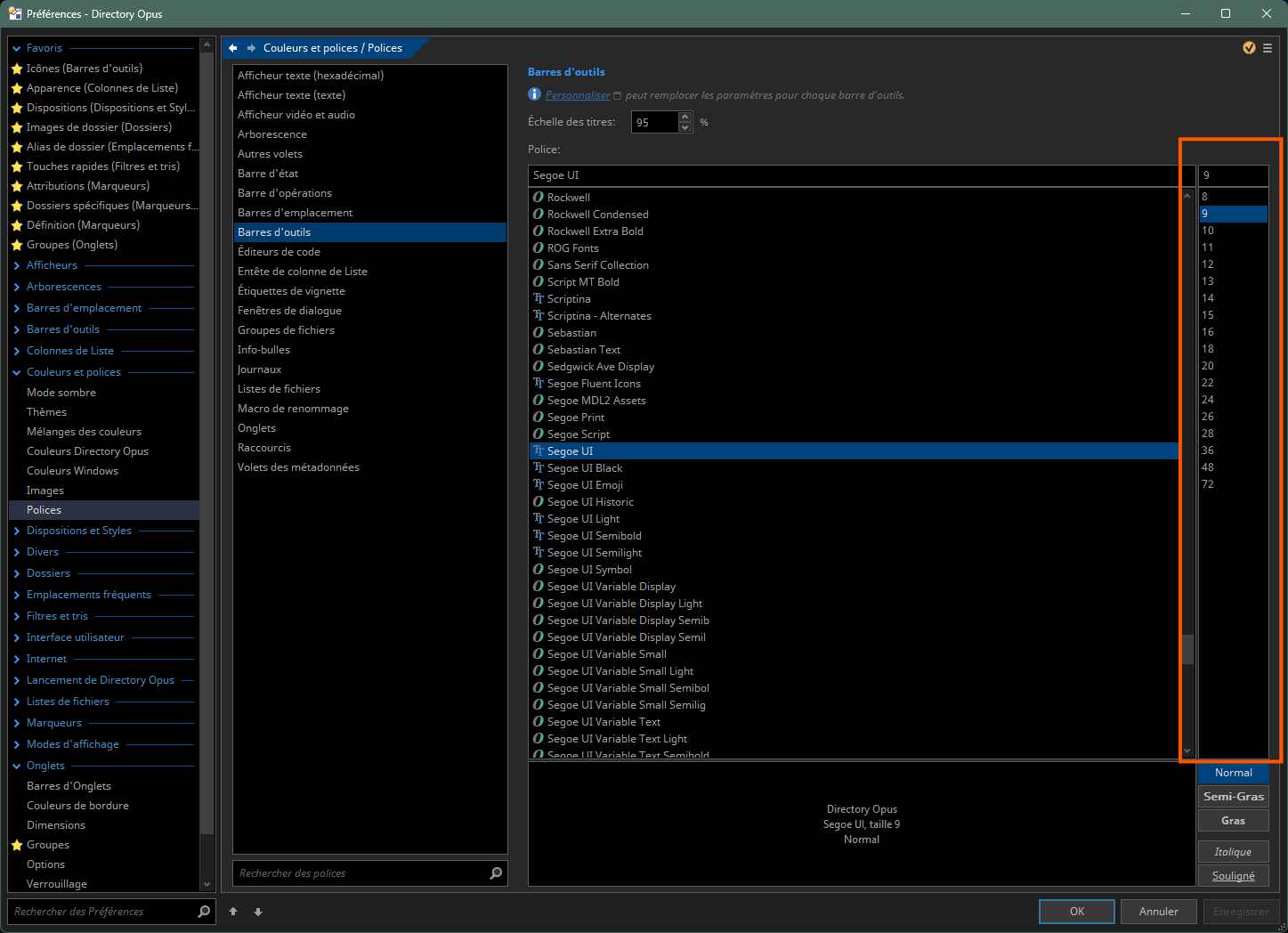
Well, if you use that setting, all the toolbar entries get larger.
If you look here:
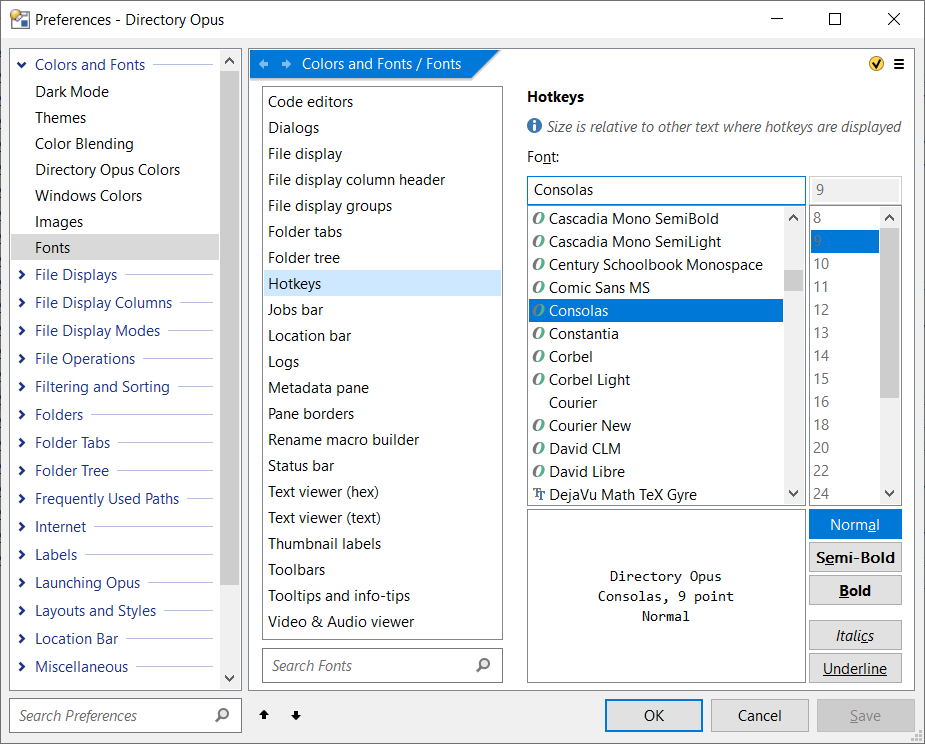
Then you'll see that the size of the Hotkeys section is relative to the other text, and you can't change the font size there; it's greyed out. If I change it to Segoe UI, the size of the Hotkeys section in the menu is smaller than the other text there.