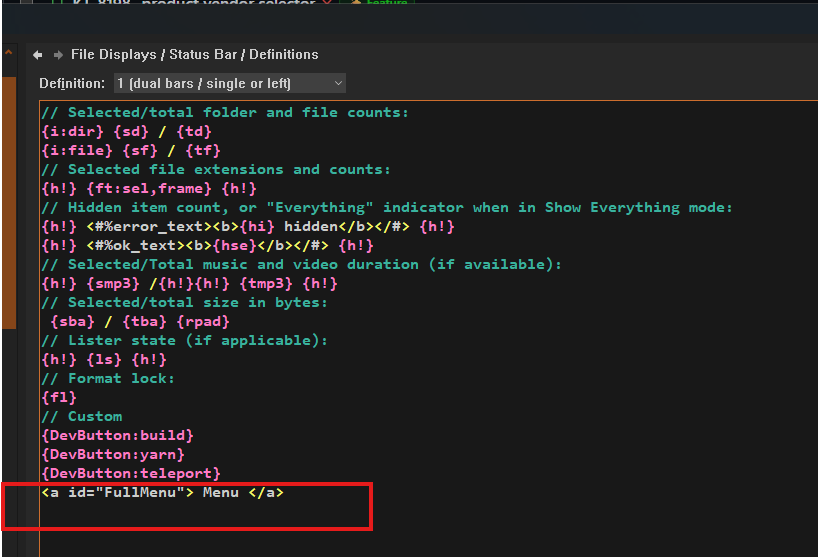
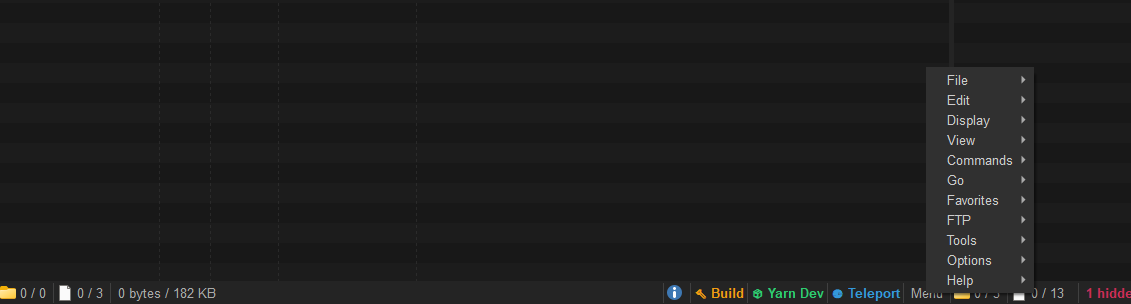
- Minimum Directory Opus Version: 13.24.7
- This feature was introduced in Directory Opus 13.24.7 (Beta)
Here are the steps to execute powershell from status bar:
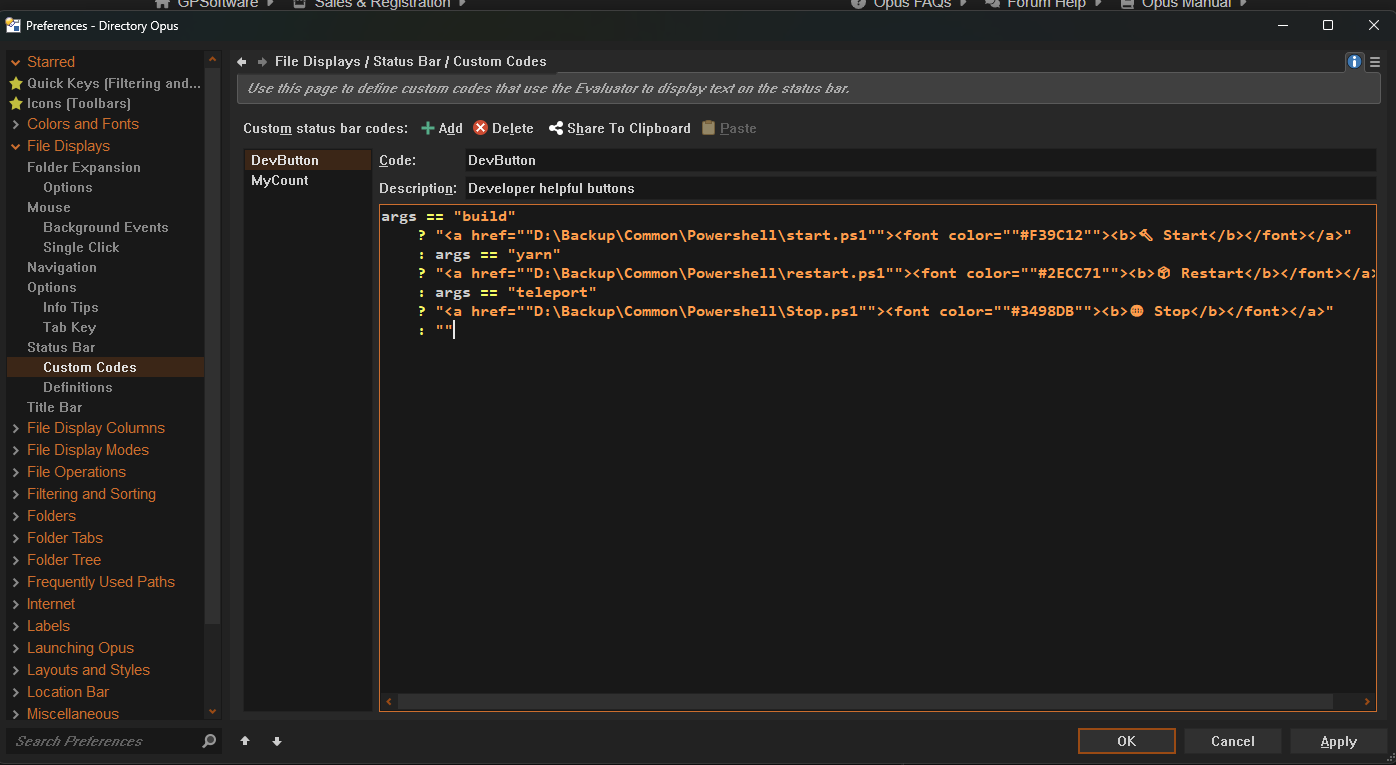
- Preferences / File Displays / Status Bar / Custom Codes / Add
- Enter required powershell scritps like this:
args == "build"
    ? "<a href=""D:\Backup\Common\Powershell\start.ps1""><font color=""#F39C12""><b>🔨 Start</b></font></a>"
    : args == "yarn"
    ? "<a href=""D:\Backup\Common\Powershell\restart.ps1""><font color=""#2ECC71""><b>📦 Restart</b></font></a>"
    : args == "teleport"
    ? "<a href=""D:\Backup\Common\Powershell\Stop.ps1""><font color=""#3498DB""><b>🌐 Stop</b></font></a>"
    : ""
- Then go to Preferences / File Displays / Status Bar / Definitions
- Add custom code like this:
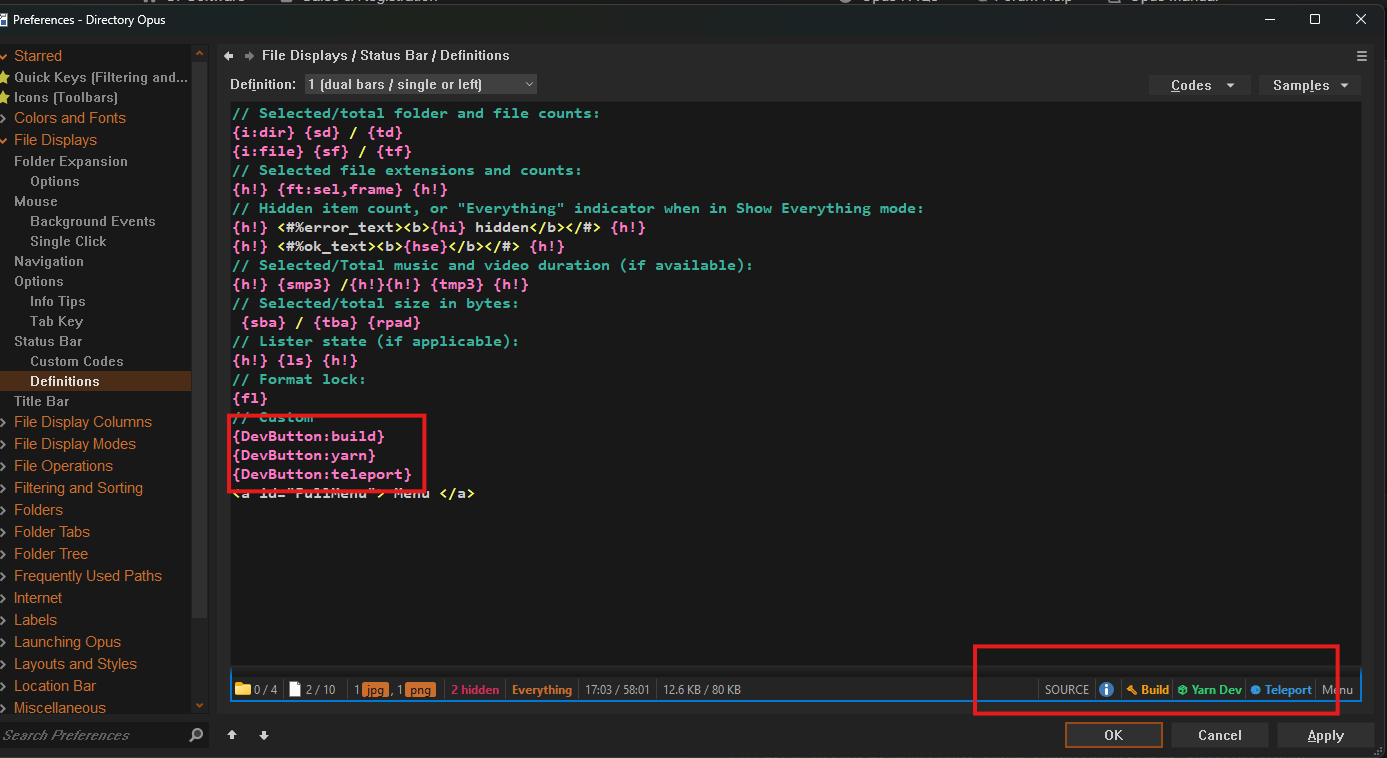
- You can aslo select specific script to show on status bar instead of all scripts: