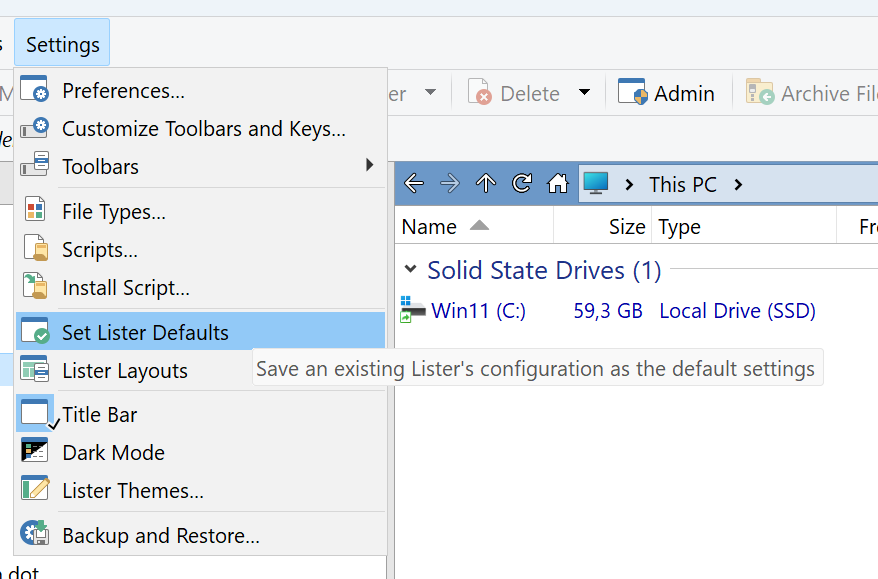
Once you have a lister set up , how do you save it as the default so that all listers will now use this format
First entry in FAQ 
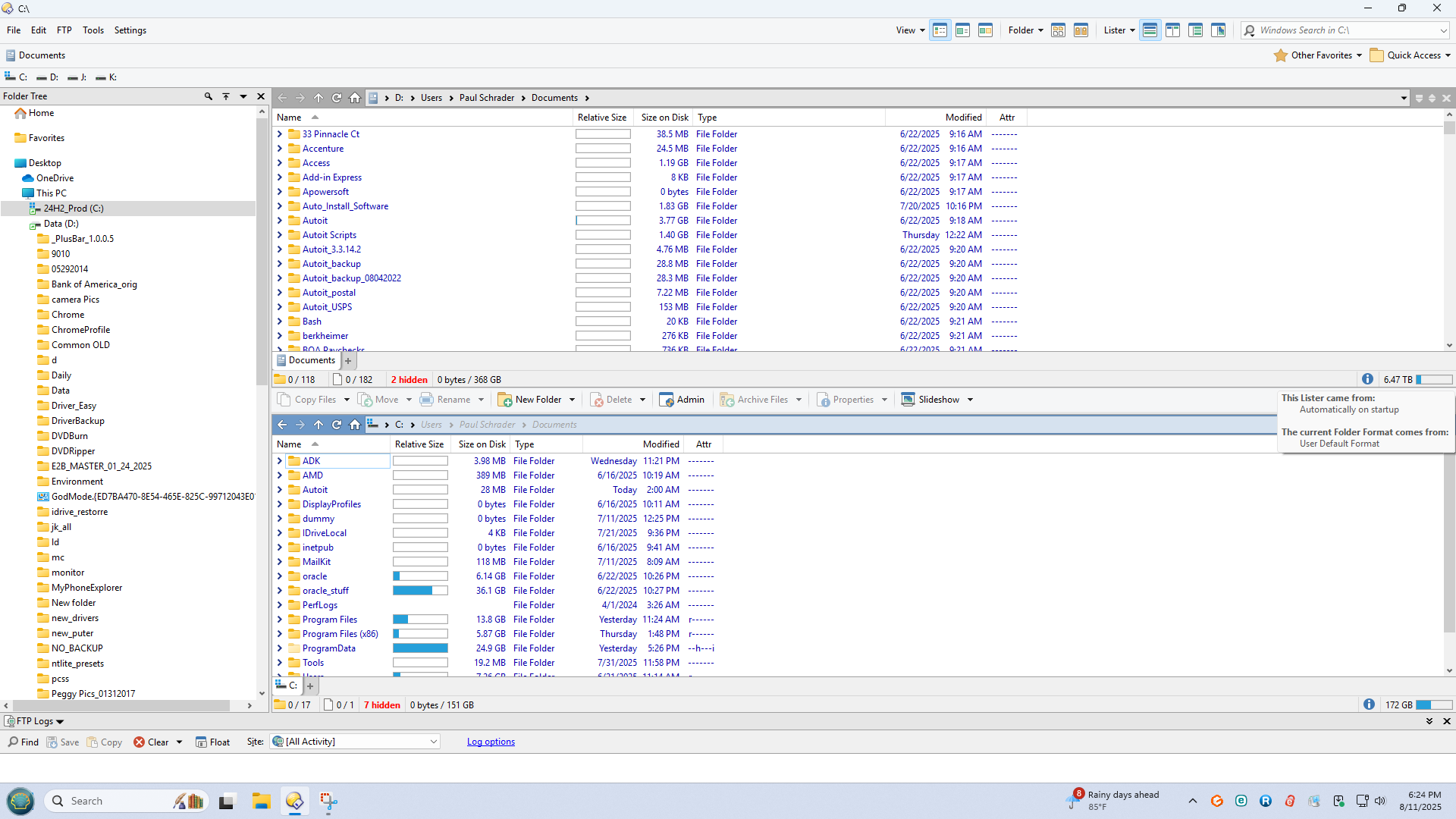
Problem I’m having is screen do not seem to match up below is what I get
and it does not match the FAQ
Top Job lister is formatted the way i want it I hovered over the Status bar
and you can see it is the default, now the bottom as you can see is not formatted the same
and when I hover over the status I get the same as the top lister
What am I missing
IMHO, the very first thing to do here in the forum.
I’m evaluting the software to see if I can format it the way I work.
You know one can view past posts and see when they were posted, right?
sorry , how about offering some suggestions to my issue
I already did. People are more likely to get help from other users or even the devs if they're either registered or new — but it's less likely if they've been registered for over five years and still act like they're just evaluating the program.
About your question, I'm not sure what you mean. At least here, I see them with the same format, the same columns, and the same sorting.
I tried the product five years ago and was not able to get it to work so came back for another try
When you look at the columns the are not the same size
This thread is a little confused in my humble opinion only.
The topic of the thread was Save Lister for all.
The obvious answer is to define a Default Lister as @lxp pointed out.
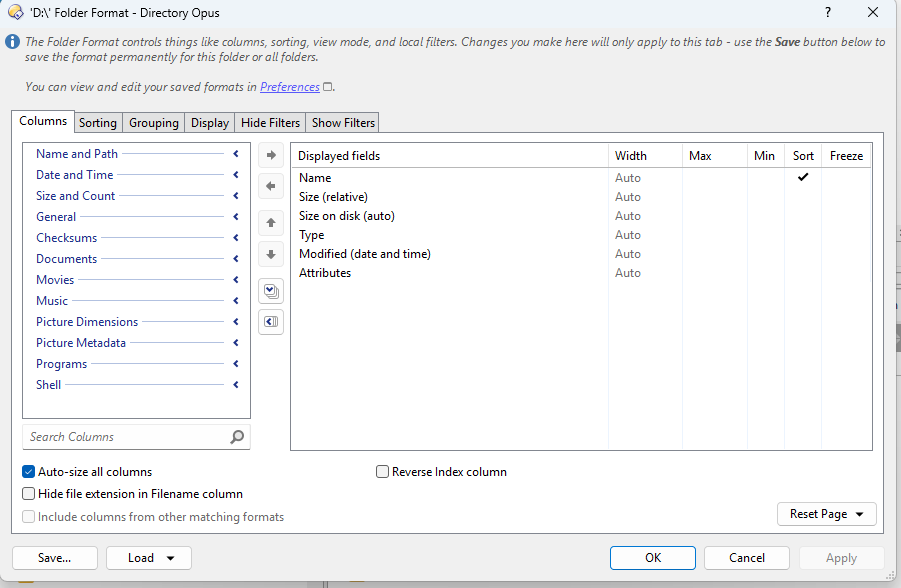
However, you have defined a specific folder format for D:\
The displayed field widths are set to auto, meaning that if any column, Name for instance, contains an entry that is long, the column width is adjusted automatically to accommodate that.
So, if you want both top and bottom to have the same column widths, automatic column width adjustments need to go.
As for the status bar, I'm not sure at all what you are referring to by 'hover'.
If you are looking for different status bar configurations for the top and bottom status bars, you can find that in Preferences / File Displays / Status Bar .
Buy the software and link your account !
You won't be disappointed.