I did rollback to V13.16 and the bug is not present.
the bug : Changed settings like global opacity and timer of this script - Background Changer V1.2 - will not stick after a Directory Opus restart. They will revert to some previous value that is not the default value.
Have not noticed any other scripts being affected.
Changing the config prefs to in-app prefs is on my todo list.
FWIW, I've no such issue with your script.
Changing settings such as "Default path to images" or "Slideshow delay" do persist between two Opus restart (Opus portable version 13.18).
Have you tried and look at the content of /dopusdata/ConfigFiles/scriptconfig.oxc before closing Opus to check your config changes are reflected in the file, after closing to check nothing has made another change, and after restarting?
Any change you made to the configuration should be stored in this file.
Be sure you do not have anything messing up with this file
Changed Background Changer config to the new properties introduced in v13.19 the bug is still present - config resets after Opus restart
This bug is not present in 13.16
Created a temp script with only the config in and the settings stick, like they should, after an Opus restart. temp - config bug test.opusscriptinstall (3.7 KB)
Is there a limit to the size of the config, which is rather large?
If that were the case, the bug would be present in the above temp script.
Or perhaps the size of the script is causing problems, over 3,000 lines.
Regardless, changes were made in v13.17 that are causing the reset.
Please see if you can fix as I am not looking forward to converting 27 settings to persistant variables.
Honestly I don't think you can have that much properties in Script.config, so I would say no.
I've personally worked on much larger scripts without any issues.
I assume you already did some troubleshooting, so:
Do you have any other scripts installed that also set Script Config properties? And do they have the same issue?
If this only happens with one script, then it's more likely something the script itself is doing.
If you can reproduce the issue with other scripts, then it's probably something preventing Opus from dumping the script config to disk.
Does it happen with any random property, or only with a few?
If it's a specific property, you could log its value every time you use it to see what's going on.
Usually Opus keeps that data in memory and doesn't write it to disk right away.
To figure it out, you could try:
Open /dopusdata/ConfigFiles/scriptconfig.oxc with any decent text editor.
Open your script config. Make any change and click OK.
Open the AdHoc Script Editor and run: DOpus.FlushConfig();
Check if the scriptvars file shows any change.
You could try with all the properties to see if it's something specific.
This is interesting because it means something somehow is able to set a read-only value. If it were something like not being able to save to disk, the default value should be the one being used.
BTW, I don't use your script, but doing a quick check of the file I see you change JSCRIPTVER. Why is that?
News
following on from the temp experiment above, which was working using just the same config, I made a new blank script, called it Background, copy & pasted the whole of Background Changer to the new script, deleted Background Changer and it is now working! The config settings are remaining after an Opus restart.
I then made a new blank script called Background Changer (same as the deleted one), copy & pasted Background, deleted Background and the bug re-appeared
So - working now, I just cannot call the script Background Changer, the command is unaffected and is still called the same.
There must be something wrong elsewhere.
As I stated before, I had no issue with 13.18 and your script (retaining settings changes), even when it was in a Background Changer file.
Did you run DOpus.FlushMsg() after the change and before check the editor?
You don't need to exit Opus, but you do need to run that command after the change.
Does your text editor auto detect changes in open files? Some editors need a manual refresh.
It was scriptconfig, my mistake.
I don't think changing the name fixed the problem. Since your command doesn't have an export/import function, one thing that could explain that is that the configurations you tested with are different.
I've noticed the following (that's unlikely to cause the problem but I'm not 100% sure): looking at your code there's a part where you call the command itself asynchronously and then use DOpus.FlushMsg().
I don't know if that could affect things in the way you described under certain circumstances, but there wouldn't be any need to dump data to disk here. So what are you using it for? Generally you'd use it if you plan to do something with that data but reading it from disk.
Something you might already know, but it’s worth remembering:
scriptconfig.oxc stores info for all scripts that use ScriptConfig properties, even those no longer installed. So there may be more than one entry for your script in that file. You should pick the current/correct one (it's a bit tricky but the GUID is what changes). You'll notice it by the change in the file when you edit its configuration. That's why a proper text editor is needed (so you don't need to close it and reopen it).
If you like, copy the relevant configuration where you can reproduce the problem and paste it here so others can try injecting the same configuration and see if it's related and can be reproduced.
For global variables, copy and paste the info from uservars.oxc (only the variables your script uses).
The Async is needed because the OnStartup() is running in the script and it calls again to start it up after an Opus restart. The DOpus.FlushConfig() are not needed (Forces Opus to write any configuration changes to disk immediately.) as no config changes have been made. I have commented them.
But I am no longer working with Background Changer.js, I've given that up as lost cause and am now working on Background.js which is working OK.
The problem might be to do with scriptconfig.oxc and version 13.17 changes,
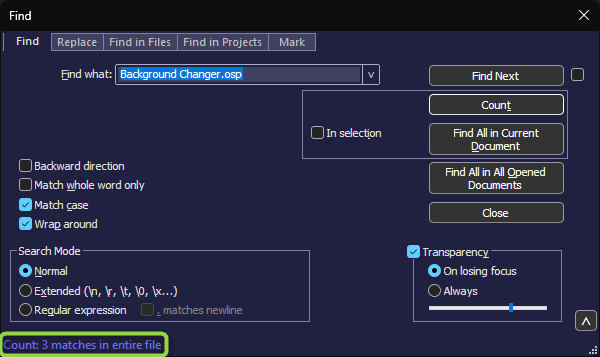
cannot post scriptconfig.oxc (security reasons), but there seemes to be 3 different Background Changer.osp entries
I'm not asking you to post the whole file, just the part concerning this script. It shouldn't be a security issue (in fact, you already posted it earlier but as image ) since they're just the same config names from your script which mostly contain numbers (filenames shouldn't be important here so you change them to other values), but OK.
Only if you know what I mean, you could try injecting data from your other script into this new one and see if you can reproduce the issue.
This reminded me of something similar I saw long time ago, when I was also starting with scripting, which I'd completely forgotten. You can try the following:
Backup your config.
Delete Background or whatever the new script is called.
Exit Opus completely.
With a text editor, open scriptconfig.oxc and search for any "BackgroundChanger". Remove all related nodes. This step is important; you must remove all of them if there are multiple entries.
Open Opus and install BackgroundChanger. The one with the issue.
Config and see if you can reproduce the issue again.
As far as I remember, I believe that if multiple entries of the same script are created in that file, you could see a similar problem with the variables. Now, how do multiple entries appear there? I don't remember that part, sorry.
Have switched back to Background Changer, deleted all entries in scriptconfig.oxc and it is working as it should now.
Many thanks for all the help, never really messed about or even looked the ConfigFiles folder before, there is plenty to learn just from the normal preferences, the scripting and documentation is aslo extensive and a lot to learn.

 the bug is still present - config resets after Opus restart