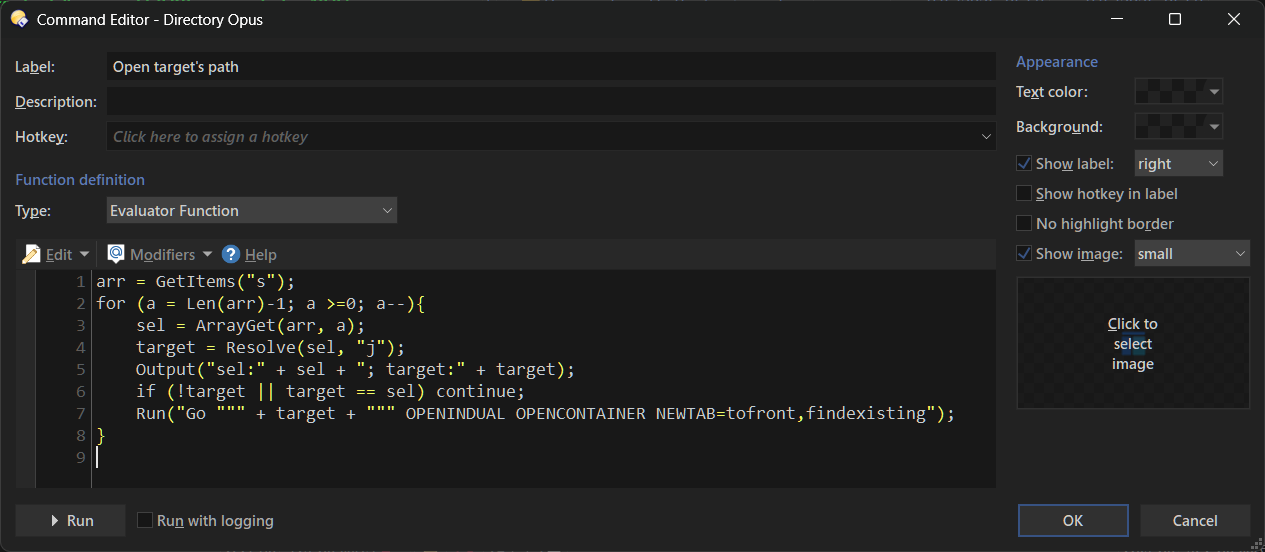
I want to create two buttons involving the TARGET of a symlink.
- I want to be able to select a file that is a symlink, and open the folder with the target file in the other pane.
- I want to be able to select on or more symlinks in a folder, and delete the target file and the symlinks.
If you want to know why--I have a large tree of files where I've created jxl files where there are large DNG, TIFF or PSD files. I've written a python program which creates a symlink for any pairs found in the tree to both the jxl and the presumably larger image--these are all in one folder c:\duplicate-summary. That lets me easily go through and look at each pair, and decide which one to delete, and then to delete whichever is the larger one (or the jxl if it looks different). But to make it easy, I want to delete the symlink from my c:\duplicate-summary folder and have it also delete the target file, wherever it is in my large hierarchy. And while I could do them one by one, sometimes I have a bunch that are obviously not good conversions, and I want to delete all of that set, so it would be nice if the script allowed me to select multiple symlinks and delete them all.
I tried using copilot and gemini to write the DO scripts, but after 2+ hours letting it try variations, nothing worked. Thanks in advance for your help.
Here's what it scripted for my #1 button per requirements above:
@nodeselect
@set TargetPath={filepath|resolve}
Go "{$TargetPath|..}" OPENINDEST
Select "{$TargetPath|file}" SETFOCUS
Here's what it scripted for my number #2 button:
@nodeselect
// Delete the actual file the symlink points to
Delete FILE="{filepath|resolve}"
// Delete the symlink itself
Delete FILE="{filepath}"