I was wondering how one would go about making a select filter or button that would select the highest version of a "file kind" such as in the example image below. I sometimes need to select the highest version of a folder name such as "MIKE_270_LT_v04" or the highest version name of a bunch of .jpg files in a flat list of files (only consistent thing in the filename is the "_v01' part.)
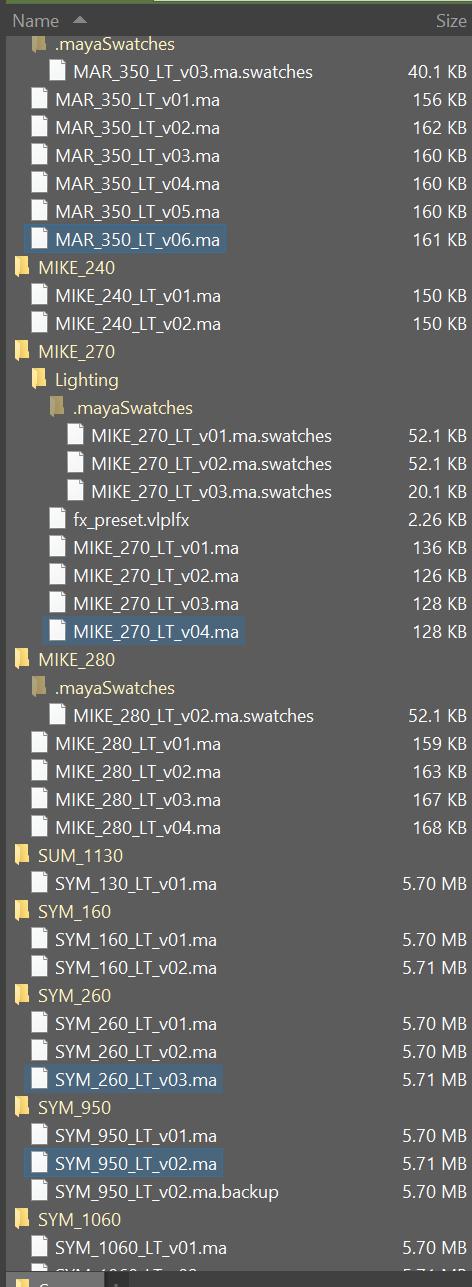
How is it determined you want MIKE_270 but not MIKE_240?
I would want both MIKE_270 and MIKE_240, just whatever the highest version number of each is.
So the command should select all the highest versions in the current tab, ignoring any existing selection?
Correct.
Try SelectCommonPrefix.
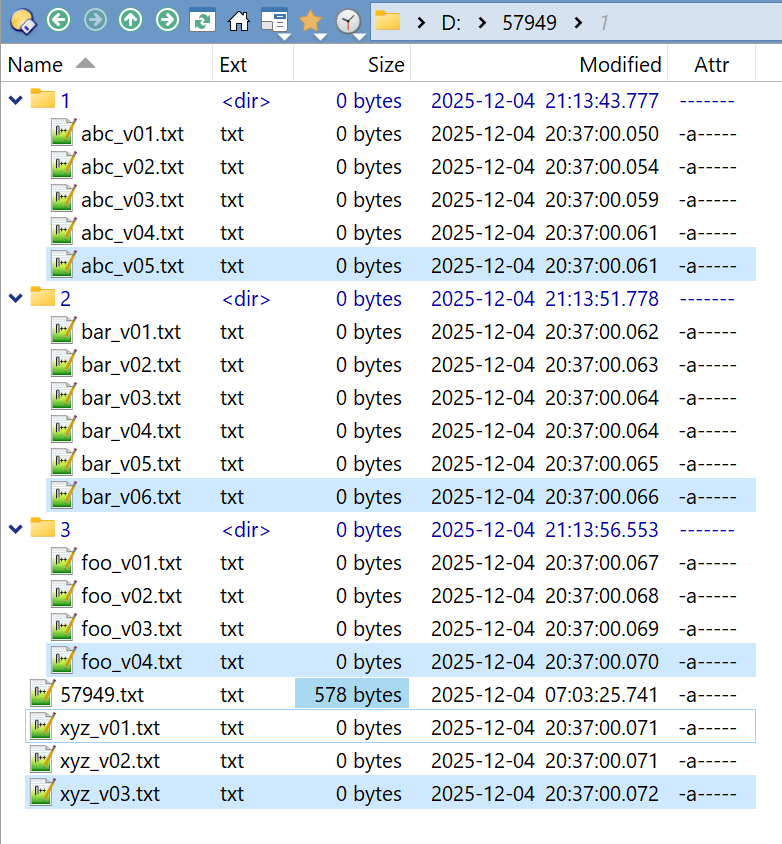
My test folder:
function OnInit(initData) {
    initData.name = 'SelectCommonPrefix';
    initData.version = '2025-12-04';
    initData.url = 'https://resource.dopus.com/t/select-based-on-version/57949/6';
    initData.desc = 'SelectCommonPrefix';
    initData.default_enable = true;
    initData.min_version = '12.0';
}

function OnAddCommands(addCmdData) {
    var cmd = addCmdData.AddCommand();
    cmd.name = 'SelectCommonPrefix';
    cmd.method = 'OnSelectCommonPrefix';
    cmd.desc = 'SelectCommonPrefix';
    cmd.label = 'SelectCommonPrefix';
    cmd.template = '';
    cmd.hide = false;
    cmd.icon = 'script';
}

function OnSelectCommonPrefix(scriptCmdData) {
    var cmd = scriptCmdData.func.command;
    var tab = scriptCmdData.func.sourcetab;
    var ssi = DOpus.Create().StringSetI();
    var map = DOpus.Create().Map();

    cmd.deselect = false;

    var re = /^(.*)_v(.*)$/;

    for (var e = new Enumerator(tab.unsorted.files); !e.atEnd(); e.moveNext()) {
        var item = e.item();
        ssi.insert(item.realpath);
    }

    for (var e = new Enumerator(ssi); !e.atEnd(); e.moveNext()) {
        var item = e.item();
        var arr = item.match(re);
        if (!arr) continue;
        if (arr.length != 3) continue;
        var prefix = arr[1];
        map.set(prefix, item);
    }

    if (map.empty) return;

    cmd.ClearFiles();

    for (var e = new Enumerator(map); !e.atEnd(); e.moveNext()) {
        var item = map(e.item());
        cmd.AddFile(item);
    }

    cmd.RunCommand('Select FROMSCRIPT DESELECTNOMATCH');
}
Save CommandSelectCommonPrefix.js.txt to ↓
%appdata%\GPSoftware\Directory Opus\Script AddIns
2 Likes