The text is a little too small for me. Is it possible to change the default zoom setting?
You mean text in the viewer pane?
Try changing Preferences / Colors and Fonts / Fonts / Text viewer (text).
I’ll be honest, I’m not sure what viewer pane is
I’m talking about font of folder/file names.
That didn’t work
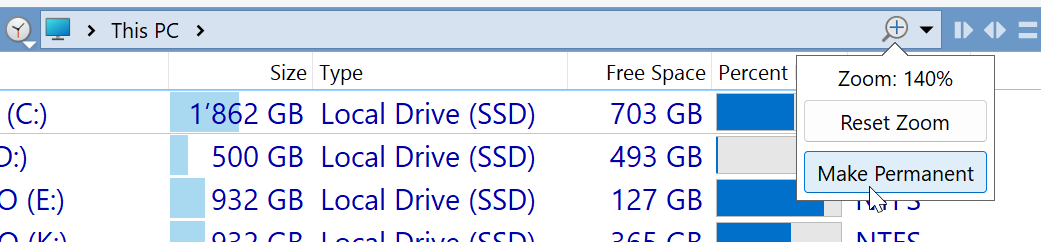
Just tried to make it permanent but zoom level is different in different folders/windows
I would like the same font size everywhere
Save it via Settings > Set Lister Defaults.
Thanks! This worked 
It sounds like you were setting it via the Folder Format, which is there specifically to allow you to override the default font size in different folders.
The font setting/override there should be left off normally.
Adjust the default font size in Preferences, in the place Lxp pointed to above.