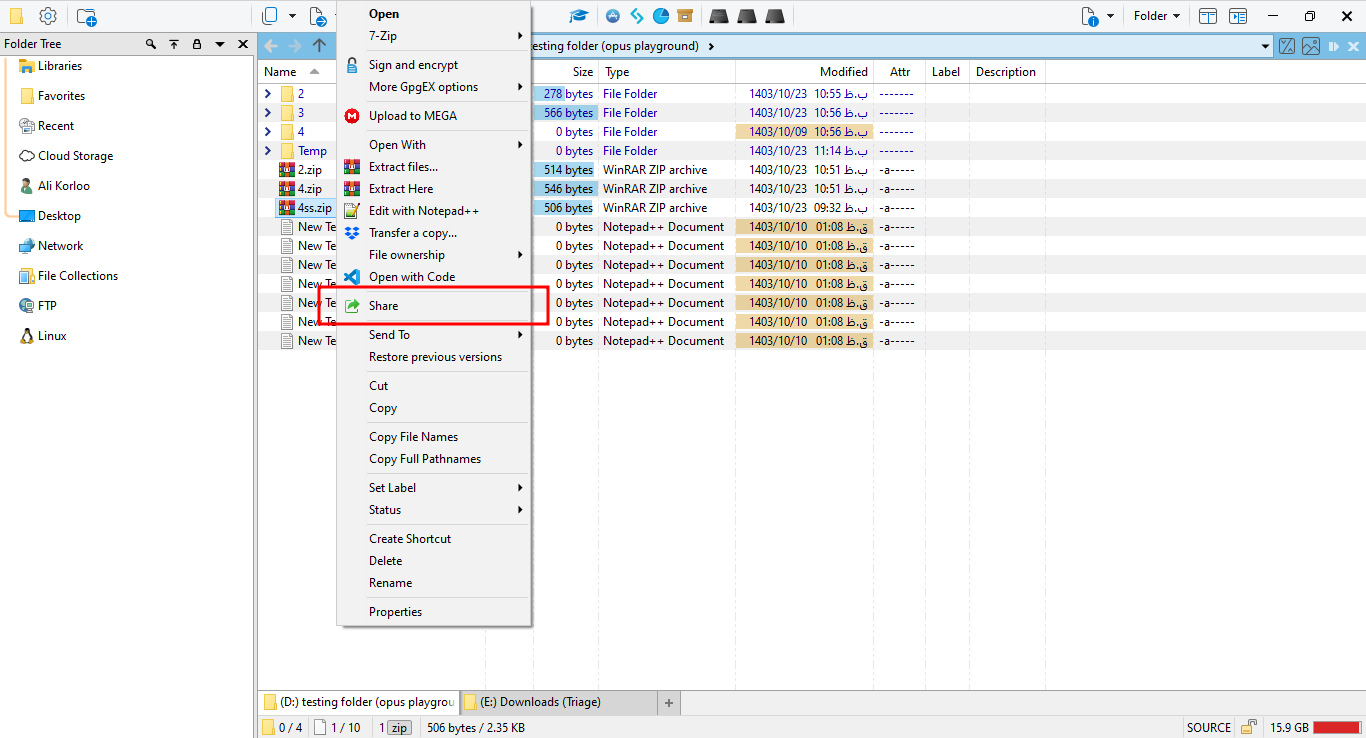
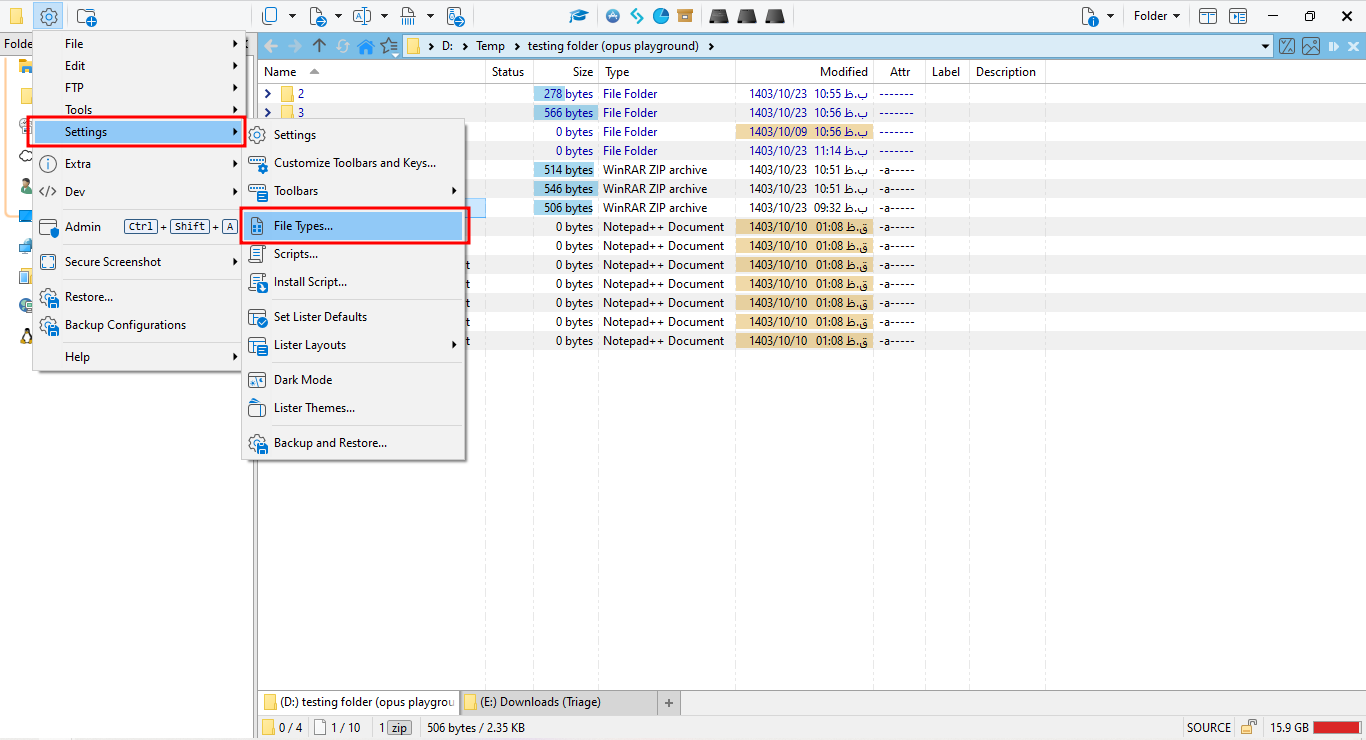
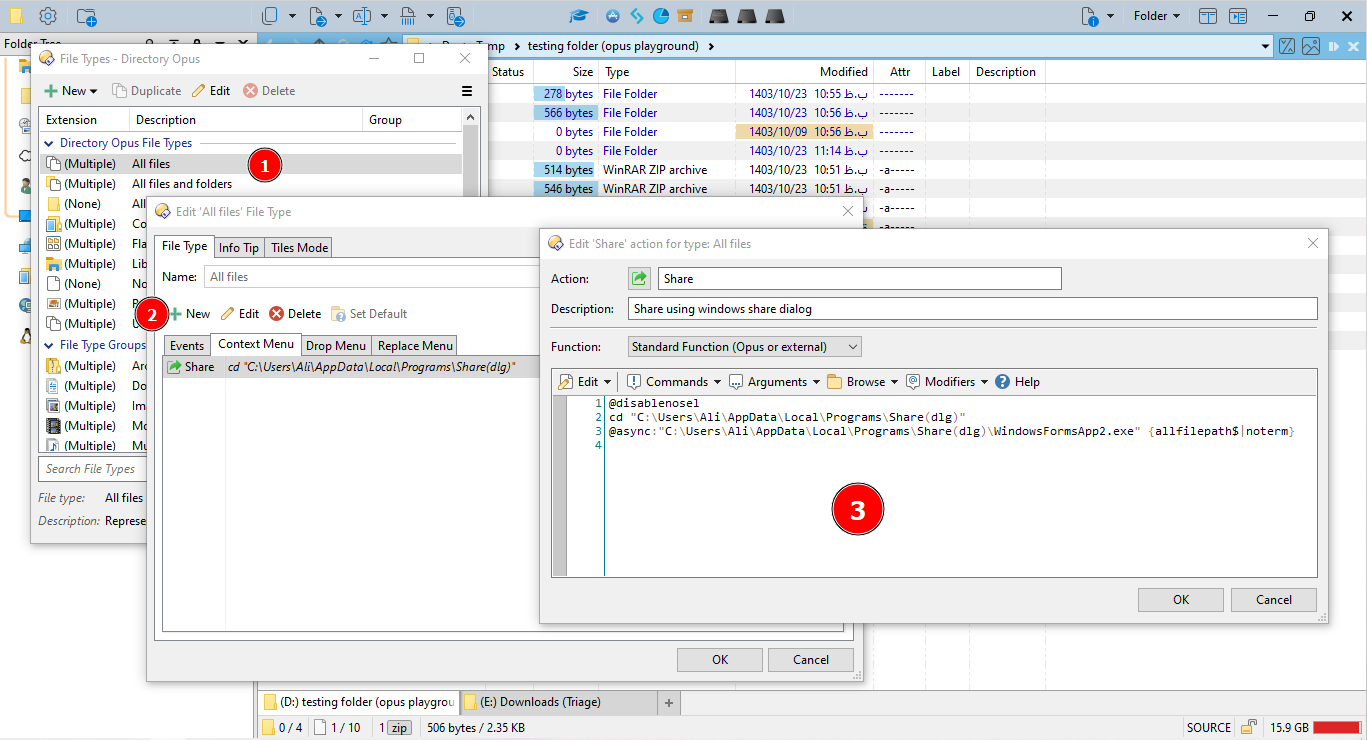
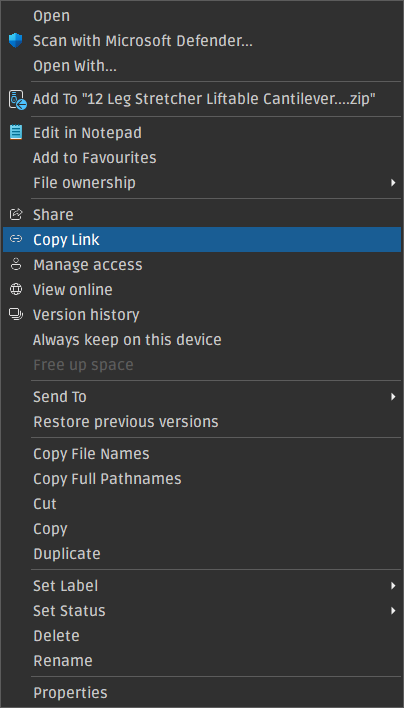
Since you can't share folders with PhoneLink, select "All Files" and create a new context menu item using the provided parameters. Make sure that the files are stored somewhere on your drive, and use their path instead of mine.
I preferred not to go through the hassle of installing Visual Studio, but I encourage you to compile it yourself, or maybe @errante could give you his compiled binary files.
Sorry, I was unclear. I didn't try the method you described, what I was referring to was that the Share/Copy Link/Manage Access etc, all the OneDrive related stuff still works on one of my computers, the same way it did before it stopped working for most or all.
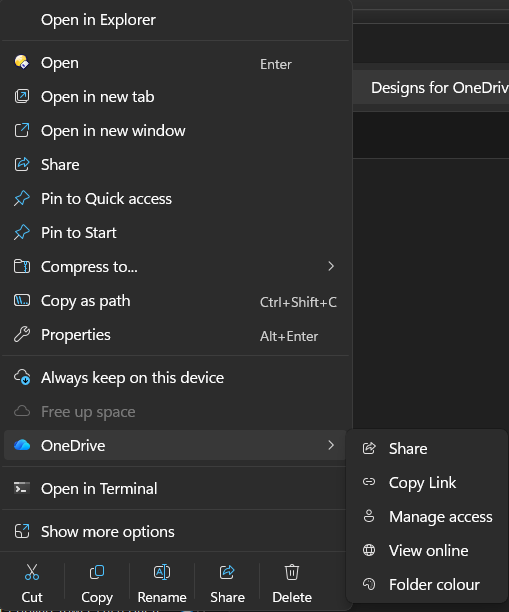
Ok, this is really quite remarkable because I just did the 24H2 update on my 2nd computer and lo and behold, the Share option is back! Also got a new option in the same section to colorize folders. Wow. Almost a year of non-functionality and now it's back.
The MS will likely phase out Outlook Classic, and subsequently, the "Send to Mail Recipient" option will cease to function. The Share option is also working in Directory Opus. What would be the workaround?
haha, that's the story of Microsoft and Windows since the 80's though, nothing changed, nothing new and never surprised.
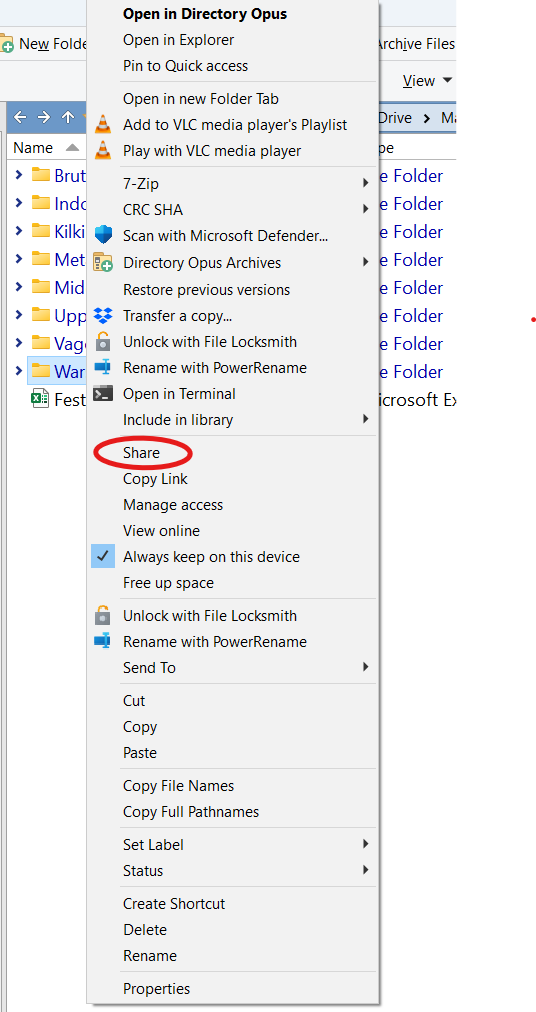
In Build 26200.7705 they have OneDrive options in a sub menu now: