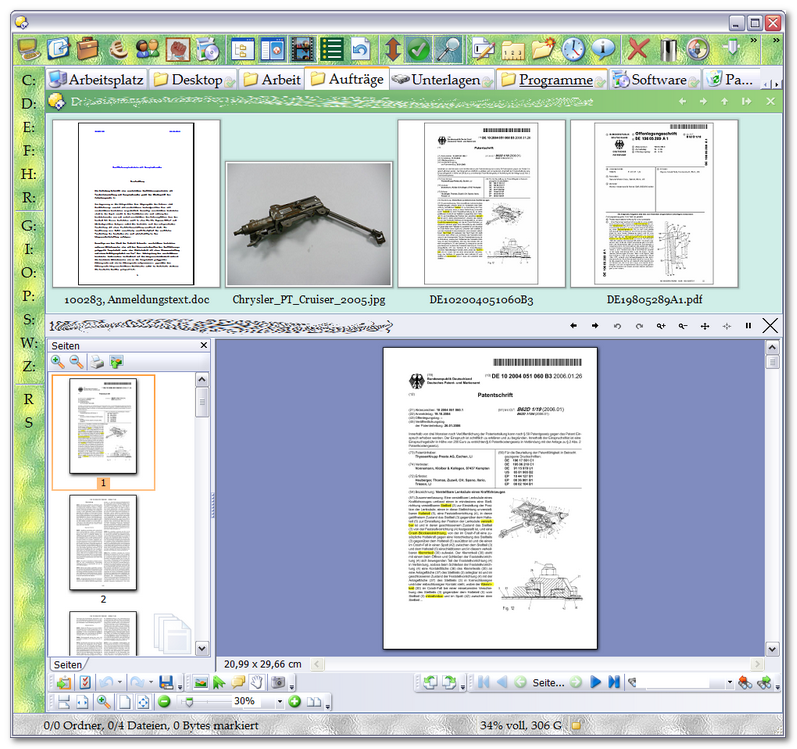
just spent half an hour pulling my hair looking for a PDF file that I knew had to be there but could not find it. The reason was that this file (being important for several customer projects) "phyiscally" only exists in one actual folder, but in the other folders (the ones where I was unsuccessfully looking for the file by filtering the lister for *.pdf ) only as LINK to the actual file -- in order not to get multiple different versions of that file over time.
Anyway, is there a way that LINKS to files are show with the actual file's own proper extension (e.g. *.PDF) instead being shown as *.LNK ------- in order to be able to filter a lister and not missing out on the files that are only there as links, not actual files, you know what I mean.
Here, the second rightmost file (DE102004051060B3) is only a link to a PDF file (which is in another folder).
Still, even that *.LNK (as can be seen) gets previewied in the preview pane, and has a file thumbnail (although the "hover thumbnail" in the tooltipp that I get for "real" PDF files is missing for the *.LNK).
The link (as always with links IMO) has no (visible) extension and simply shows up in Explorer or Dopus with the name "DE102004051060B3" --- which of course is also the reason it gets hidden if I put "*.pdf" (or "pdf") in the Opus quick file filter box
In that case, I don't think there's a way to make the quick filter box know that file links to a .pdf.
When doing a search (or other operations that use filter like you can define in the Find panel's Advanced tab), you can use Target clauses to match LNK files which point to PDF files.
You could use that to find all such files, then rename them from *.lnk to *.pdf.lnk, so that their filenames indicate they point to PDF files. After doing that you could then put .pdf (or similar) into use the quick filter box to find all PDFs and shortcuts-to-PDFs. Bit fiddly, though.
(Another possibility is using hardlinks to put the same file in two places, instead of shortcuts.)
 ) only as LINK to the actual file -- in order not to get multiple different versions of that file over time.