Turn off Numeric order filename sorting in the Folder Format (e.g. via Folder / Folder Format from the default toolbars):
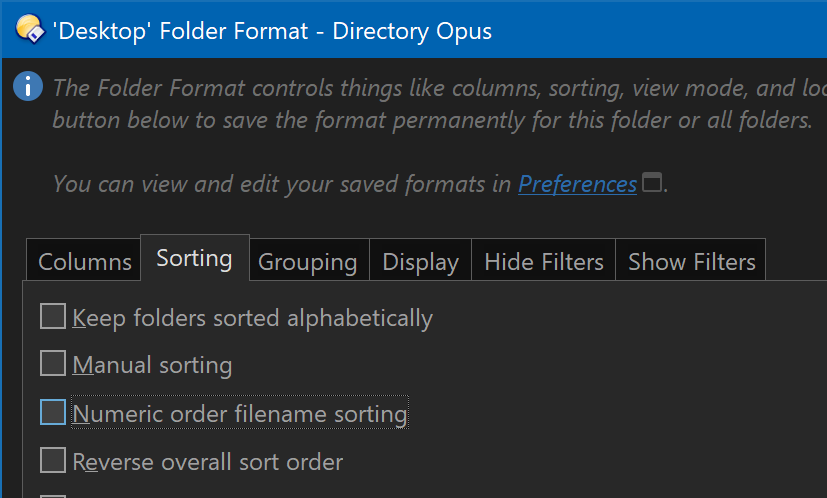
To apply the change to all folders, use Settings > Set Lister Defaults after making the change. (Or see Folder Formats: Quick Guide for other methods.)
When numeric sorting is on, you don't get the sort you want because the folder names are a mix of numbers and characters. (Numeric sorting works with decimal numbers, not hex.) For example, when 1f and 02 are compared, they'll be treated as:
- 1 followed by an
f - 2 followed by nothing
Since 1 < 2, 1f comes first.
(File Explorer does exactly the same by default, FWIW.)
With numeric sorting turned off, they'll be compared like strings without any special interpretation of the numbers.