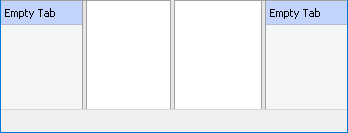
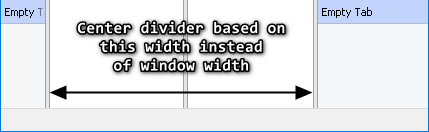
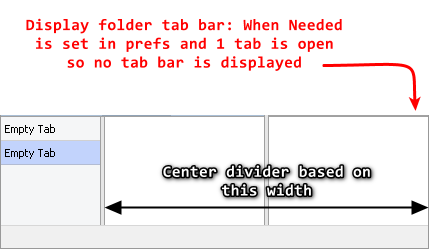
I propose a change to center the divider an alternate way while keeping the current function intact. This alternative method would mostly be beneficial with vertical tab bar(s) and would consider size/existence of UI elements surrounding the divider. Such as...
Vertical tab bar width (which itself can be adjusted with a divider style bar)
Triggering the divider being centered could work like this...
Currently if the divider is already centered and you double-click nothing happens because it's already centered. This is when the alternative method could kick in. Perhaps as well as triggering the alt center method with a modifier + double-click, this would be helpful if the divider isn't centered but you want to use the alt center method one could just modifier + double-click instead of double-clicking the divider twice in a row. Probably would make sense for a new command argument to trigger the alt method as well.
It doesn't use the window width; it makes both file displays the same width as each other, giving each 50% of the available space.
The file display includes the tab bar, so if you have vertical tabs and they aren't the same width on both sides then the space for the file lists will be different. But if the tab bars are resized the same then the file lists will be as well.
Right, I was just writing what I observed while writing up this thread, I had no vertical toolbars or anything visible to make that realization at the time. Thanks for clearing that up for everyone. I think my suggestion is worth adding. I'd rather easily and precisely center the divider instead of eyeballing the center. Mainly because of the setting in the last screen above in my OP. I figured if that would be done for that setting then you might as well accommodate the variable width of the vertical tab bars too.
Double-clicking the divider would alternate between the traditional 50/50 divide first and the alternative center divide second.