General note:
Seems to work fine here:
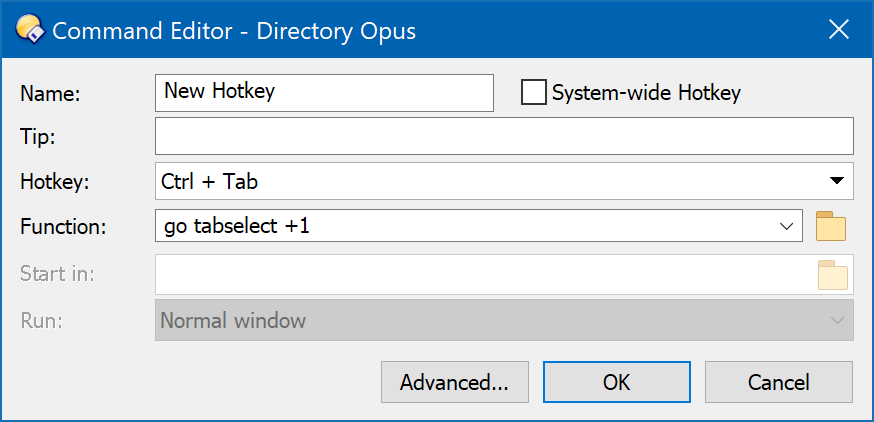
If your issue was that typing the Tab key into the hotkey field tabbed you to the next field, you can use the menu on the right of the field to insert special keys like Tab and Enter. (Hold Ctrl and click the menu item if you want Ctrl + Tab.) See also: Using the Hotkey Control.
-
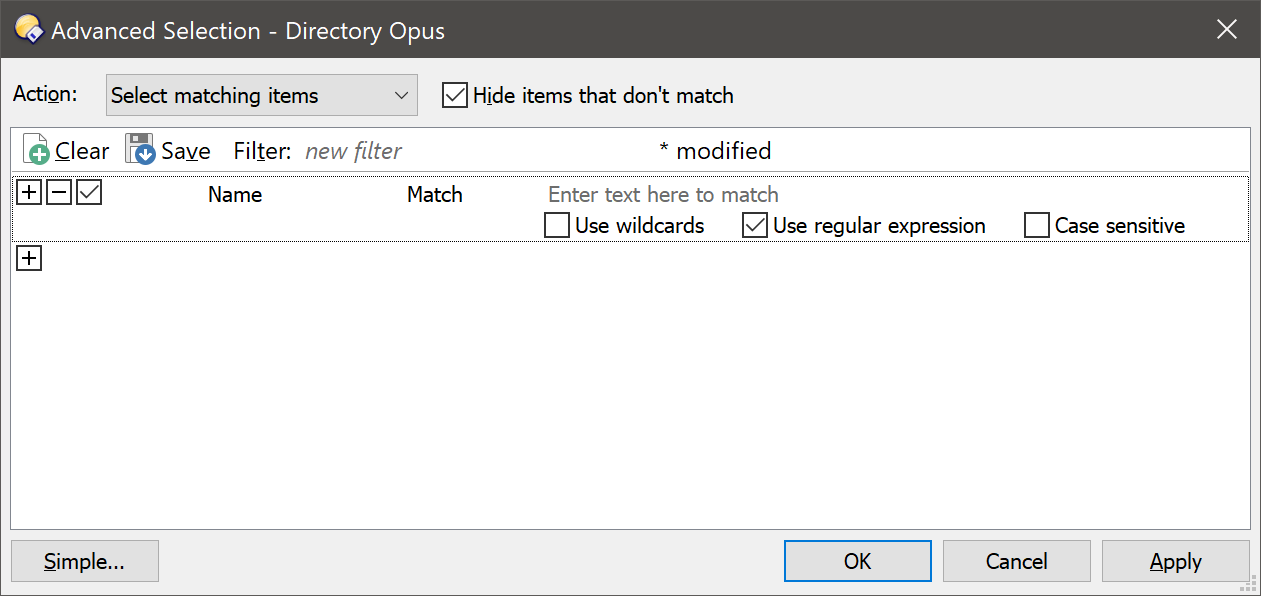
Select: Edit > Select By Pattern > Advanced allows you to use regular expressions.
For use in buttons, the Select command has a
REGEXPargument as well:
e.g.Select .*\.jpg REGEXP -
Find: The Find > Advanced tab is similar and allows regular expressions.
-
Search: What Windows Search supports is up to it. We just pass the query over to it.
Clicking tabs with shift triggers the event fine here, using a simple test script:
// Called by Directory Opus to initialize the script
function OnInit(initData)
{
	initData.name = "test";
	initData.version = "1.0";
	initData.copyright = "(c) 2020 Leo Davidson";
	initData.desc = "";
	initData.default_enable = true;
	initData.min_version = "12.0";
}

// Called when a tab is clicked with a qualifier key held down
function OnTabClick(tabClickData)
{
	DOpus.Output("Clicked");
}
Re clicking with no qualifiers, that's intentional, and documented in the manual. OnTabClick exists is to let you add new, custom actions when holding qualifiers, but not to replace the basic/default action of changing tabs when a tab is clicked with nothing held down.
What are you aiming to do where replacing that action would make sense without anything held down?
If you want an event which happens when the active tab is changed, use OnActivateTab instead.
The issue there is mainly performance. Running scripts is quite slow, and running a script every time the file selection changed could really slow things down.