Hello everyone,
I am confident this is a fairly recent issue i.e. it did not happen before and I cannot tell if it's something that I touched somewhere or not.
My usual procedure:
- Open a lister to desired locations
- Maximise it
- Press Ctrl-Y for Synchronization.
Now, I get:
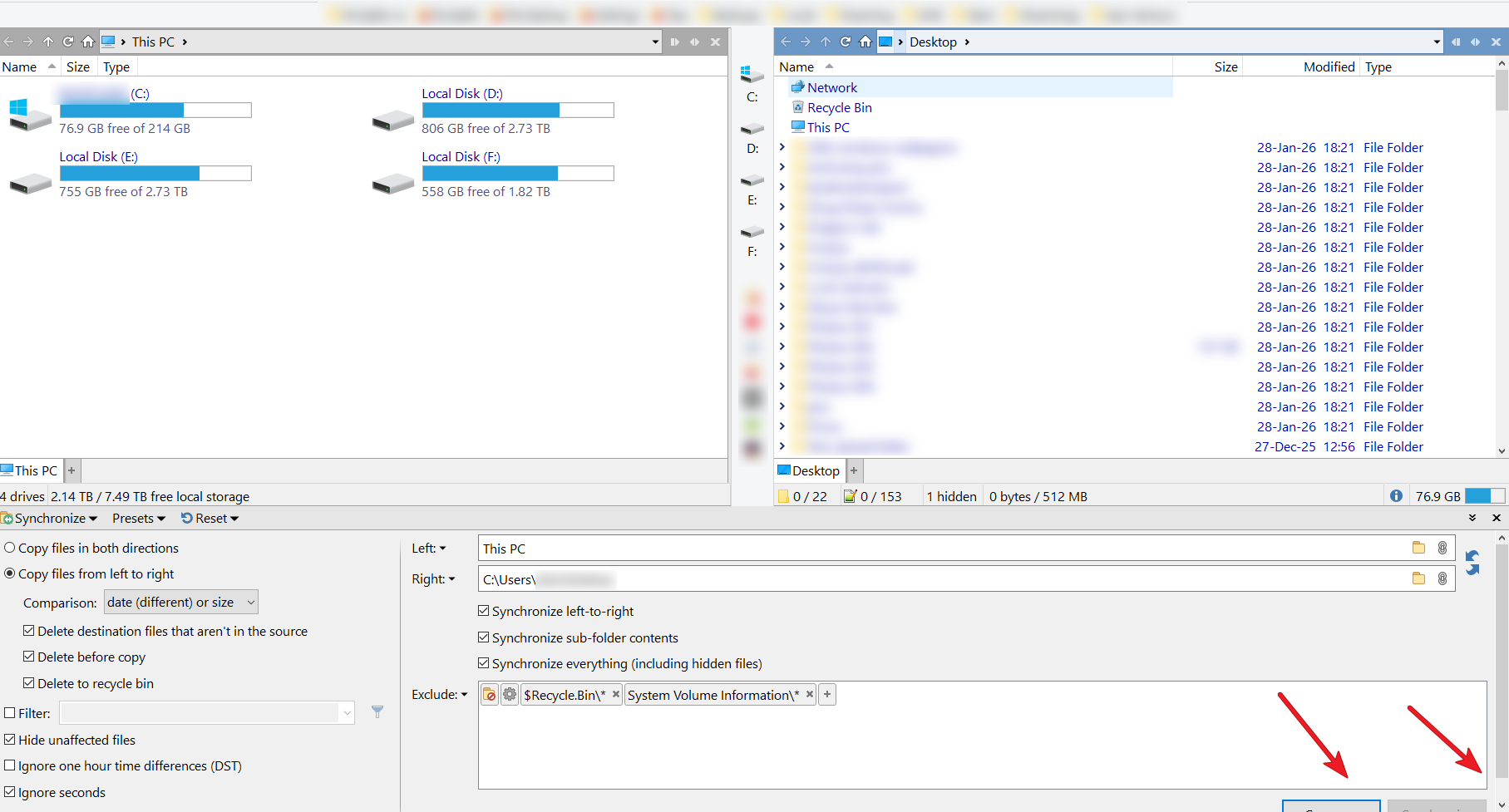
Note the semi-hidden buttons and the scrollbar. I have to either drag the panel slightly upwards, or scroll down. Every single time.
It's a 1920x1080 screen with plenty of space and as mentioned, this did not occur until fairly recently (weeks before, rather than days). I don't know why the "drag status" is not remembered, if it is even possible to save and remember it, or why not fully showing the Compare / Synchronize buttons is not the default.
Am I missing something here? DPI is Custom 100%. "Make text bigger" is set to 125% on Windows 10 Settings, although this particular setup goes way back i.e. DOpus must have worked fine with it for a long time.