The plugin that shows an "Encoding" column:
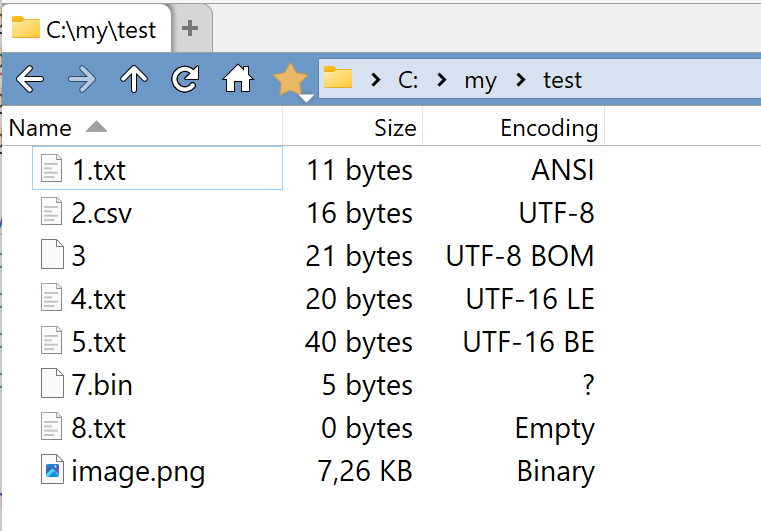
You can download the plugin:
PolarGoose/DirectoryOpus-TextFileEncoding-plugin
The plugin that shows an "Encoding" column:
You can download the plugin:
PolarGoose/DirectoryOpus-TextFileEncoding-plugin
To install this, type /scripts into Opus's location bar to locate the scripts folder, then copy text-file-encoding-column.js to it.
(The other files in the GitHub repository don't need to be downloaded.)
@Leo,
Thank you.
Indeed, sorry for the confusion.
A better way is to download the js file from the latest release:
PolarGoose/DirectoryOpus-TextFileEncoding-plugin Releases
Thanks for this!
FYI - ANSI detection fails with "?" if a file contains ASCII extended characters.
It is true. Extended ASCII is the wild west. There is no reliable way to determine a specific encoding.
You can also try another script:
File MIME type and Encoding column using libmagic
There is also a potential to use uchardet, but no one has written a plugin using it yet.
OK thanks.
I modified the script so it shows the same encoding as shown by Notepad - ANSI files show as UTF-8 except those with extended ASCII show as ANSI.
I'm guessing this won't be reliable either but I'll see how it goes.