The capacity of the network drive is displayed

First I have to say sorry, I don't know how to describe this feature, maybe the title is not quite right.

When I open the network drive, hovering over any folder does not show the size of the folder.
I'm guessing this has to do with some setting in the 'Folder Behavior' within the settings options.
When I enabled similar detection of folder contents and unchecked 'Ignore symlinks and mounted directories when calculating folder sizes', it didn't help. When I select 'Automatically calculate folder size', the size of any folder can be displayed normally. Of course, automatic calculations are very resource intensive, so I prefer to show the size when I mouseover the folder.

The above are all for network drives. It seems that what I said is very long-winded, I hope you can understand it. Sorry. Expect help.
Please link your account.

1 Like

Many thanks!

Does hovering over the folder on a network drive show any other information?

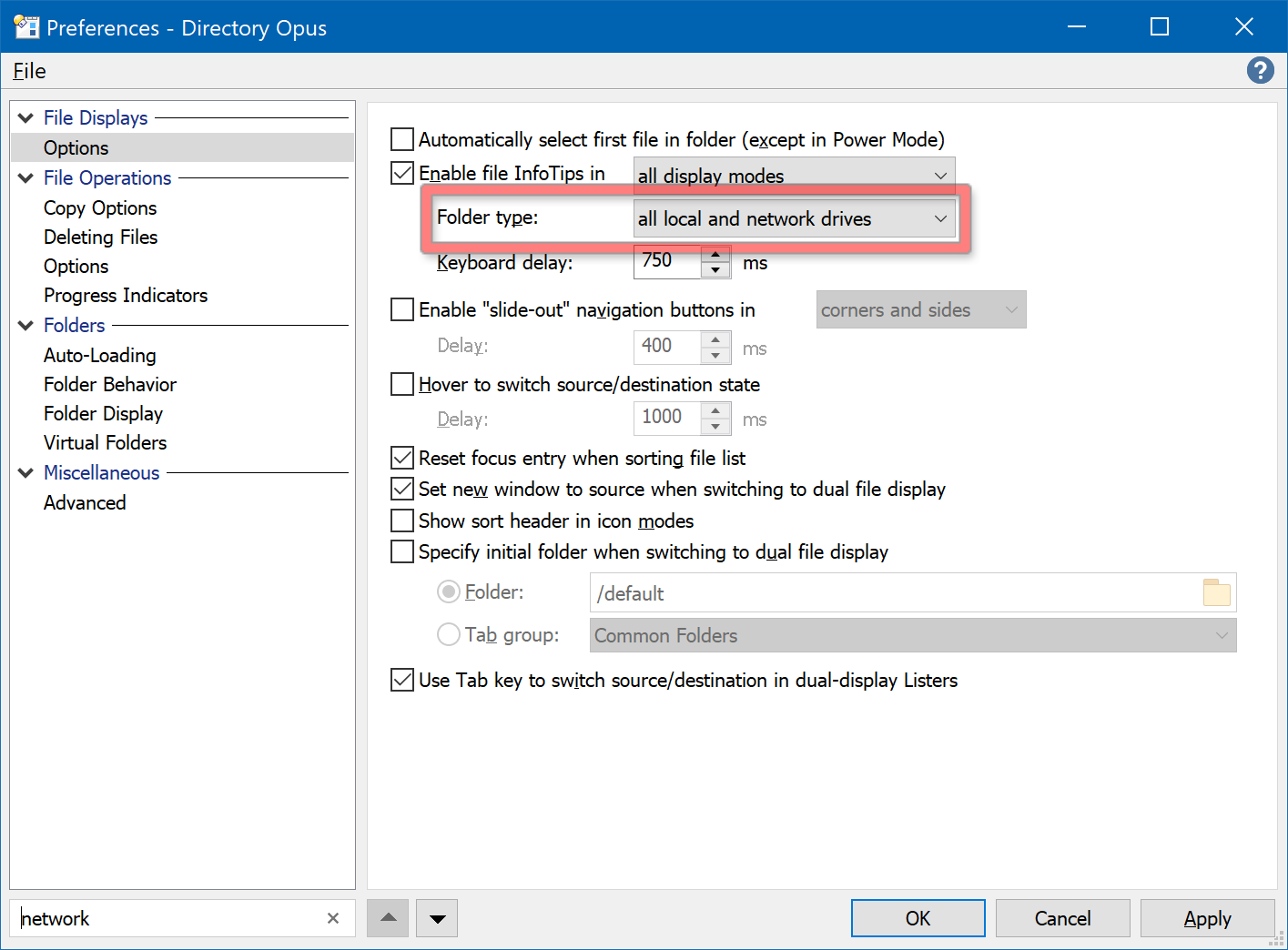
If it's showing nothing at all, it's probably because this is set to local drives only:

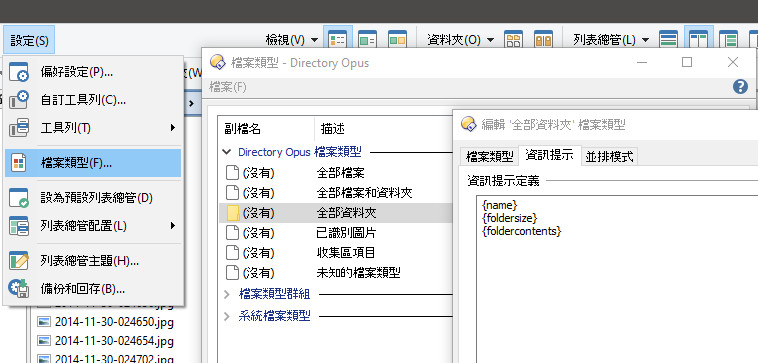
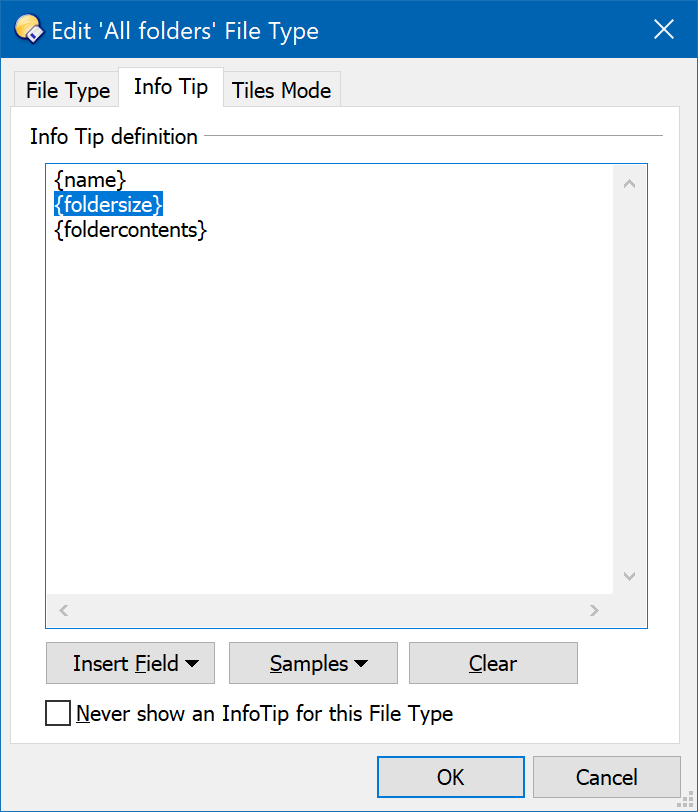
On the other hand, if it's showing information but not sizes, is it working OK on other folders? If not, go to Settings > File Types > All Folders and check that the Info Tip definition includes {foldersize}:

Thanks for your reply.
When I Hover Over The Folder On A Network Drive, It Shows no any Information.
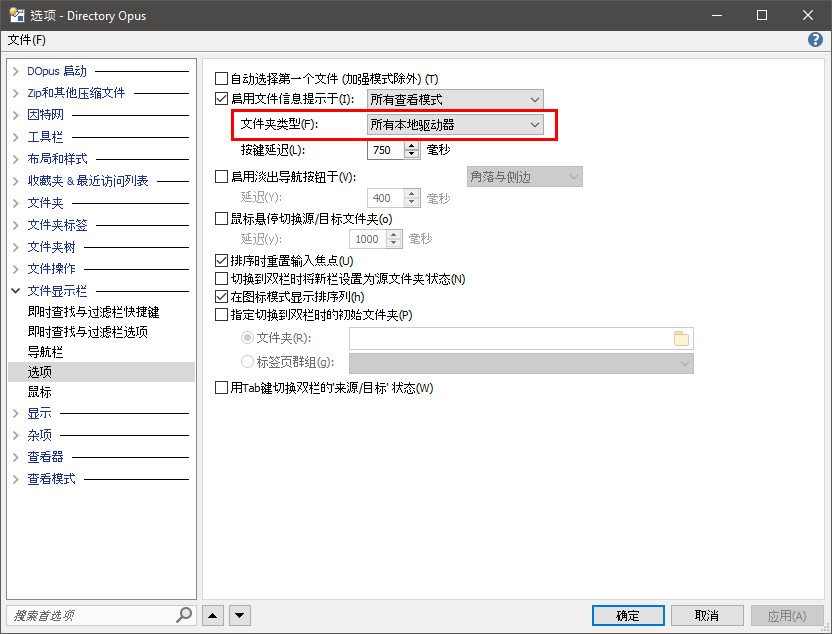
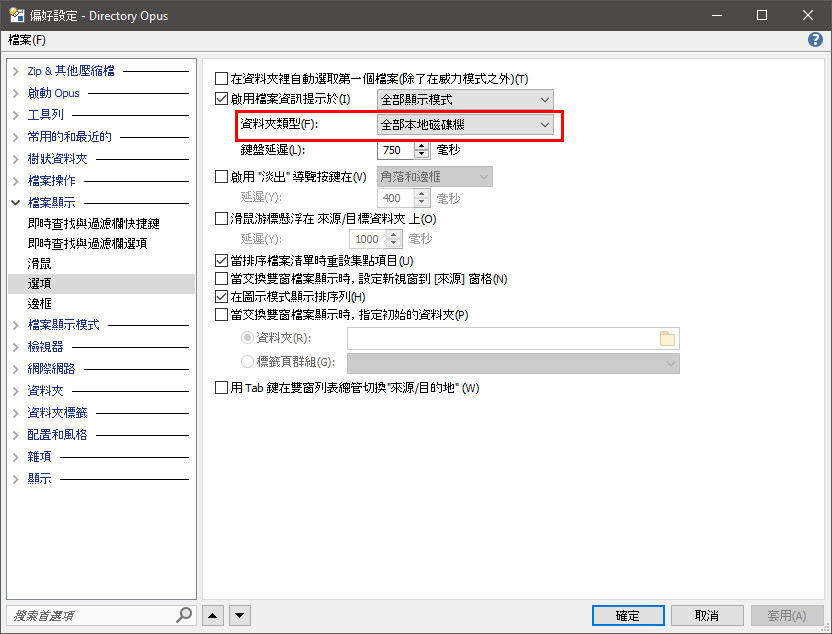
In addition, I am using the Chinese version, and I searched hard for the options pointed out in your screenshot. Unfortunately, the Chinese version does not have this option.

Chinese simplified:

Chinese traditional:

2 Likes

Thank you so much, this really helped me a lot.

1 Like