In DO13, what options exist to toggle toolbar labels for all buttons on a specific toolbar?
You can do it via the Customize dialog, Toolbars tab.
I am very familiar with that option, Leo.
I am interested in a toggle method that one could tie to a button or script rather than opening the Customize dialog. Is this possible?
Not directly, but it might be possible via the Evaluator now, since that can make labels conditional on, say, a variable, and could clear all the labels when the variable was set/unset. At least in theory. Not something I have tried.
Thanks, Leo.
Beyond may capability at this point, but will take a look.
Set up a button to toggle the label settings:
@if:$glob:ShowMyToolbarLabels
@set glob:ShowMyToolbarLabels=0

@if:else
@set glob:ShowMyToolbarLabels=1

@if:common
@toggle:update
Define labels in other buttons like this:
@label:Val("$glob:ShowMyToolbarLabels") ? "The visible Label" : "The invisible Label"
@lxp Thanks for this! I will give it a go, but it will take a while given the toolbar in question has 22 buttons.
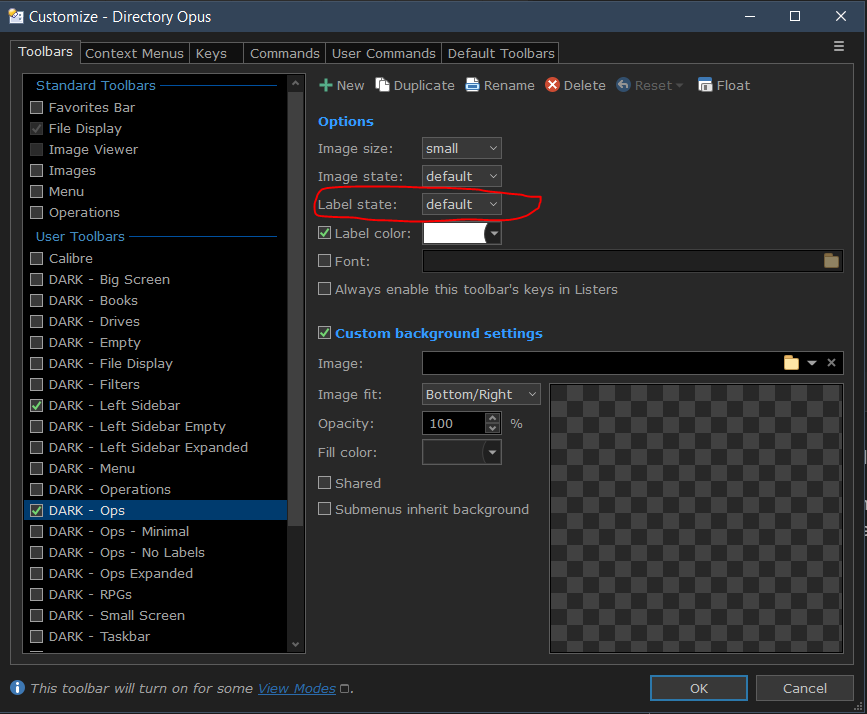
That said, this welcome initial solution seems a bit much as a long-term solution when one has several buttons on the affected toolbar. To me, it would make more sense to include an option that gives users access via DOpus command to the Customize dialog "Label state" setting:
@lxp Gave this a go as a test. Here's the set up:
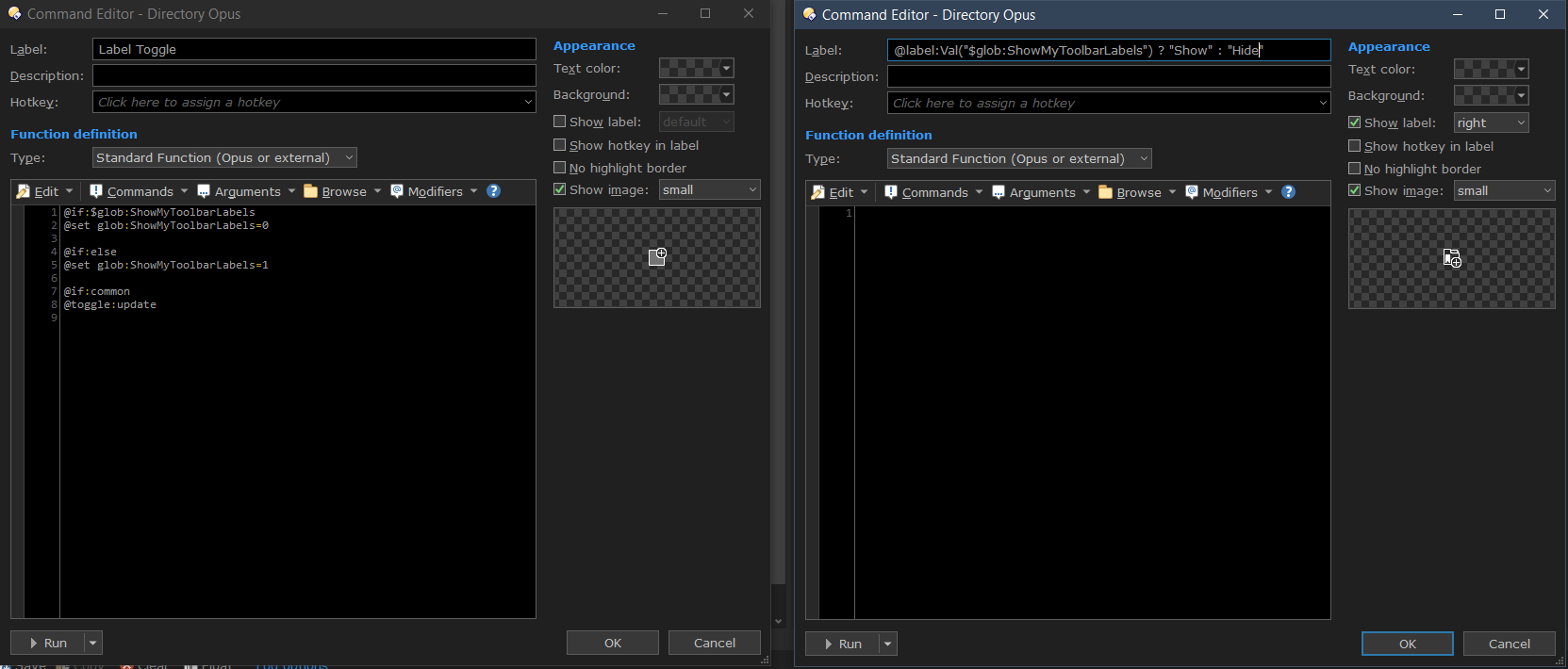
Pressing the "Label Toggle" button does nothing. Not sure what I'm missing and would appreciate any insight.
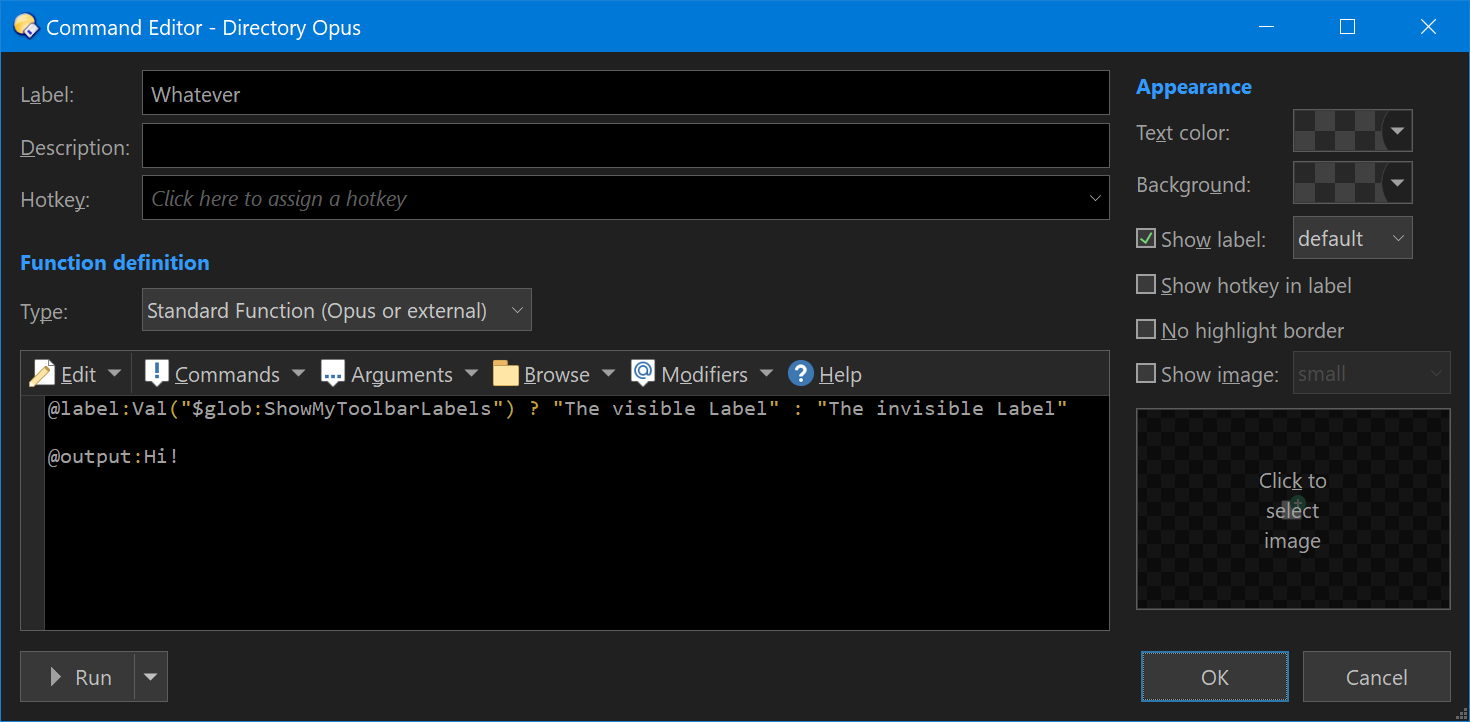
Bonus: You can simplify the editing of your buttons by using the variable original_label. So you could use a standard line for all buttons:
@label:Val("$glob:ShowMyToolbarLabels") ? original_label : " "
Looks like you can't pass an empty string to the label modifier, so I opted to use a space. Maybe we'll find something better.
That's it, thanks!
I had tried both in the label itself and in the function with no success. The empty string was throwing me. The space does impact the vertical toolbar on which I'm using it, but not much. Hope the team fixes the empty string at some point.
Thanks again!
In the next update a @label clause will be able to return false to specify no label at all.
I can confirm setting the label as false slightly reduces the empty space as compared to having a single space " "
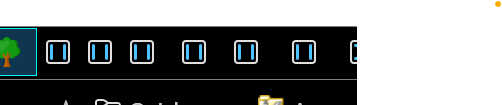
I have uploaded 6 identical normal buttons. The two first of them has no label aka blank. Next two = false and the last couple has the space " "
as you can see the the gap is clearly increasing in size to the right where the labels is supposed to be.
Directory Opus 13.18.1 (Beta) Build 9372 x64
OS 10.0 (B:26100 P:2 T:1) SP 0.0