Is it possible to display the transparency of PNG files as a checkerboard? Displaying them as a solid white color is very confusing, the images appear to have a background. Thank you very much.
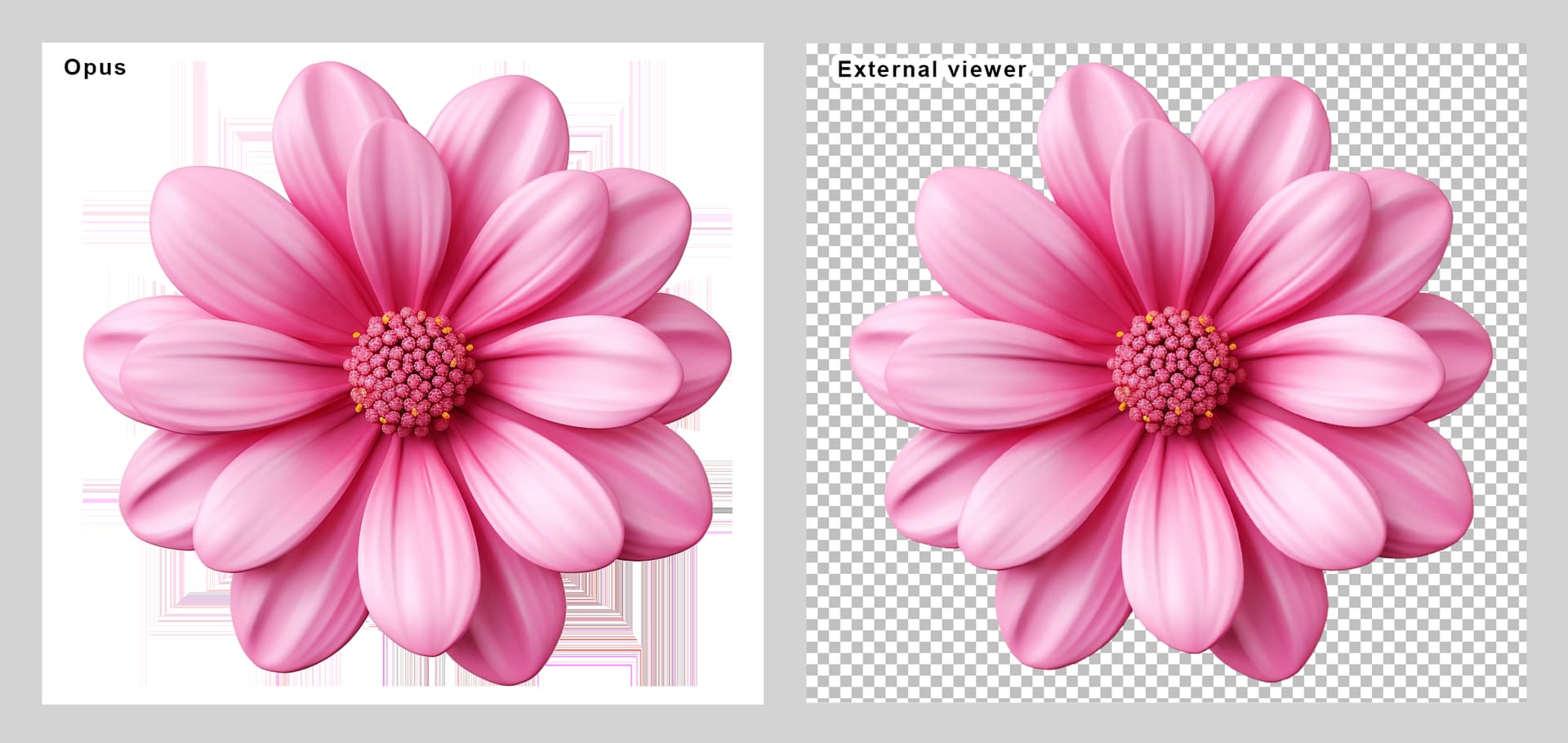
It can't currently show a checkerboard, but you can change the background color (in Preferences), and can also change it on the fly (via toolbars/menus/hotkeys/commands).
By default F3 in the standalone viewer will toggle between black and white backgrounds. (View > Background Color in the menus.) I find that actually works better than a checkerboard as it lets you test the image on solid light and dark backgrounds, which are better for noticing fringing and small details that checkerboards make hard to see.
(There's also an option to toggle the alpha channel, which it looks like may already be turned on in your screenshot. That's useful for seeing if there's any data hidden in low-opacity areas of the image, but not what you want if you want to see what it looks like normally.)
3 Likes
Hi @Leo, thank you so much for the reply. I'm so sorry this effect can't be created, and while the option you mentioned, to alternate between a black and white background, is fantastic because it allows you to uncover imperfections that sometimes exist in transparencies, the checkered background is a classic in graphic editing, and I really like that effect, but at the same time, I understand that they don't have to be everyone's choice.
I also wanted to tell you that I really liked that the background change effect was left open, as an editable script, so everyone can set the colors they need.
@enableif:enabled Show VIEWERCMD=backcol
@toggle:disable
// If we are in Dark Mode, jump to white first, then black, then white...
// If we are in Light Mode, jump to black first, then white, then black...
=if (!Elapsed("DarkModeViewerToggle", 500, true) && key_repeat) AbortFunc();
=col1="#000000"; col2="#FFFFFF"
=if (SysInfo("DarkMode")) { swap(col1,col2) }
=return "Show VIEWERCMD=backcol," + (ischecked("Show VIEWERCMD=backcol," + col1) ? col2 : col1)
I added this button to the viewer via:
Toolbars > Customize > Commands > Viewer > Background Color → Toggle
and everything worked fine, but I can't hide its label, even with the "View Label" option unchecked. It's not a big deal, but ideally, it would be possible to display only the icon like the other buttons.
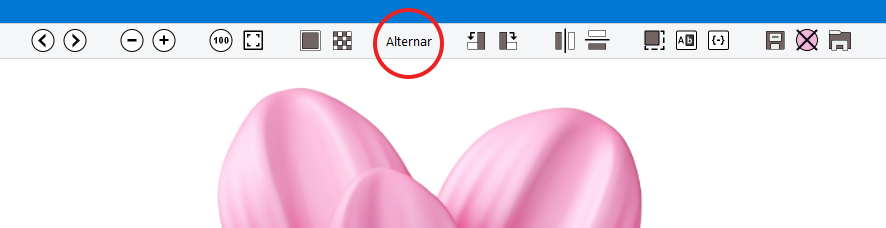
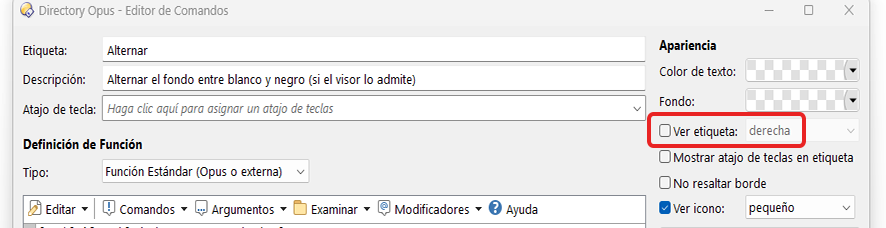
It seems to be the button itself, because I copied the code to another button and it works fine. I created a triple button to incorporate a second button to reset the background color (gray).
Show VIEWERCMD=backcol,#d4d4d4
You can only hide the label if it has an icon. (Otherwise there would be nothing to visually indicate the button is even there.)
That's right, you should have at least one visual identification option, either the label or the icon. The problem is that I've specified an icon with its respective option checked (see icon), and yet the label still doesn't hide. It must be a problem with the icon, thank you very much!

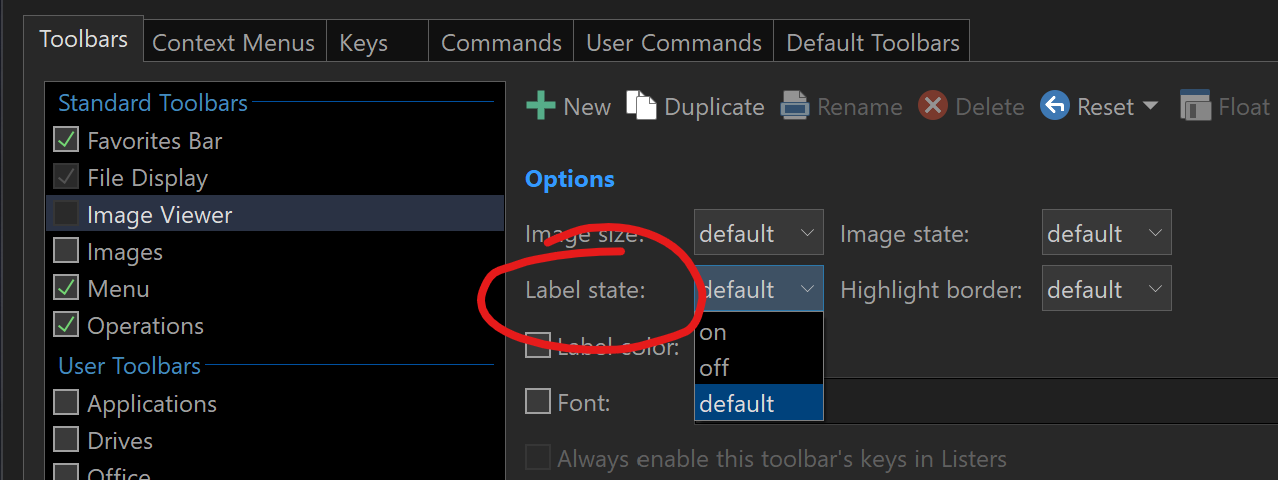
Excellent @Jon, being able to apply general behaviors to all the buttons on a bar, I didn't remember this possibility, I'm going to disable the labels on the viewer bar, thank you very much!
I also want checkerboard transparency. It is really the standard behavior. A solid background can be helpful but I think by default the checkerboard behavior is desired. This is part of the reason that I don't use the built-in image viewer (XnView MP shows transparency correctly).
In many cases a solid color will make the image completely undiscernible. The switching solid background workaround requires extra steps and, for example, doesn't make sure thumbnails can always be seen. I think the first thing should be to make sure that the image can always be seen, which a checkerboard can achieve.
Besides the benefits above, honestly, using a solid background for transparency just feels very unprofessional. Literally any image app that's a bit serious doesn't do that (XnView, Photoshop, Illustrator, ShareX, ...).
2 Likes
I will definitely give +1 for the checkboard transparency option.
It's really beyond the scope to debate about it. It's a standard, and it hurts my heart when I must leave Opus to do tasks that require checkboard transparency.
Hope it becomes a feature soon.
1 Like
The image viewer, like everything else related to DOpus, is incredibly detailed, but without a doubt, if one day the viewer were to display transparencies with a checkerboard effect, that day the viewer would be extraordinary.