This plugin uses the TrId2 library to detect file types based on file content.
This plugin provides a dialog that shows the file type information and a "fix file extension" command.
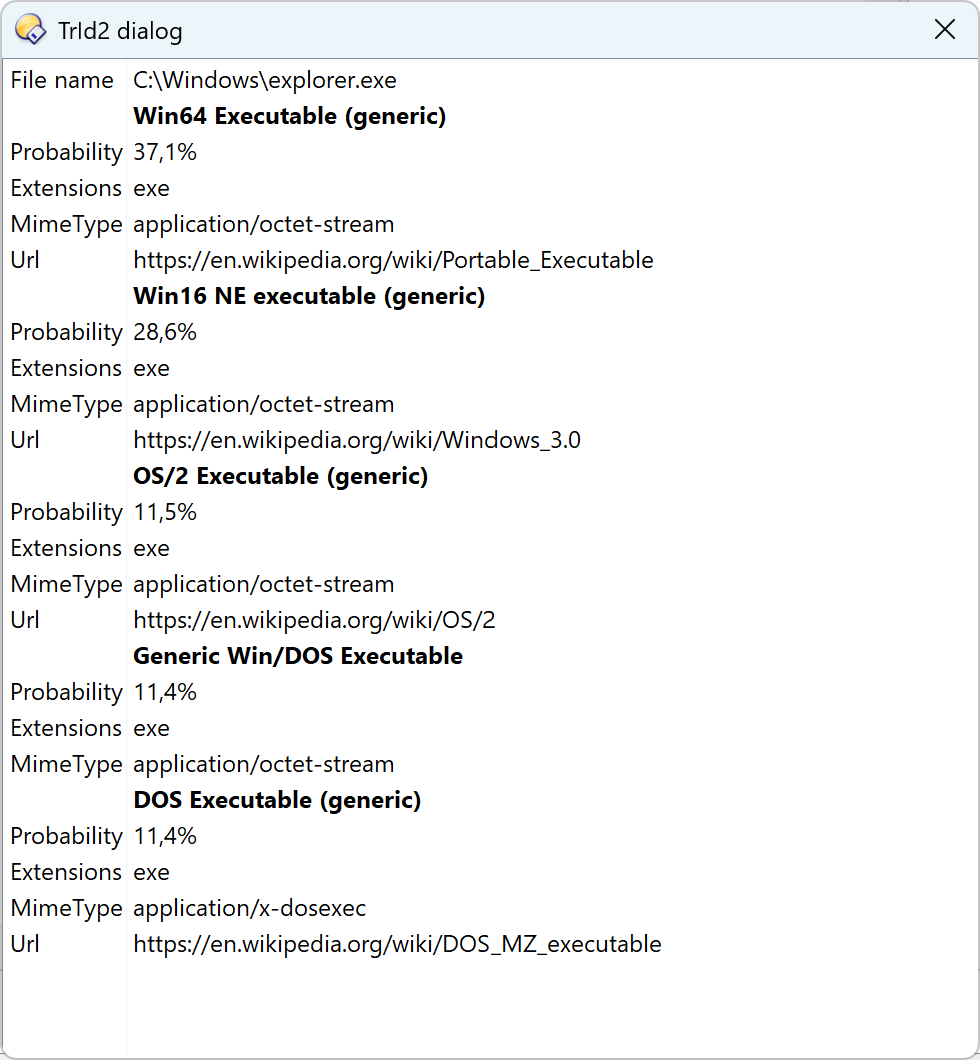
Please refer to the Readme in the GitHub repo on how to use it.
This plugin uses the TrId2 library to detect file types based on file content.
This plugin provides a dialog that shows the file type information and a "fix file extension" command.
Please refer to the Readme in the GitHub repo on how to use it.
I have added extra file information:
Now the dialog works with text files as well.
Hi
I noticed that the percentage after Probability uses a comma ( , ) as the separator, for example, 37,1%. I suggest making it display with a decimal point instead.
Just remove .replace(".", ",") from the script.
addItemToListView(listView, "Probability", trId2Candidates[i].Probability.toFixed(1) + "%", /* bold */ false)
Or a better way: use toLocaleString() to follow the system's locale format:
addItemToListView(listView, "Probability", trId2Candidates[i].Probability.toLocaleString() + "%", /* bold */ false)
I currently have the following 'fix file extension' button command that works perfectly, but only on a single file at once:
@noprogress
TrId2FileTypeDetector_FixFileExtension FILE {filepath}
Is there a way to apply the command to all the files within a specific folder or a selection of multiple files with one button click?
I have released a new version: v3.0
Your issue is fixed.
@BXL,
This command now applies to all selected files. Folders are ignored.
@PolarGoose Wow, that was super quick. Just what I was looking for. Thank you very much! 
(I previously used the TrID/32 - File Identifier v2.24 - (C) 2003-16 by M. Pontello, but I prefer your script as it feels quicker and snappier and doesn't pop a command prompt window).
Thank again! 
Thanks. You made your request during my hobby project work time.
I prefer your script as it feels quicker and snappier and doesn't pop a command prompt window
Yes, it is much faster because the file type database loads only once during DOpus startup. This is also why I added to the GUI dialog Unix file utility and Uchardet output, because their databases are loaded during startup as well and thus the detection is very fast.
Can anyone suggest why I only get a single file in the GUI dialog even when selecting multiple different files?
The "fix file extension" command does work for multiple selected files.
The GUI dialog works only for a single file.