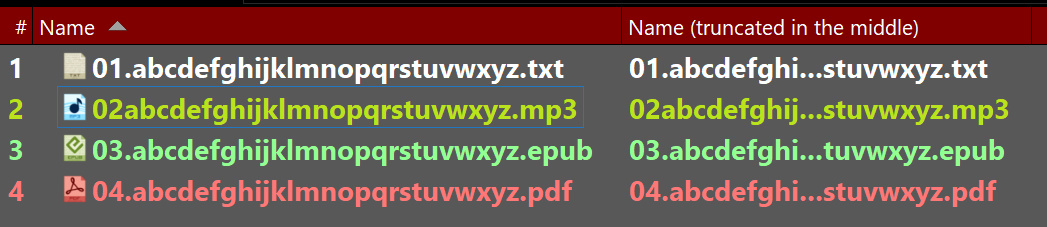
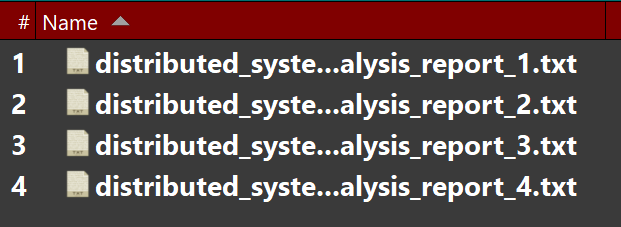
For example: abcd ... xyz.mp3
Is there such an option in Opus Directory?
P.S.: in XYplorer this option can be activated in the program settings.
There's no option for this currently but we'll add it to the list for the future.
Thank you for the quick answer. This would be a very useful function, since often the file names differ only slightly:
abcd ... xyz-1.txt
abcd ... xyz-2.txt
abcd ... xyz-3.txt
...
The long file names are truncated in the Opus Directory at the end of the file names, namely, exactly at the point where one file differs from another and all file names look the same.
abcd ...
abcd ...
abcd ...
+1 o)
+1 
Very useful on autosize columns
Hi everyone,
Since the request to truncate filenames in the middle (instead of the end) has been around for a while, I found a working solution using the new Evaluator Columns in Directory Opus 13.
This allows you to keep the beginning and the end (including the extension) of a filename visible while shortening the middle with "..." when the name exceeds a certain length.
How to set it up:
Evaluator-Code:
Len(name) > 30 ? (Left(name, 15) + "..." + Right(name, 12)) : name
(You can adjust the numbers: 30 is the total length trigger, 15 is how many characters to show from the start, and 12 is how many to show from the end.)
Click OK and Apply.
Right-click your column headers in any lister and add your new column from the Custom category.
This works perfectly and stays updated even if you change labels or colors. It’s a great way to use the new v13 scripting capabilities to solve this long-standing UI request!
But it doesn't work at all if you change the width of the column since 30 is hardcoded, not dynamic (unlike with the default truncation), so will truncate even if your column fits the full name
You are absolutely right, it is a static approach and not dynamic.
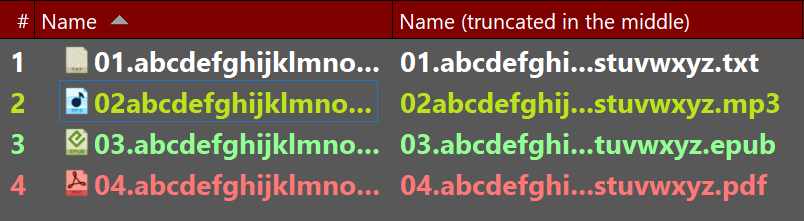
However, since the standard 'Name' column cannot be disabled in Directory Opus anyway, I use this Evaluator column as a supplementary visual aid. As you can see in my second screenshot, when space is tight, the default truncation often hides the most important part (the end of the filename or the extension).
My custom column ensures I can always identify the file at a glance, regardless of the 'Name' column's behavior. It’s a pragmatic workaround for a feature that many of us have wanted to see natively for years!
Afaik there's no need to workaround anything related to this, ellipsis in filenames (and also I believe in other columns) are already built in.
Actually, there is a very important reason for this workaround.
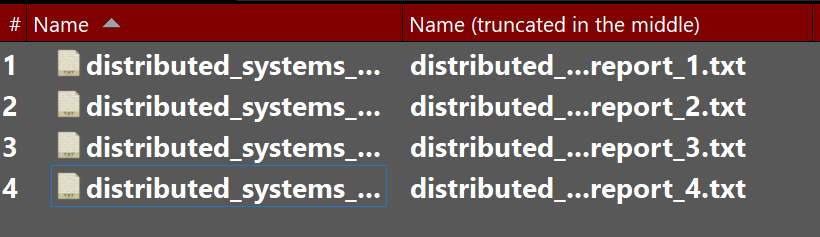
While ellipsis are built-in, they only truncate at the end. As you can see in my latest screenshot, the built-in behavior makes it impossible to distinguish between files that share the same prefix (e.g., Report_1, Report_2). They all just look like distributed_systems_....
My middle-truncation keeps the unique part of the filename and the extension visible. This makes the files identifiable at a glance even when the column is narrow—something the default 'built-in' behavior simply cannot do.
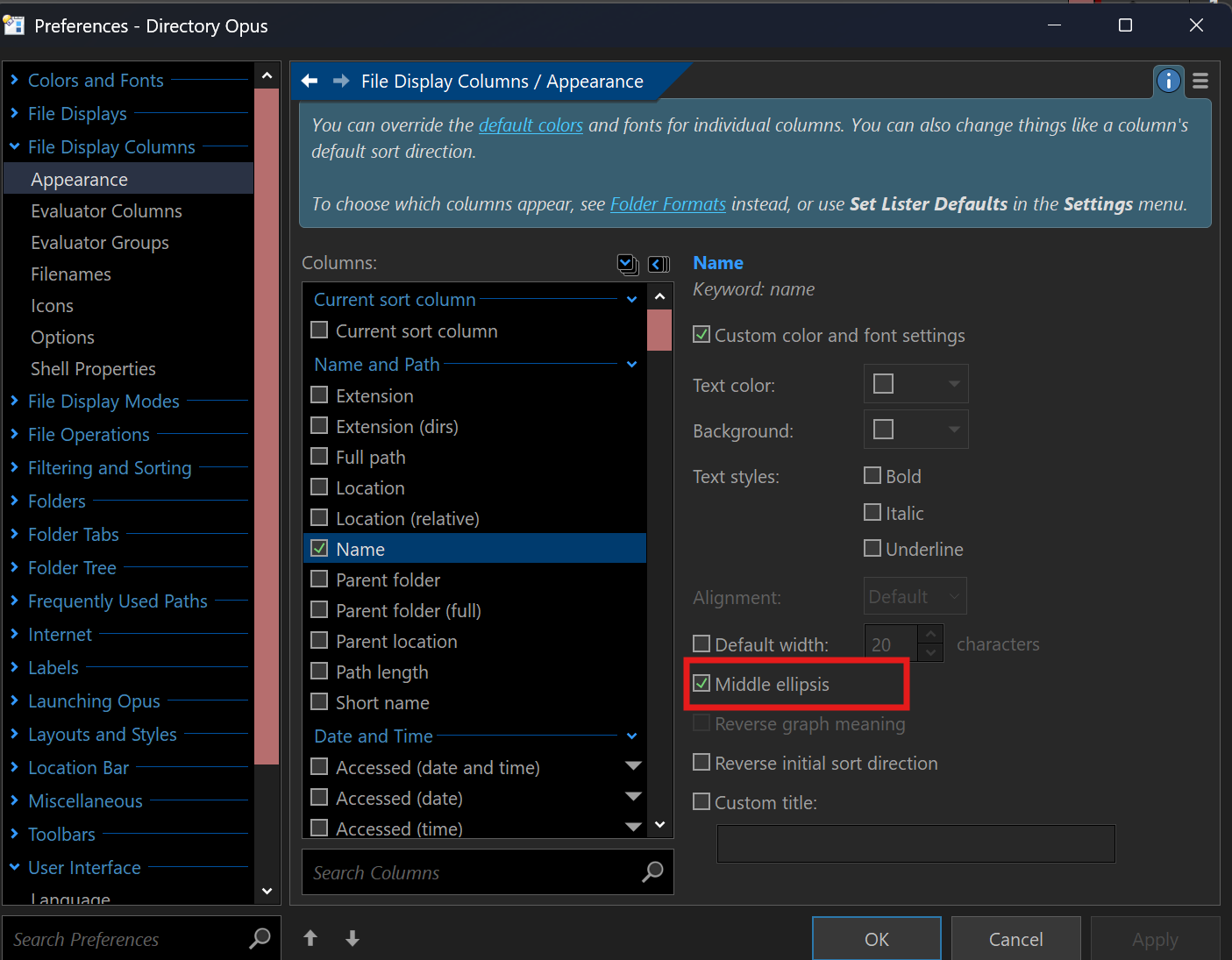
Then can truncate in the middle as well. The option is under the Column Appearance settings in Preferences.
By the way, for your custom column you might want to use a shorter symbol like invalid | (to avoid issues with files having dots in their names) or some rarely used shorter symbol ⋮ to save space)
(would be nice if you could do that globally for the default trunctaion Custom column truncation symbol (ellipsis))
Hi Leo, thank you so much for the clarification!
I finally found the setting under Preferences > File Display Columns > Appearance. After selecting the 'Name' column in the list, I was able to enable the 'Middle ellipsis' option.
This is exactly the functionality I have been looking for over the last 6 years. While the Evaluator script was a great temporary workaround to make the ends of filenames visible, the native implementation is even better because it adapts dynamically to the column width.
I'm very happy to see that this has finally been implemented in Directory Opus 13. Thanks again for the help and for pointing me in the right direction!