Using v13.2 in Windows 10 Pro
I get this message when selecting Edit with 3D Paint from right click menu.
Error 0xeedfade in Thread 0x1d84 at 0x00007FFA82A6CF19
Using v13.2 in Windows 10 Pro
I get this message when selecting Edit with 3D Paint from right click menu.
Error 0xeedfade in Thread 0x1d84 at 0x00007FFA82A6CF19
Does the same thing with the same file work in File Explorer?
Which process is crashing, 3D Paint or Opus?
Opens fine in Windows Explorer
Also opens if I select 'open with > 3D Paint'
It's a Directory Opus error message
Is Opus actually crashing, or is it still there after showing the message?
Is Paint 3D opening at all? If so, is it closing/crashing after the message, or still there?
Can we see a screenshot of the message, please?
FWIW, we've tested on our own machines, both Windows 10 and 11, and not seen any errors so far.
This morning it worked OK but let's see what happens in the coming days
Thanks for your help
It's been happening again over the last dew days
I attach the original error and the 'new' one
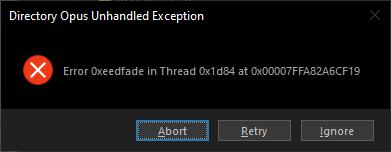
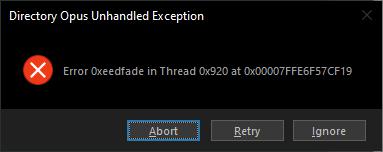
Abort closes DOpus down (in v11 it would then reopen but not in this version)
Retry / Ignore does nothing but any further attempt to open file also does nothing
After several attempts it finally works for that session
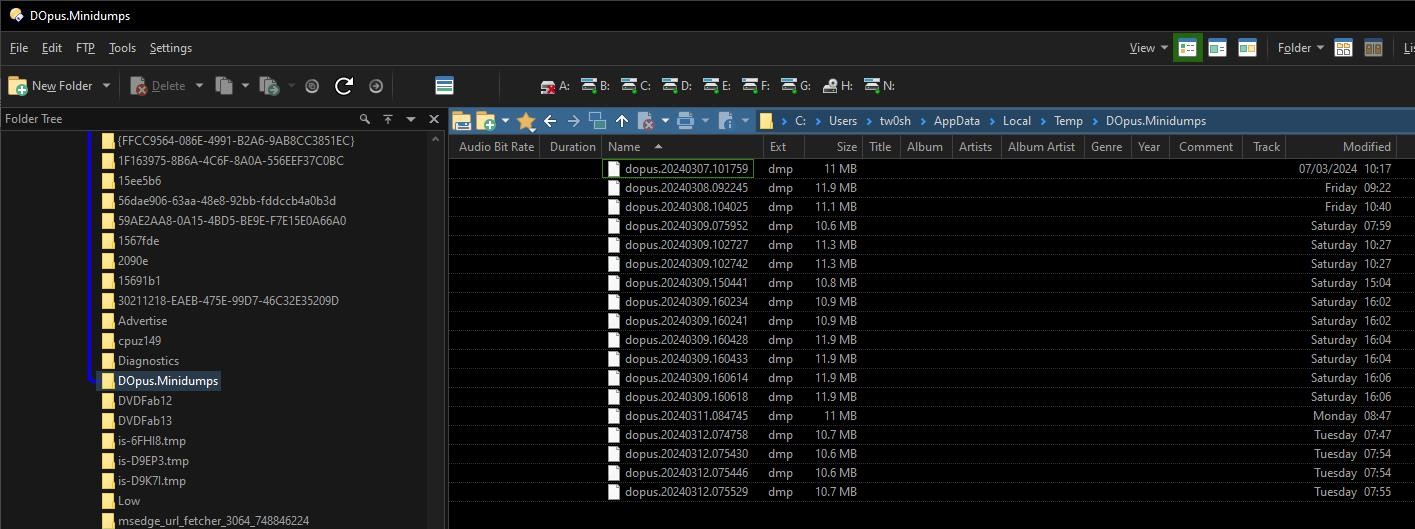
If you paste /temp/DOpus.Minidumps into the path field in Opus and push return, are there any files there that correspond to the date and time of the crashes?
The 0xeedfade code only seems to come from Delphi and .Net components, which Opus itself doesn't use, so the bug is likely inside 3D Paint's context menu handler, but the minidumps may reveal more information.
Please send them to us. Automatic crash logs (for bug reports)
The crashes are caused by this shell extension:
C:\Program Files (x86)\TLH3\ShellExt\TLHShellExt64.dll
It's not one I recognize, and Google doesn't know what it is either, but it's what has caused all those crashes.
The date on it is 2022 so it may have an update which fixes the crashes. If not, either uninstall it (if you don't need the program it's part of) or block it using ShellExView x64 (or Preferences / Miscellaneous / Shell Extensions, in Opus 13).
This just now, right click open with Flash Renamer:
Same cause: TLHShellExt64.dll
Just renamed the .dll to .old and following a reboot everything seems to be hunky dory
I'll see how I go on in the next few days
Out of interest, what is that TLH app?
Traders little Helper - this being v3 beta.
I've renamed the dll and it seems to function
I also have v2.84 installed that has no dll files at all.
This was solved a long time ago.
Please mark as solved/closed.