Unrar Confirm file replace - Replace All not working

Hi,
I'm trying to unrar in one folder, couple of hundred of files. Pressing "Shift" gives me the option to "Replace All". But Opus doesn't care. Asks every file if it should replace or not. I'm on 12.10.

Unpacking in a new folder is kind of a workaround but I have some damaged files, also "Skip All Conflicting Files" is not working.

I'll see if I can reproduce that.

Which method are you using to extract the files? (e.g. Selecting the archive and clicking a particular button, or the right-click menu, etc.)

The destination files aren't read-only, are they? That can result in an additional dialog which looks very similar to the normal replace-file dialog (depending on settings).

Right Click, Extract Here.
Not Read Only.

I tried to reproduce but couldn't. Have you tried 7-zip or WinRAR instead of Opus?

Is seems OK when I do it:

I used the menus instead of shift-click but that shouldn't matter.

(I get two prompts, but the second is for folder merging, which can be turned off if not wanted.)


  • Can you spot any differences that might come into play?

  • Does it only happen with certain archives, or in certain folders or storage devices?


My RAR settings from Preferences / Zip & Other Archives / Archive and VFS Plugins:

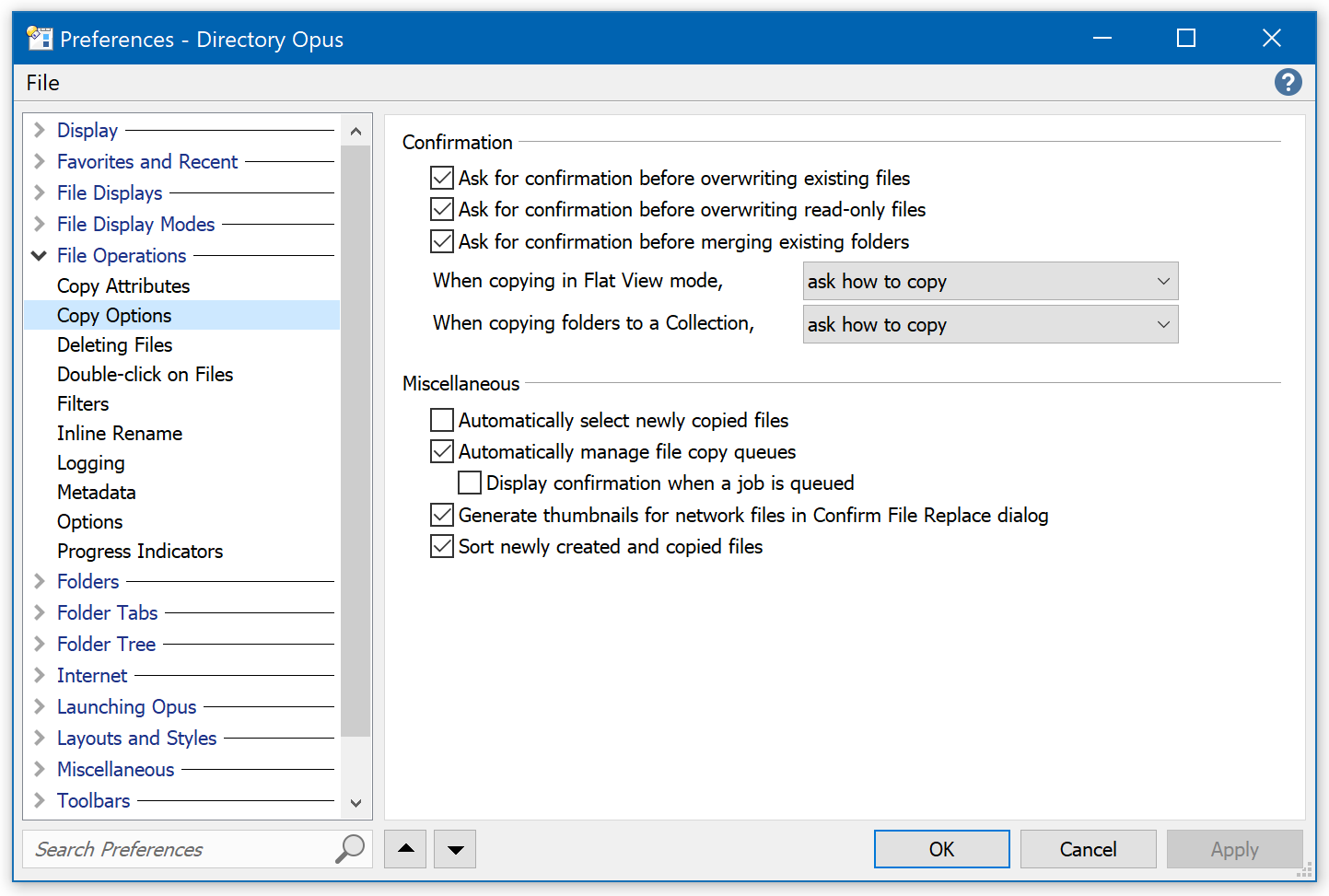
My Preferences / File Operations / Copy Options settings:

Hi Leo, thank you for the quick reply!
I checked the settings for RAR. The only difference is, I don't have WinRAR.

As for the Copy Options, these are my settings.
PS: I tested with ZIP files, and with ZIP files it's working.

I have recorded the steps via the Windows steps recorder. If it helps I can send it.

WinRAR won't matter for extraction, so don't worry about that difference.

The recorder output is worth a look. Please send it and I'll see if it reveals anything.

Is there a E-Mail I can send it too? I don't want to attach my recording to the forum.

You can send it to crashdumps@gpsoft.com.au or click Leo's name and then the Message button to send it via private message.

You're extracting multiple archives. At least at the moment, the Replace All option only applies to further files within the same archive. When the next archive is extracted after that, it's treated as a separate operation and the Replace All flag is reset.

Ah, I understand. But if you do the exact same thing with ZIP files, it works as I expected. It simply overwrites files. So either the behavior with ZIP files is wrong, or with RAR files, no?

Zip and Rar are handled quite differently. One is built in and the other goes through a plugin API.

Ideally they would both work the same though, agreed.