Is there a way to toggle the viewer's background color, for example, between gray and black, without affecting the background of images with transparency? In other words, can I change the viewer's background color while keeping the background of transparent images displayed as a checkerboard pattern?
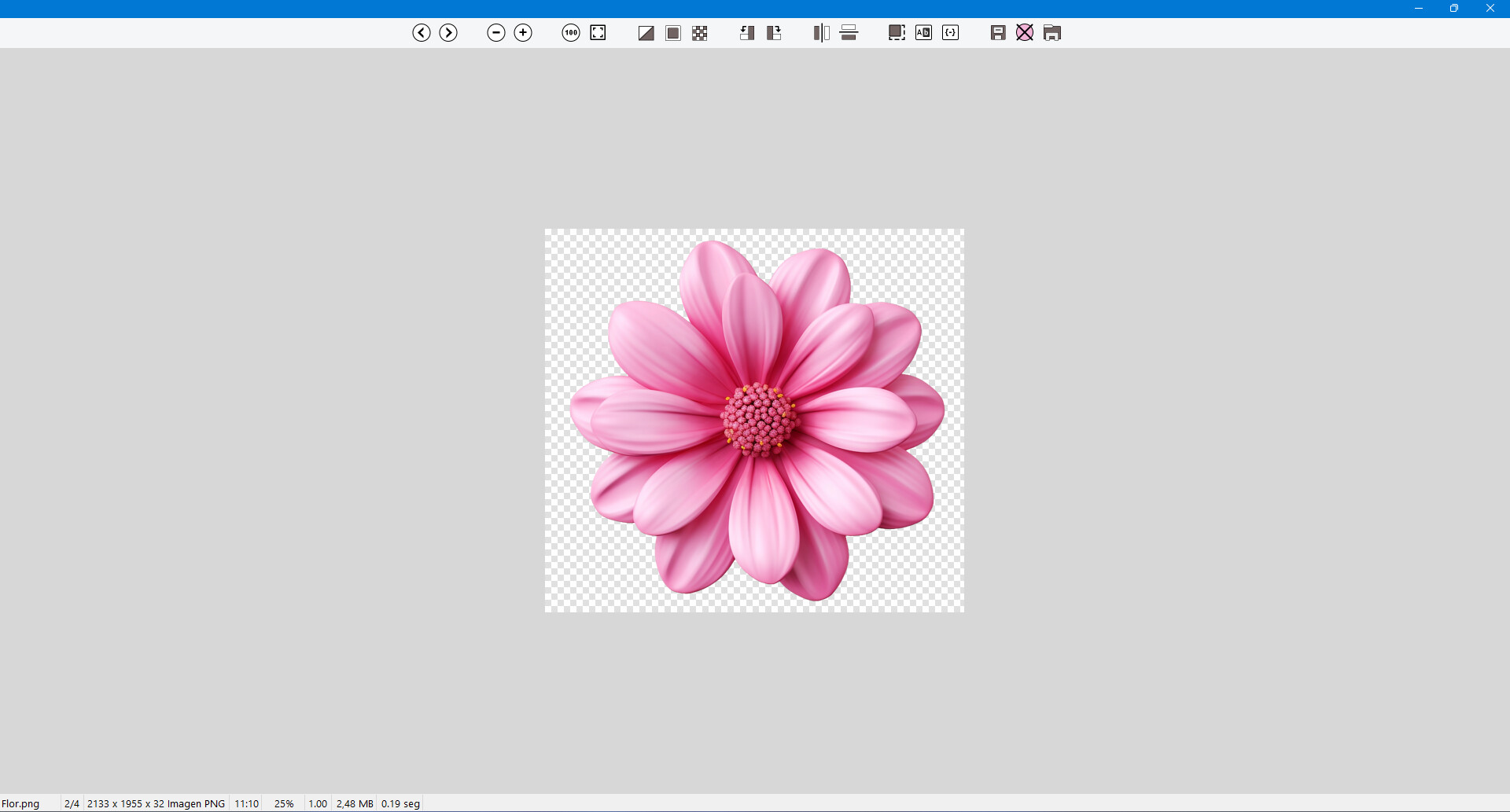
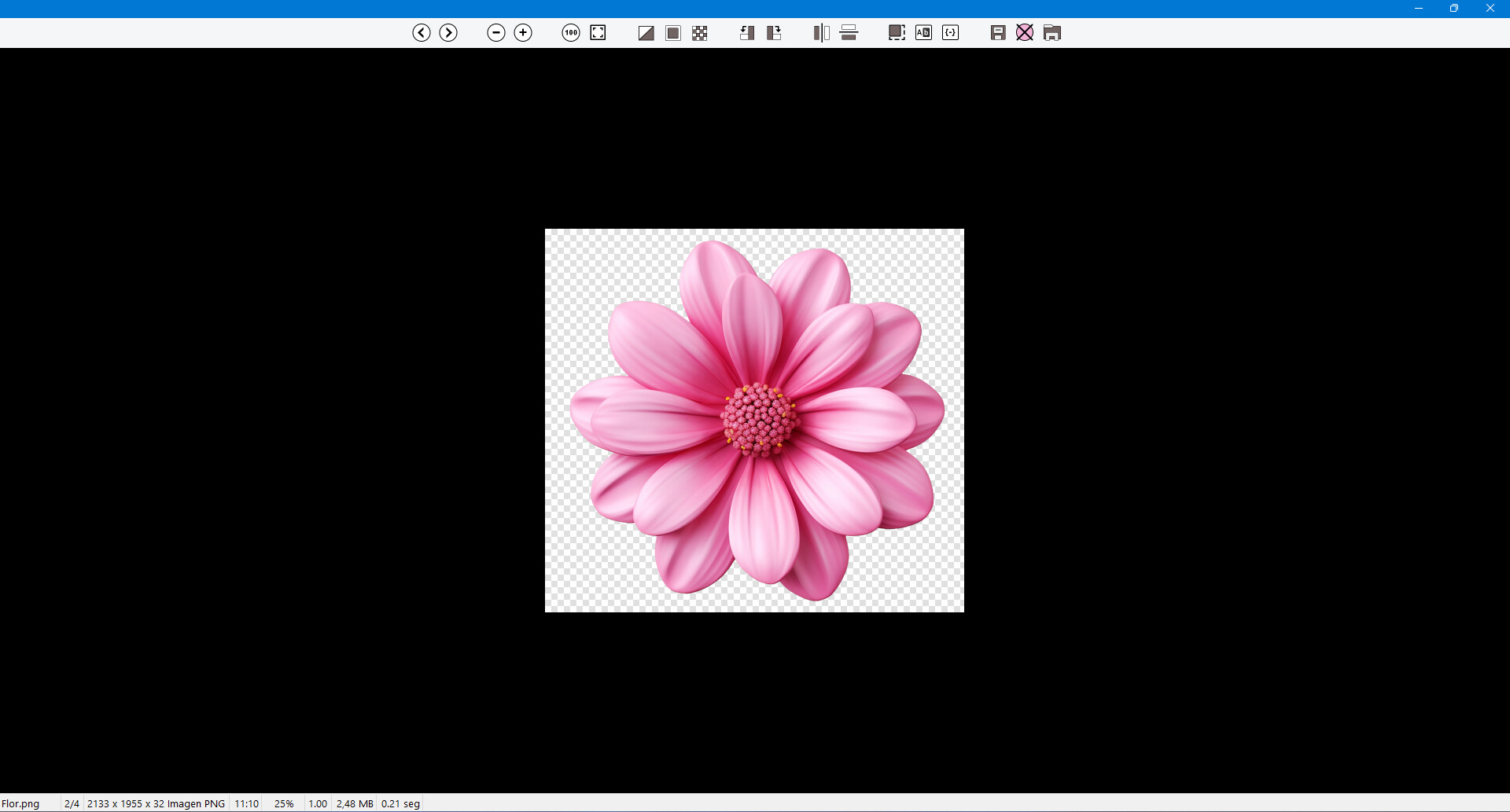
Currently, I use the following official Opus button, which is the closest to my desired result:
@enableif:enabled Show VIEWERCMD=backcol
@toggle:if Show VIEWERCMD=backcol,#000000
@if:Show VIEWERCMD=backcol,#000000
Show VIEWERCMD=backcol
@if:else
Show VIEWERCMD=backcol,#000000
With it:
Show VIEWERCMD=backcol,#000000 Applies a black background to everything (the viewer and transparent areas).
Show VIEWERCMD=backcol Restores the default background color defined in Preferences, while preserving the transparency background. In other words, it applies the color in a limited way rather than globally or invasively.
My question: is there any way to change that default background color via a script?
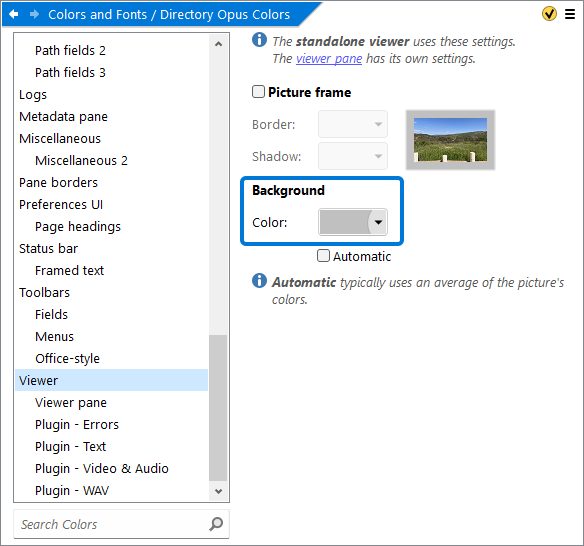
We'll add a way to do that in the next update.
Thank you!
@Jon, I'm not sure what you have in mind, but to avoid misunderstandings similar to what happened with the Crop command, I'd like to briefly summarize the behavior I think would work best in this case. The idea is very simple: the image viewer background color and the image transparency background should be managed independently, with both colors configurable in Preferences.
Then, within the image viewer, these colors could be temporarily overridden by colors specified in the viewer buttons, much like they work today, but with two small changes:
-
Changing the viewer background color should not change the transparency background color.
-
The
Show VIEWERCMD=Alphacommand, or a similar command, should allow the transparency background to cycle through user-defined options, for example:
- Checkerboard: The classic transparency pattern.
- Black: Ideal for spotting imperfections in transparent areas.
- The current viewer background color: Ideal for a cleaner, more visually harmonious appearance.
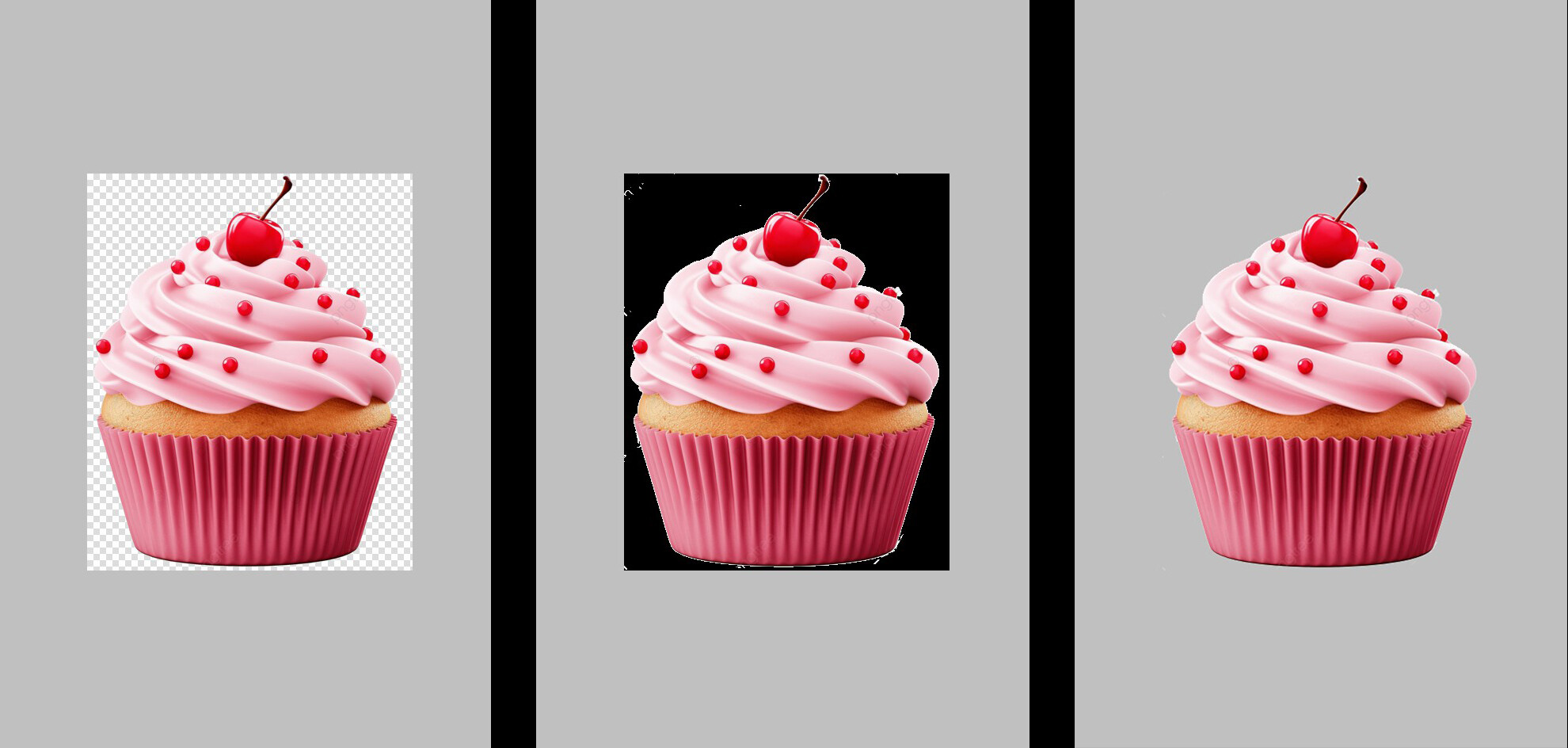
Sounds great, I think this could be done easily if we can customize the white and gray colors of the checkerboard.
@a815, being able to change the checkerboard colors (in addition to being able to adjust the pattern size, as I suggested above) wouldn't address the points I'm proposing. In fact, it's already possible to change the checkerboard colors. My suggestion in that regard was simply to bring all of those options together in a single place.
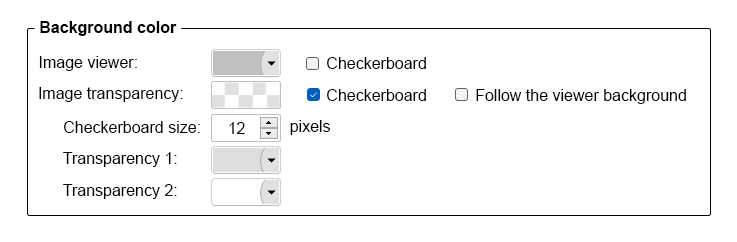
Current transparency settings:
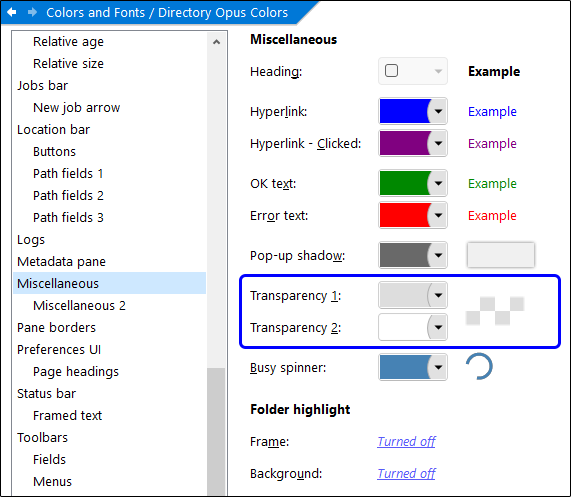
Ah, I just realized these can be changed  .
.
But it seems changing this here will affect all places where Opus uses a checkerboard, not just the viewer.
Yeah, the viewer should have its own independent settings and be configurable via commands.
But for me, setting the checkerboard to a solid color is the same as setting the entire background to a solid color  . However, if you need, you can make Transparency 1 and Transparency2 the same color.
@815, yes, the transparency settings I was referring to are not specific to the image viewer, they're global settings. However, until the viewer has its own dedicated options, they could serve as a temporary solution if needed.
Regarding the idea of using a solid color for the transparency background, I agree with you that it's not really necessary. First, as you pointed out, the same result can already be achieved by setting Transparency 1 and Transparency 2 to the same color. Second, the Show VIEWERCMD=Alpha command already allows a black background to be applied, which I think is the best color for spotting imperfections in transparent areas. I only included a color picker for the image transparency background to make it visually and functionally consistent with the viewer background settings.
In any case, in case the Opus team reads these posts, I'd like to make sure our suggestions aren't misunderstood. I think what we're both asking for is that the viewer background and the transparency background can be controlled:
- Independently.
- Via scripting.
Thanks to the Opus team for adding, in version 13.24.2 beta, the ability to change the image viewer background without affecting the transparency checkerboard. My button now looks like this:
@toggle:if Show VIEWERCMD=backcol,#000000

@if:Show VIEWERCMD=backcol,#000000
Show VIEWERCMD=backcol

@if:else
Show VIEWERCMD=backcol,#000000,allowcheckerboard