We have no control over how audio/video codecs open/lock the files they are playing. Some allow deletion, some don't. You'd have to write to the codec authors to change that.
(Files in a "delete pending" state would still cause problems anyway. You can delete them but you can't replace them until they are closed, so it doesn't really help with modifying/overwriting files.)
Ok, but I did not set the preview pane to start playing automatically.. that's the whole point. o) I don't even "dream" of having a video frame in the preview anymore, I live with a "black video" now, but it still locks the files, if playing or not.
I think we just need the preview pane to handle files like the regular thumbnail view does it (or like Directory Opus v12 did it). The thumbnails show a video frame or audio wave as "a preview" for a lot of files at the same time, these files do not play, I can delete them just fine. The same should be possible for a single file in the preview pane?
Believe it or not, I just tried playing a video in the viewer pane, and I can delete it/rename it while it's playing just fine. This is using the LAV filters (installed the "normal" way, not through any "codec pack").
The file is still loaded into the viewer, just paused at the beginning. It has to work that way as we can't know if the file can actually be played or not unless we open it. If the video plugin can't play it, it needs to fall through to other plugins and preview handlers which might be able to. Waiting for you to click play is too late. (I guess we could close the video again, then re-open it when you click play, but that would make everything take longer.)
If you aren't actually viewing the files, just close the viewer and the problem goes away.
I'm not sure if Opus 12 was different, other than its video plugin didn't know how to use the newer types of codecs. You could try turning off Media Engine and Media Session in the video plugin so it only uses DirectShow to make it more like Opus 12.
Yeah, that should always work, if you do the delete/rename using Opus. It should automatically stop playback if it's the same file and locked.
The problem is more with running external tools that modify files while they're in the viewer. (For file types that aren't read into memory completely, of course. It's not an issue with things like photos.)
Isn't the behaviour on your own system or your development box the same, as it is for me?
I run Windows 10 22H2 here..
@errante
If I were to test this LAV-Filters project, I can't see anything to uninstall it. I guess I would have to unregister the added components by myself. At least the provided ZIP file does not have a uninstaller. Do you know, can you get rid of the codecs / filters if installed via the Installer.exe and restore the system to OEM state?
If you use the installer, then it creates an uninst.exe that you can use to uninstall it .
You could ask the dev on GitHub if that uninstaller can effectively undo all the changes made to the system.
This! Yes please! Consider this as an option for the people who don't have the auto-play enabled. The delay introduced by that (it will not be very noticeable I assume), it will not be longer than the fiddling around I do now for any operation that failed because of the lock. I can adopt myself to wait 1-2 seconds if necessary. Even clicking "Retry" here and there if I am "too fast" will be ok and much easier than to "unlock" by selecting another file, closing or locking the preview pane and undoing all that after the file has been modified.
Uhh, really nope! o) Can't do that, the moment after fiddling with the media file, I have the thumbnail or meta-data json or something to look at. I always assumed the preview pane is there to use it and preview files, not to hide it because it get's in the way? o)
Did that, thank you, but no difference.. o(
Ok, but you are using the LAVFilters obviously. I still don't really understand why these are necessary and what they do differently. If I get all this correctly, to make the LAVFilters work, I would also have to enable "DirectShow" in the DO video / audio plugin and disable "Media Engine" and that other thing?
A codec is something that can "code" and "decode" a video for example (so far so good), but why do I need "filters" for this as well? What are these filters doing?
If that would work out like you describe, it would be similar to the GOM player, which would be awesome of course.
I now noticed, that in the "codecs" link provided in the DO audio/video plugin settings, DO also referres to this LAVFilters project, so this is not something you "errante" came up with on your own? There is some "official" DO support for this (kind of)? If yes, that would motivate me some more to try them, but I still don't feel the need for them, all my video files are playing just fine.
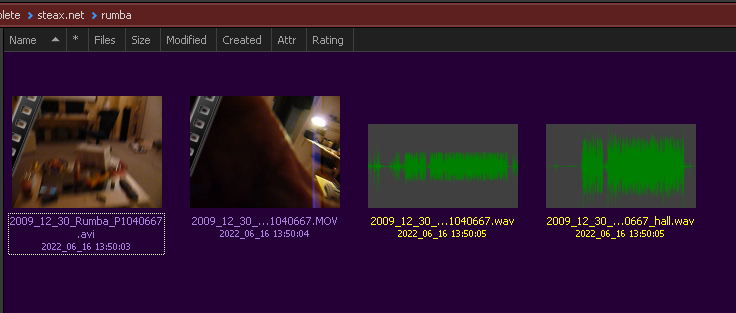
 .
.
 . FWIW these are the codecs I use: