Hello,
I am using Directory Opus version 13.4.
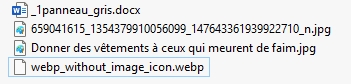
Despite all my attempts, .webp files are not using the proper icon from the "Images" File Type Group (the nice folded-corner image icon used by JPG, PNG, etc.).
Instead, they consistently display the internal placeholder icon webp_without_image_icon.webp in both Details and other view modes.
What I have already tried:
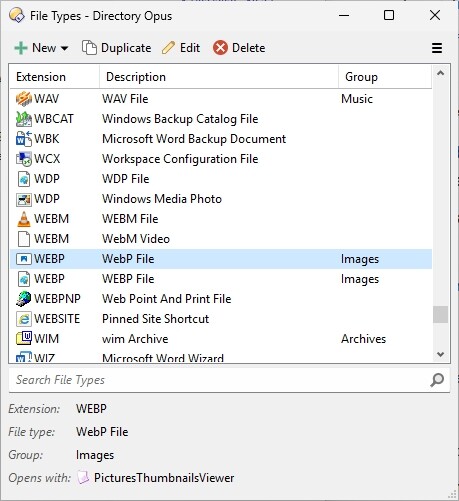
Added .webp to the Images File Type Group
Performed "Reset to Defaults" on the Images group
Ensured the WebP plugin is enabled in Preferences → Viewer → Plugins
Cleared all thumbnail and icon caches
Fully restarted Directory Opus multiple times
Updated to version 13.4
Confirmed the files are genuine WebP images (checked in Windows Properties)
The issue affects dozens of .webp files from various different sources, not just one site or batch.
All other image formats display the correct icon without any problem.
Is there a known solution for this behavior, or an additional configuration step required (such as creating an individual File Type for .webp, a hidden setting, etc.)?
I am happy to provide any additional information, screenshots, or logs if needed.
Thank you in advance for your help.
Please try with a more recent version. That's no reason to still be on 13.4.
Please also check what File Explorer shows for the same files. In general, Opus and File Explorer should show the same icons for files, and the icons shouldn't be specific to Opus unless you've configured something unusual (e.g Labels overriding the icon for some extensions).
Oops I made a mistake, I'm well with the latest version 13.22.2
I understand that it's a problem with Windows 11 (yes, same white sheet icon there). So I'll have a look on that side. Many thanks again for your prompt reply. Have a nice day of night in AU