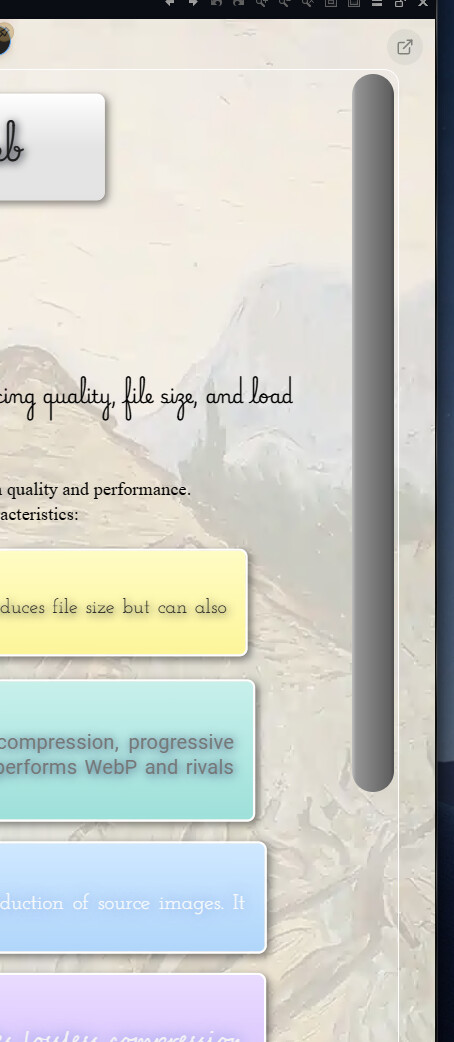
Does Directory Opus not use the Windows 11 overlay scrollbar style because of backward compatibility with previous Windows versions?

Does Directory Opus not use the Windows 11 overlay scrollbar style because of backward compatibility with previous Windows versions?
No, we don't use it because it's a UI abomination 
Absolutely! I already spent hours trying to find a fix for these useless new Win11 scrollbars (and did not find anything that would solve this). The new scrollbars look like garbage and so do they handle.
They are the opposite of what a scrollbar should be, which is "useful". Making them hard to see, hard to grab, nervous in appearance and leaving out the arrow buttons is just so wrong. And there's not even a single option anywhere to fix at least one of the issues they have.
There a many threads about the new scrollbars and how bad they are on the internet. It seems Microsoft is totally blind or ignorant regarding this "abomination" as you call it. I totally agree.
I was hoping DO was not making use of these as well, did not run DO on Win11 yet, but great to hear it stays functional. o)
The new WinUI toolkit where application windows don't have a coloured title bar for active / inactive windows anymore is another fail. Throwing 30 years of ergonomic UI design and customization options into the trash can. They probably looked at the GNOME Linux desktop and were thinking: "This is the worst UI design we can find, let's annoy our users with this in Win11, so they will buy into Win12 for sure!" Assuming they fix some of this in Win12, but probably they will not.
It's really sad to see functional UI design going down the drain basically everywhere.
You haven't tried macOS.
In the initial setting, it didn't show scrollbars at all until you move to the edge with the mouse.
Abominable!
Fortunately, this could be changed in settings.
I also believe that Microsoft took the idea for the bloated centered Win11 taskbar from the macOS dock.
You can adapt to the macOS style over time, but Windows should stay Windows, and I want the taskbar to be like XP, 7, and 10. Fortunately Microsoft realized that finally.
Regards
Guido
Did they? o) Did they bring the taskbar widgets back? The possibility to select multiple windows on the taskbar to close them all at once or tile / cascade selected windows? Is there a functional context menu on the task bar? Can you move / reorder taskbar buttons of the same application (application with multiple windows) now?
I do not really see much of the functionality we had before, not even in some announcements, but we will see. Whatever they might fix, I guess they probably can't fix the reputational damage anymore? o)
I'm just glad that there is "WindHawk". It's not perfect either, but it get's you close to what we were used to when it comes to task bar look and feel and functionality.
BTW: One good thing about the new task bar:
It is using WPF + styling or something related to this UI toolkit, so if you know what you are doing, you can actually redesign the task bar in a (probably more system friendly) way than before. This is my impression / understanding right now at least, if somebody knows better, let me know! o)
The start menu itself is based on React if I got that correctly, which is weird, because this is a HTML UI engine. So it's something completely different from what the task bar is using? Weird..
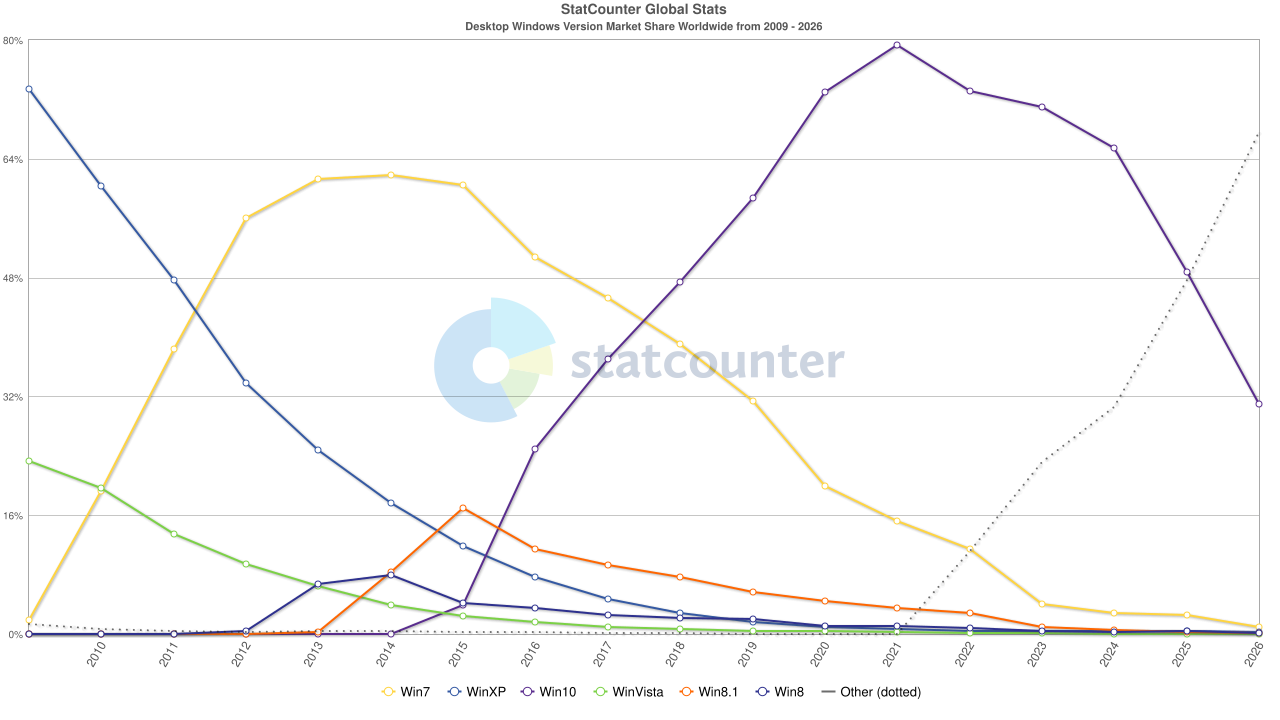
I see the big picture and want Win11 become the fourth "good" major Windows instance since XP:
With an appropriate level of "fault tolerance" you can agree with that, for me the coming taskbar changes make it happen.
I call Vista, 8, and 8.1 the shadow versions of Windows, because they never reached the top level.
Regards
Guido
I will watch the task bar enhancements closely, be sure!.. o)
I installed Win7 last week once more, just for fun on another old machine which was given to me. It is a visual master piece, from the original wallpaper, the blue circle, the texts, the fonts, the icons, the mouse pointer.. almost every part of it is looking good, feeling right and has the right size, especially after you did some minor adjustments. The UI is very precise and detailed, message boxes have icons / images to show you the type of message (error vs. warning) and so on, lot's of different details which got lost over time.
If you install a fresh Windows 10 / 11, it just looks clunky, simple and stupid somehow, No more title bar colours, huge margins, simple icons, space wasted and it is starting off with a white "Hello" on black background, as if were in 1980 with 1 bit colour "depth" resolutions.. o)
Using KDE on Linux is clunky in a different way, they try hard but the result is not really what I look for. Lot's of useless settings on KDE as well, but setting the window title bar colour for active / inactive windows is not possible either. We had that in Win95 already if I remember correctly.. weird.
Let's wait and see where we end up, not much we can do anyway it seems, because complaining in the Microsoft forums does not really have an impact. Maybe this is, because the revenue for Microsoft is only around 10% for "Windows" as a product these days, they earn more money with other services and solutions by now.
I would also like to see another Windows high-flyer. After 50+ years of desktop development in general, I see no reason why you can't have any feature, form or function these days. Especially the theming and styling of the Windows desktop is getting more and more "burned in". Nothing against "stupid" defaults, but we should be able to modify important aspects and elements, just like we could on WindowsXP, with had that huge amount of themes available. That theming functionality was lost in Windows 8 eventually, but it really needs to come back (not to have the fanciest theme, but to have control over the look and feel of all the UI elements, like the scrollbars this thread was about for a minute, sorry MG250.. o).
I prefer the Windows 11 overlay scrollbar style. To me it looks cleaner and more modern. I don't need any additional features.
You can get the Windows 11 scrollbars by turning off:
Absolutely not. That looks horrendous.  And the width of scrollbars is defined by the system in any case; we can only change the graphics not the size.
It's using the light style instead of following the theme setting. 

It should look like this.

There's no way to get the Windows 11 default scrollbars in dark colors, since the default theme from Microsoft still doesn't support dark mode via any documented or working API, and our override of the theme renders them like Windows 10 scrollbars (since, in our opinion, the Windows 11 scrollbars are unusable).