Thank you Jon installing it now
I'm out of ideas completely. I installed .6, rebooted. same thing. Uninstalled WinRAR, rebooted, reinstalled, same thing. I'm just clueless as to what's going on with my rig here.
Try running the command from within the button editor using the "Run with logging" option and see what the actual command line it's generating is, maybe.
C:\Program Files\WinRAR\WinRAR.exe x "C:\Users\Travis\Downloads\Directory Opus Prog Files.rar" "Directory Opus Prog Files"
Copy MOVE TO ".\Directory Opus Prog Files"
How is this related to AcuteMSWord-master.zip?
Can you share a test archive?
that was just the random zip file that i used to test this. I can use any other archive. Whatt would you like me to do to give you the most information?
Any archive that allows us to reproduce the error is fine. The simpler, the better.
C:\Program Files\WinRAR\WinRAR.exe x "C:\Users\Travis\Downloads\Compressed\New Folder\Test Archive.rar" "Test Archive"
Copy MOVE TO ".\Test Archive"
Test Archive.rar (199 Bytes)
Runs fine here without error.
cd {sourcepath}
"/programfiles\WinRAR\WinRAR.exe" x "{f}" "{o|noext}\"
Copy MOVE HERE CREATEFOLDER "{file|noext}"
before
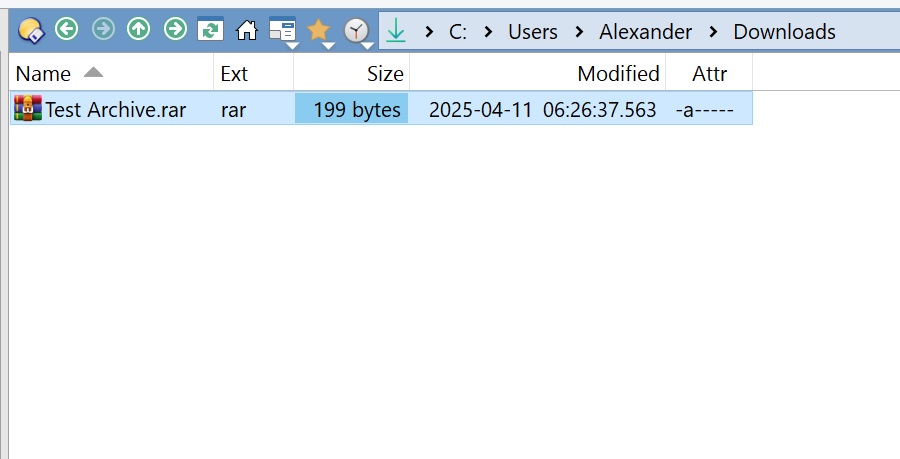
after
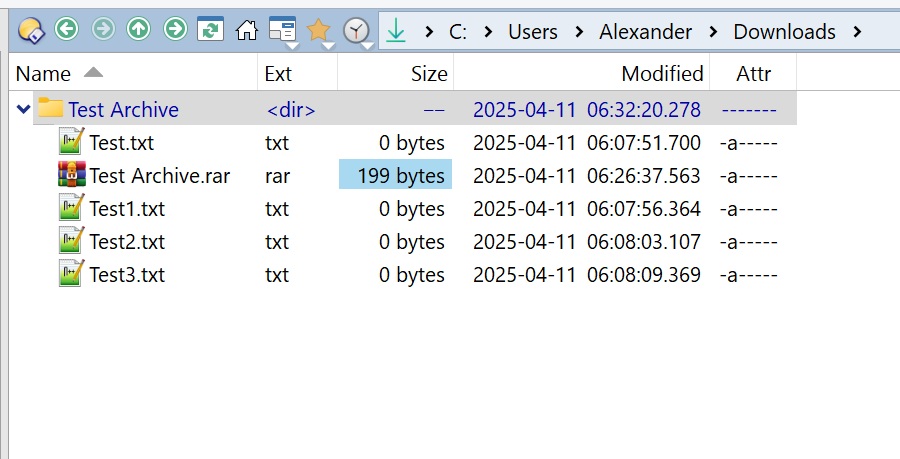
do you have any idea what i can do? I've uninstalled winrar, I've downgraded, upgraded DOpus, I've ran virus scan, I can't think of anything else. What am I missing here?
What error do you get when you run the button on the archive?
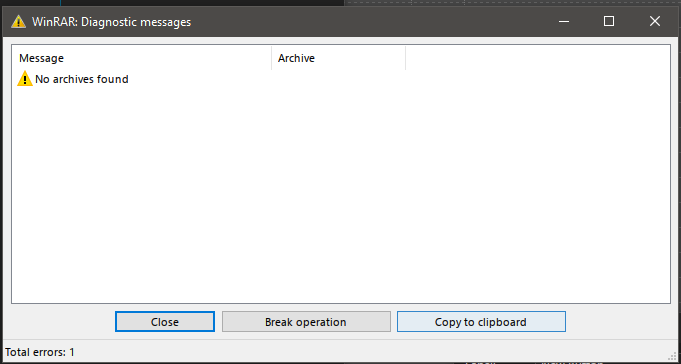
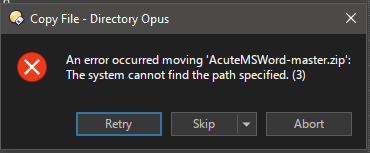
Tell us more about AcuteMSWord-master.zip.
You haven’t changed that line to use CREATEFOLDER, which may contribute to the problems.
(See my post above, or Lxp’s last example under “Runs fine here without error.”)
im still getting the same error regardless. Im checking various boards for people that have the same problem.. it seems somewhat common, but haven't nailed down the cause yet.
What is the "x" in the second line of code after the directory of winrar do ?
The only thing that it could be is the characters used in the name. If that's not it and others are ok then it has to do with your code or your version of winrar.
It could also be that the path your copying to or from is not available.
The "x" is the winrar instruction to extract the files, I think the problem is the syntax on the last line, remove the last line and run it, it should extract the files to the specified folder, if this works focus on the last line and verify that the syntax shown by LXP is correct.
The key question is: Why does the error message reference AcuteMSWord-master.zip when no such file exists in Test Archive.rar?
This issue might stem from a misconfiguration in Opus. However, I’m confident that neither the button nor WinRAR is responsible for the bug.
This is from the developers , I emailed them and they responded almost instantly.
Hello,
I've looked into source code. This message is displayed, when WinRAR is invoked in the command line mode. I suppose, you shouldn't see it when unpacking archives from WinRAR own shell.
It sounds as if external program invokes WinRAR twice. First time properly and second time with wrong parameters. In case of Directory Opus it can be some Directory Opus misconfiguration.
If you see it also from Windows Explorer context menu, this one is more strange. In this case I would try to turn off "Integrate WinRAR into shell" option in WinRAR "Settings/Integration" and then turn on it again. It will re-register WinRAR shell extension just in case the existing registration is broken. It might be useful to reboot Windows or restart explorer.exe process before re-enabling this option.
Does this make any sense with what I'm experiencing?
Dude, lxp, that first one, AcuteMSWord-master, was just a random file i selected to show the error. Dont get caught up on it. It was doing the same as the test archive, just a random one I selected.
What configuration in preferences do I need to be aware of that I may have wonrg?