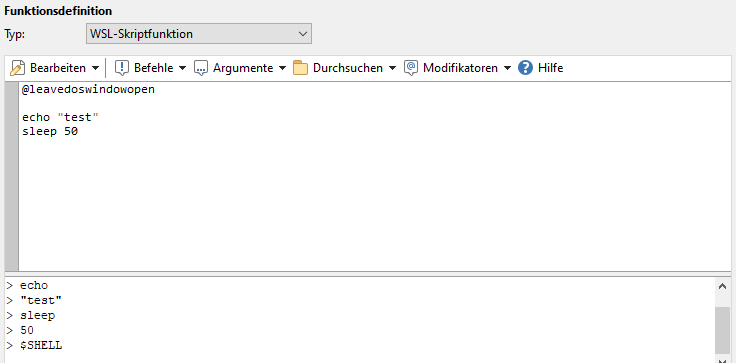
Hello,
i use a lot linux and on windows is my default workspace always in in wsl (Visual Code WSL)
In opus use i current the wsl command to use linux commands like rsync or python stuff and any other like this.
MS-DOS Btach:
@leavedoswindowopen
cd {sourcepath$}
wsl -e rsync --timeout=600 -rzPchv --info=progress2 -B=131072 --inplace  {file$}  1.2.3.4:upload/dest/
with the cd command under windows go i to current dir and wsl use the current location to go on the correct mount path under linux so this wok for singel commands perfect with relativ paths for me
now the problem with bash scrips i have current 2 options
- create a sh script in wsl space and give him only options
- create the script on runtime and use it with wsl
both options have the problem from more complexity at 1. i have to maintain a 2. script . problem if i use more computer or wsl sub systeme, i use ubuntu 20, ubuntu 22, archlinux, and debian als wsl container and the option 2 have more problems with escaping and bug hunting and is not so easy.
this is why i a bash script or script generator wand that including only the templating and executing from the script under wsl, inclusive the correct path translating for absolut paths with @options for wsl options and the target shell or so
as example for the idea
@leavewindowopen
@wsl=ubuntu22

#!/bin/bash
or
@shell=bash

while [ 1 ]
do
    rsync --timeout=600 -rzPchv --info=progress2 -B=131072 --inplace --partial {filepath$} dest
    if [ "$?" = "0" ] ; then
        echo "rsync completed normally"
        exit
    else
        echo "Rsync failure. Backing off and retrying..."
        sleep 180
    fi
done
the spezial is hear the correct {filepath$} for wsl mountpoints for the host system fs like /mnt/c/Users/ for C:\Users out of the box or {wslfilepath$} for all?
if this only a templating can any use this for any scripting with outh any owned interpretor or complexity for the opus devs only the finish result is from interesing like command was ok or failed returncode
i hoppe my denglich is not to buggy for u and your undertand me a bit
Thanks for The best Filemanager!