I have a button which asks for confirmation before loading my main layout
@confirm Load Layout "Main"?
Prefs LAYOUT Main
What I want to do is create a batch file that does this. Is it possible to include more than one command on a single call to 'dopusrt.exe'?
e.g.
dopusrt.exe /cmd @confirm Load Layout "Main"?; Prefs LAYOUT Main
Instead, create a User Command (Customize -> Commands, User category) and then run that via dopusrt.
In general, you can run multiple commands via dopusrt by running dopusrt multiple times, once per command. But since you cannot run the @ modifiers from dopusrt directly that won't help here. (Even if you could it wouldn't be useful: The @confirm would cancel the first dopusrt command (which was just the @confirm itself) and then your batch file or whatever would run another command via dopusrt, independently of the @confirm.)
Unless you've added the Opus directory to your system path you will need to use the full path to dopusrt.exe, in quotes since there's a space in the path.
I know (but thank you). I ran it from DOpus's root dir.
I think I figured it out -- it works, but not with buttons that utilize the currently selected files (or current directory). Well, it still works, but does not send the arguments. Right?
Arguments like {file} are expanded by Opus before it runs commands, whether they are internal or external. The commands themselves do not know anything about {file} and similar codes.
So if you are running a command via dopusrt.exe from outside of Opus then whatever you are running the command with needs to supply the file names and won't understand Opus-specific codes like {file}.
Commands which naturally use the selected files, without them being passed as arguments, will still work on the selected files even when run externally. For example, if you run dopusrt.exe /cmd Copy then it will copy the selected files in the active window to the destination window.
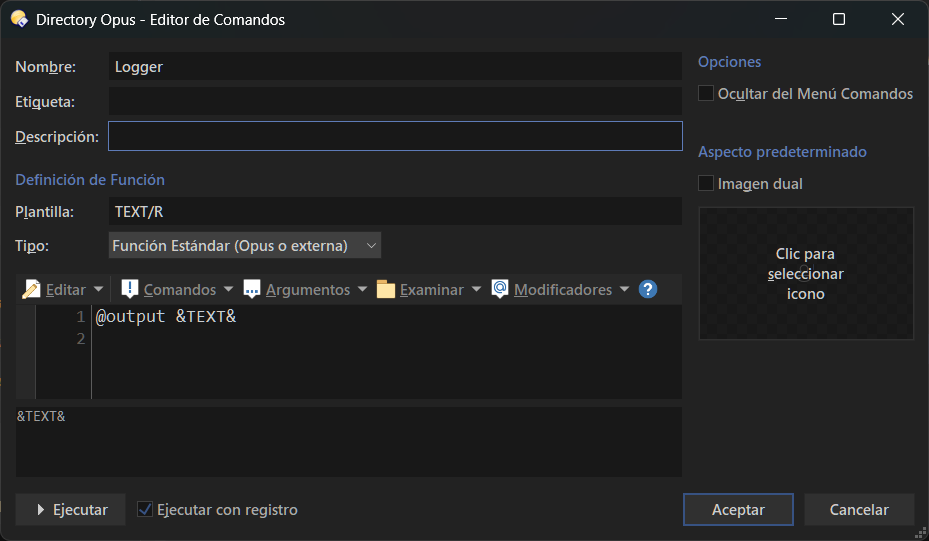
Hello peeps. I have a user command defined (js script) . The template is defined as TEXT/K . But when I call it from a py script, nothing happens. It is a simple script - to show a passed arg in the DOPUS SCRIPT LOG WINDOW
Also, you could add some logs to your user command to see if it is at least running and what command line it receives.
Also, and I'm not 100% sure, but if your arg is defined as /K, you need to include it in the command line. You can try NOT setting any type so the arg is implied.
Looks like you're including a newline \n in the command line arguments. I'm not sure if that will work or not. (Even if it does, it may be fragile, as the various layers in the language, then operating system, then command itself, may interpret it as two command lines, not one.)