This function will let you send files to users on mIRC over DCC directly from DOpus.
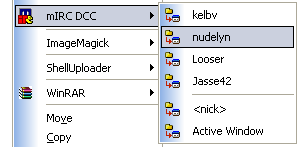
You can choose to have this function as a button, an entry on the context menu or whatever, but this will show you how to setup a context menu submenu. (The code will be the same even if you make a button.)
This will work on all versions of DOpus and all recent versions of mIRC.
So, what do I have to do? Two things, both very simple.
1) Setup a DDE Server in mIRC
Open up mIRC, go to Options, Category Other, press the button labeled DDE.
Check the box Enable DDE Server, and choose a custom Service Name (can be anything).
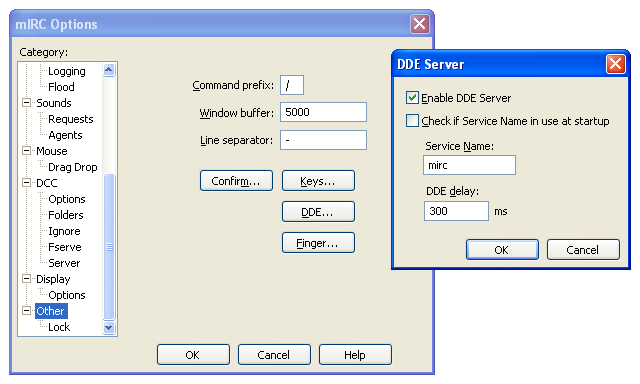
Press OK, OK. Restart mIRC.
2) Setup the function in DOpus (context menu submenu).
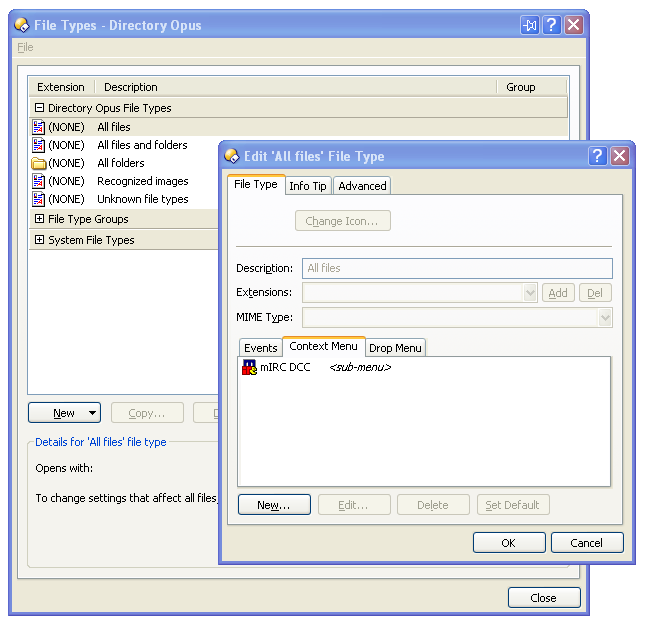
Open DOpus, open the File Types dialog, go to All Files under Directory Opus File Types.
Go to the Context Menu tab and press New...
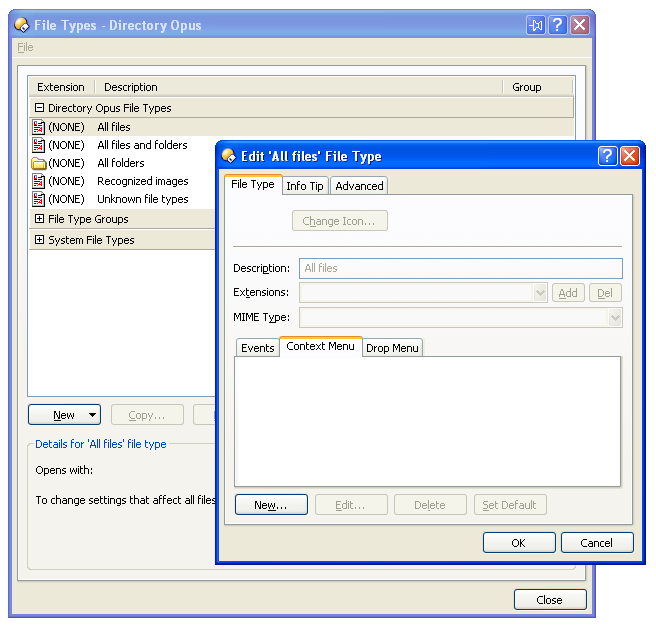
Sub-menus were introduced in DOpus 8.1+. If you have an older version, skip this part, and move on to adding the function.
In this dialog enter the following information:
Type: Sub-menu <-- choose this first.
Label: The name for your submenu, can be anything.
(You can also choose an icon for your menu if you like)
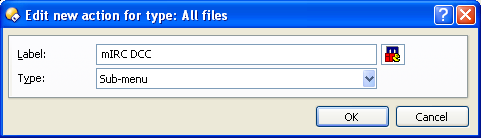
Press OK.
Back in the FileType dialog, press New... again.
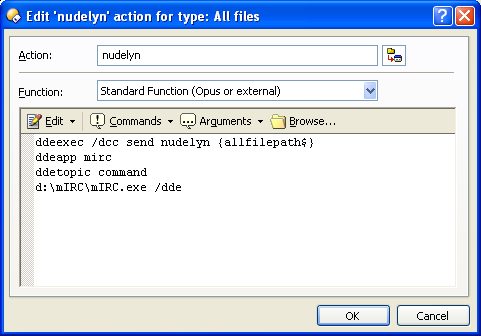
In this dialog enter the following information:
Action: The name for the entry on the submenu, can be anything.
Type: Run an Opus function.
Function: Standard Function (Opus or external).
(You can also choose an icon for your menu entry if you like.)
Now put this in the empty function box:
ddeexec /dcc send <Nickname> {allfilepath$}
ddeapp <DDE Service Name>
ddetopic command
<Path to mirc.exe> /dde
Replace with the nickname (on mIRC) of the person you want to send DCC to.
Replace with the name you chose for your DDE Server in Step 1.
Replace with the full path to your mirc.exe.
Press OK.
Now repeat the last step to add more people/nicknames to your submenu.
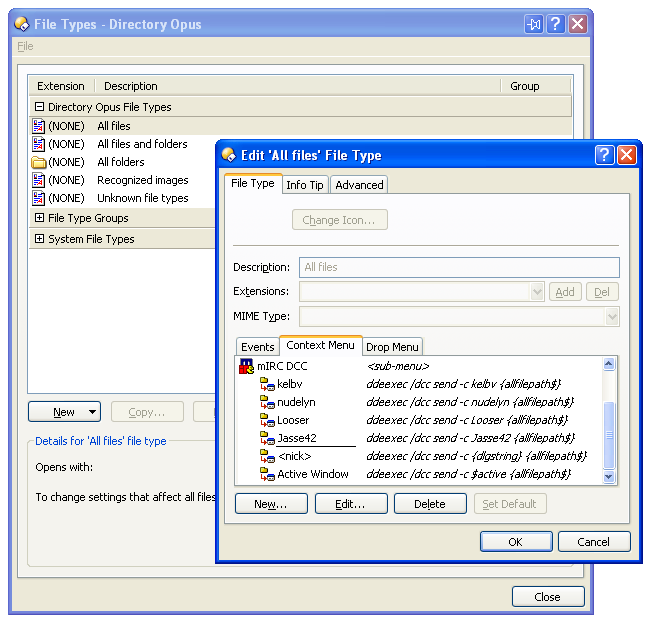
Press OK, Close. You're done!
Additional information
To have DOpus send the selected file(s) to the current active window in mIRC (for example, if you have a query chat open with a person) use $active as .
If you want to have a dialog where you can enter a custom nickname to send the file(s) to, use {dlgstring} as .
The part after ddeexec (/dcc send {allfilepath$}) is a normal mIRC Command and can customized.
For example, adding a -c after send will close the DCC window automatically after the transfer is done.
Check the mIRC documentation for more information on various commands.
If you have problems getting it to work, or want further information on the functions in either DOpus or mIRC,
please join #dopus on QuakeNet (IRC) where I () or someone else will be ready to help you.
You can also send me a mail at gustav.wedholm@swipnet.se if you have questions or find something wrong with this guide.
Version: 1.1
Written: 2005-05-07
Updated: 2005-05-08
Author: Gustav Wedholm