Ask Gemini
Simple Gemini Request/Reply* Dialog for Directory Opus
*does not do chats or conversations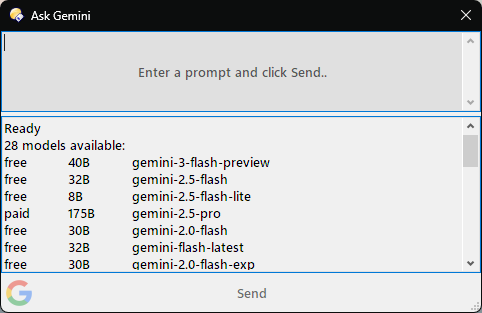
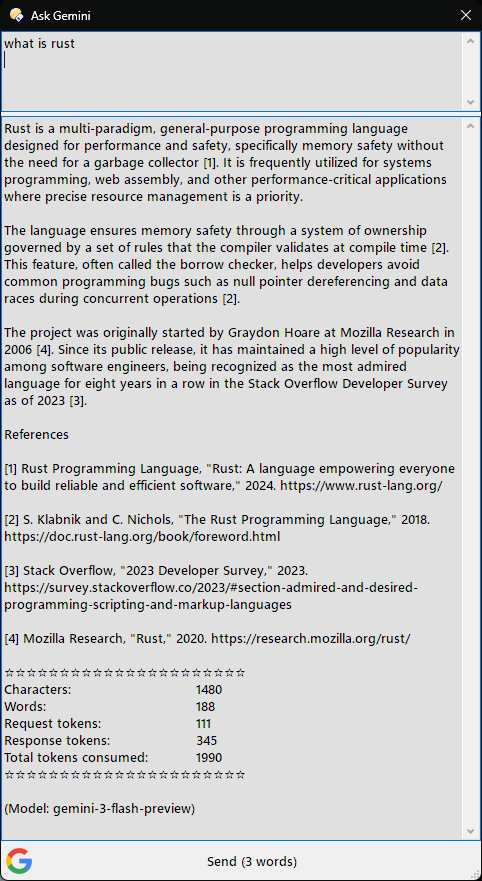
- API Integration : Connects to the Google Generative Language API - requires an API key (configured in script settings or via environment variable (see below on how to get one)
- Model Fallback System* : Automatically tries multiple Gemini models if one fails
*fetches a maintained list of currently available Gemini models (not all will work with free tier)
*Models are tried in a preferred order which can be changed in the script - Simple Dialog Interface* : Uses 2 edit controls for request/reply, this allows text to be copied from the reply. *Kept simple for the purposes of tutoring people new to Directory Scripting and LLM's
- Browser Button: Sends prompt to Google Search AI in the browser (Gemini does not accept prompts through URL injection)
Please note:
AI-generated responses are not guaranteed to be correct, complete, or up to date. Use with human review. Responses are generated by a language model and reflect patterns in data, not guaranteed truth.
To get a Google Generative Language API key (often referred to as a Gemini API key), the fastest route is through Google AI Studio.
- Go to https://aistudio.google.com/
- Log in with your Google account.
- Click on the "Get API key" button located in the left-hand sidebar.
- Click "Create API key".
You will be prompted to either create a new Google Cloud project or select an existing one.
Once selected, your key will be generated. - Copy the string of characters immediately. For security, do not share this publicly.
- Paste the key into the script config called Google API key
- Alternately, create an environment variable called "GOOGLE_API_KEY" (type "env" into windows taskbar search and select "Edit environment variables for your account")
This code is provided "as is", without warranty of any kind, express or implied. The author is not responsible for any damages or data loss resulting from its use.
Many thanks to @errante for sharing TagMaster from where the idea for this script came from
Installation
Drag & Drop the script file into the Script Management dialog.see How to use buttons and scripts from this forum
V1.0
Ask Gemini.opusscriptinstall (25.0 KB)
Enjoy 