Ask Gemini+
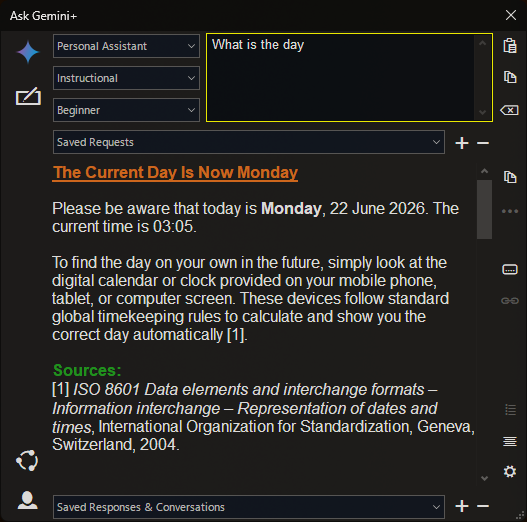
Gemini Chat Dialog for Directory Opus
Upgraded version of Ask Gemini (so different it warrants a post of it's own)
This does 'conversations' (chats).
In other words it uses previous requests and responses as context for the current request.
It is not multi-modal. Just a simple and useful Directory Opus AI chatbot dialog.
V2.1
22/06/2026-
Google introduced changes to API key policies 19/06/2026.
-
The old version of AskGemini+ is broken.
-
This new version introduces some changes to the interface.
-
This means old keys will not work anymore and a new key is required.
-
The process is even more convoluted than previously, and is not free anymore.
-
You will need to put, at least, a little money into it for the models to work.
-
The same API key can be used in VSCode Copilot Chat - uses credits more quickly than a simple text request-response app.
-
Use the link below to access the Google AI studio, from where you can get your key.
-
API Integration : Connects to the Google Generative Language API - requires an API key (configured in script settings or via environment variable (see below on how to get one)
-
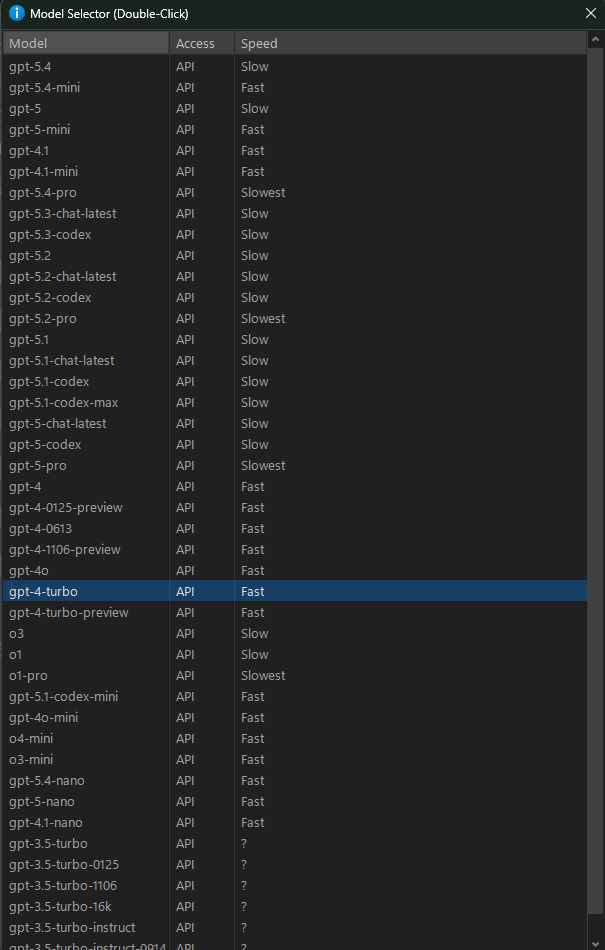
Model Selection System* : Select a model from a list.
*fetches a maintained list of currently available Gemini models. -
Three response modes : Responses can be viewed as simple Markup or as Editable text or as Code view.*
*The edited text will be used as context for subsequent requests. -
Browser Buttons: A selection of browser buttons (A reduced set of those found in Search+)
Google Search AI (Gemini does not accept prompts through URL injection)
Claude
Perplexity
Grok
Chat G P T
Amazon Shopping
eBay
AliExpress
Etsy -
Requests and Responses can be saved and restored.
-
The Dialog is re-sizeable
-
Keys
Esc Clear Request box
F12 Send current request to Gemini
F11 Switch response view/edit mode -
Minimum Directory Opus Version is 13.23
Please note:
AI-generated responses are not guaranteed to be correct, complete, or up to date. Use with human review. Responses are generated by a language model and reflect patterns in data, not guaranteed truth.
To get a Google Generative Language API key (often referred to as a Gemini API key), the fastest route is through Google AI Studio.
- Go to https://aistudio.google.com/
- Log in with your Google account.
- "API keys" in the sidebar.
4.When you have a key, copy the key. For security, do not share this publicly. - Paste the key into the script config called Google API key
- Alternately, create an environment variable called "GOOGLE_API_KEY" (type "env" into windows taskbar search and select "Edit environment variables for your account")
This code is provided "as is", without warranty of any kind, express or implied. The author is not responsible for any damages or data loss resulting from its use.
Many thanks to @errante for sharing TagMaster from where the idea for this script came from
Installation
Drag & Drop the script file into the Script Management dialog.Use command AskGemini+ to invoke, usually from a button.
(I have also bound to F1 as a Global HotKey, because it is so useful)
see How to use buttons and scripts from this forum
V2.1
Ask Gemini+.opusscriptinstall (215.4 KB)
Enjoy