Search+ v3
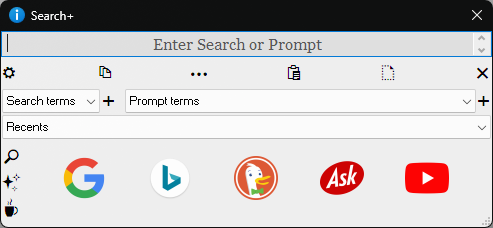
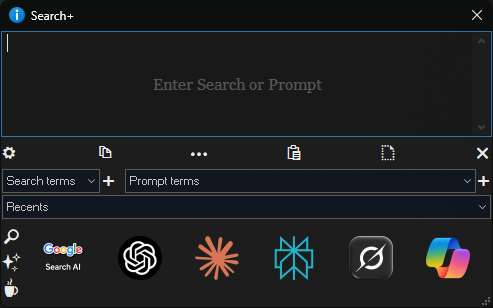
A simple detached dialog that launches a Search Engine or A.I. Chatbot or Online Shop in your browser with your search term or prompt
Installation
Make a button with the command Search+
see How to use buttons and scripts from this forum
V 3 (27 Jan 2026)
remember to back up the 2 lists before updating in case they need restoring
- removed search terms & prompt terms from config
- added search terms & prompt terms buttons to main dialog
- refactored config using new method introduced in v13.18.1
- reconfigured main dialog
- restores last text on open
- added copy all text to clipboard button
- added button to copy selected text to clipboard
- added paste file/folder name if selected in lister button
- allowed pasting of multiple selected files/folders as a list
- changed restore text from last close to restore text from last prompt that was sent
- put Claude back, now accepting prompts through URLs
- Copilot has stopped accepting prompts through URLs, button is still there, just have to copy & paste
- added recents list
- added maximum number of recents setting
- removed button - last search sent
- removed version number from titlebar
- Other small fixes and tweaks
Search+.opusscriptinstall (305.0 KB)
Search+ v1.5
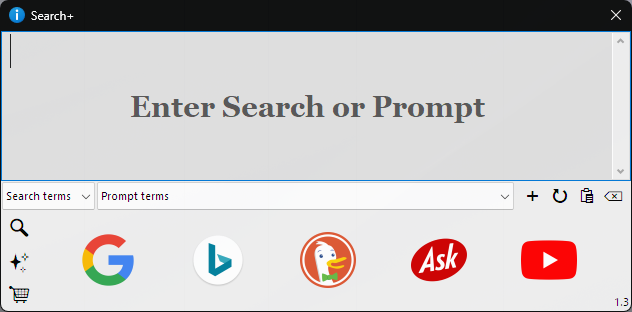
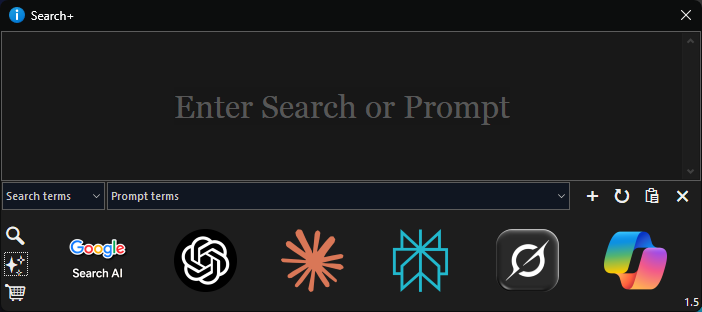
V 1.5 (23 Oct 2025)
remember to back up the 2 lists before updating in case they need restoring
- allowed multiple selected files/folders as a list
- added Claude back
- CoPilot not now accepting prompts through URL's (can copy & paste text)
- Prompt terms combo box now expands with the dialog
- Dialog now re-sizable
- replaced Claude with Perplexity
- config changes do not need a restart
- Directory Opus version 13.18.6 or higher is required
Search+.opusscriptinstall (259.3 KB)
Usage
(Top tip: the UI icons are from Segoe UI Symbol font and does mean not having to do separate icons for dark/light mode) Edit the 2 lists in Search+ prefs
 Restore text from when Search+ was last closed
 Paste text from clipboard at cursor position/selection
 Clear all text
 Search Engines
 AI Chatbots
 Online Shops
The two lists are empty to start with, they can be added to or edited in Search+ script prefs and will insert the selected search/prompt term at the current cursor position/selection.
Search terms are just one or two words that can be added/inserted to your search
Prompt terms are for longer terms that can be added/inserted to your prompt
(the terms can be as long as you like but they will show truncated in the lists)
Here are some example terms that can be copied & pasted into the lists in Search+ prefs
Search terms
Year
Exact Date
Image
Icon
Logo
Film
TV Show
theTVdb
imdb
Plot
Game
Music
Album
Song
Prompt terms
Web search with links
Summarise this
Do as a table
With device, year, units sold, type, region, notes column
Make a list of 10 alternative filenames for this, do not use symbols
Redo in a concise but proffesional style
Redo in a style suitable for a novice
Redo in a humerous and comical style
Limit to 50 words
Limit to 100 words
Limit to 200 words
Limit to 500 words
Do a 16:9 image
Tell me what this code does and check this code for errors
Give some tips on how it can be improved
Remember I am new to programming in JScript using Directory Opus objects
Keys
| Key(s) | Action |
|---|---|
| TAB | moves focus to next control |
| SHIFT+TAB | moves focus to previous control |
| Return | activates search when a search icon is focused |
| Escape | clears text from edit control |
Notes
The links can only be changed in the script, which is well commented, and can be found in the message loop.
Search engines tend to use a standard syntax for encoding searches in URL's.
AI Chatbots do not have a standard syntax for encoding prompts in URL's.
Online Shops do not have a standard syntax for encoding searches in URL's.
Gemini and Meta are missing from the AI chatbots because there is currently no way of sending a prompt to them through an URL.
Claude has recently stopped the passing of prompts via the URL (Hopefully Anthropic will bring it back)
Deleting
Before deleting use the commandSearch+ DELETEVARS
