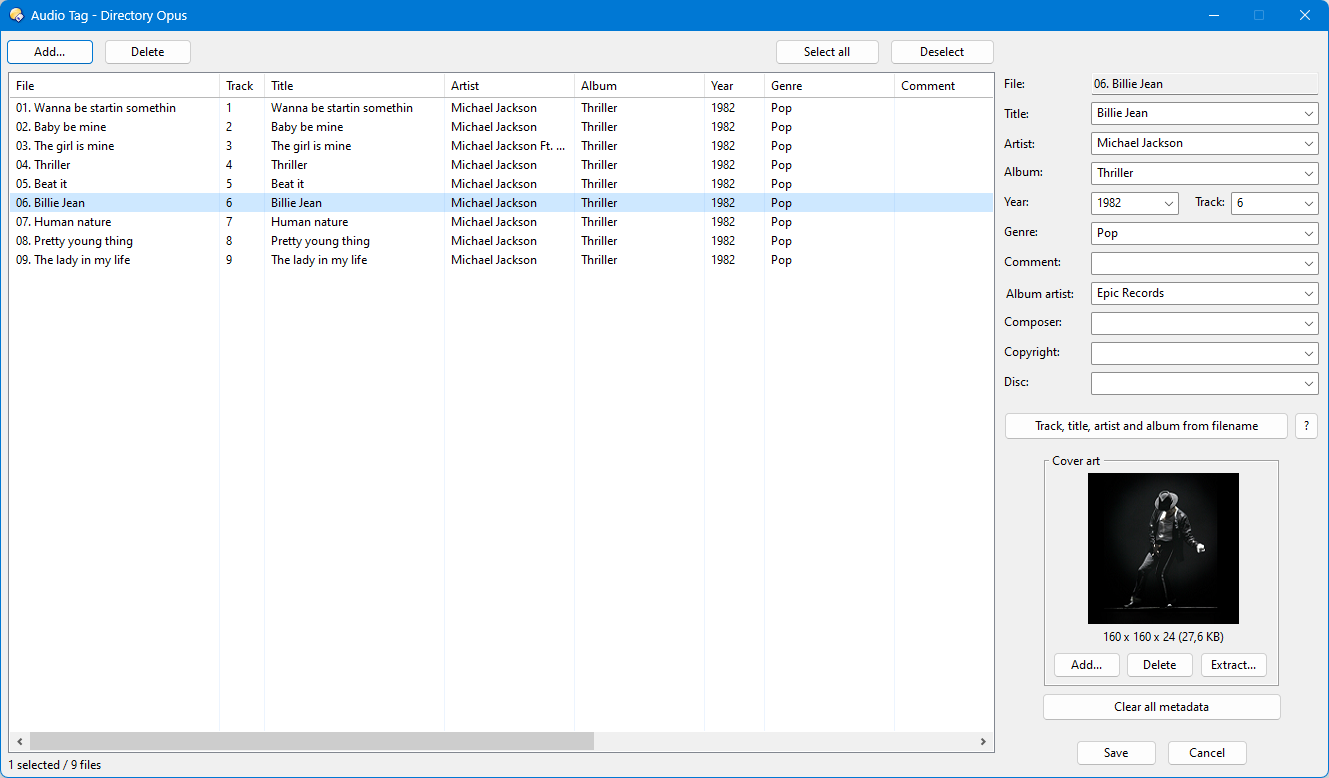
This script is inspired by Steve's Music Tags script and an expanded version of Audio Tag Mini. It allows editing of the main metadata of MP3 files.
-
To add files, we can do so in 3 different ways:
~ Select the files and then run the script.
~ Run the script and select the files using the "Add" button.
~ Run the script and drag and drop the files onto the window. -
To remove files from the list, we can do so in 2 different ways:
~ Press the "Delete" button.
~ Press the "Delete" key.Both methods perform deletion as follows:
~ If files are selected >>> Remove the selected files.
~ If no files are selected >>> Remove all files from the list. -
Music genres are editable (can be deleted or added) and filterable when typing in the field.
-
The cover art area, in addition to basic editing, allows you to save any cover art that may exist in the analyzed files.
-
The script also features change verification, meaning that if you modify any field and try to close the dialog without saving the changes first, the script will issue a notification.
-
The script has two translations: Spanish and English, which must be set manually from the Script Management window.
Once installed, to run it, simply use a button in "Standard Function (Opus or external)" mode with the "AudioTag" command.
Audio Tag.js.txt (72.3 KB)
Button.dcf (244 Bytes)