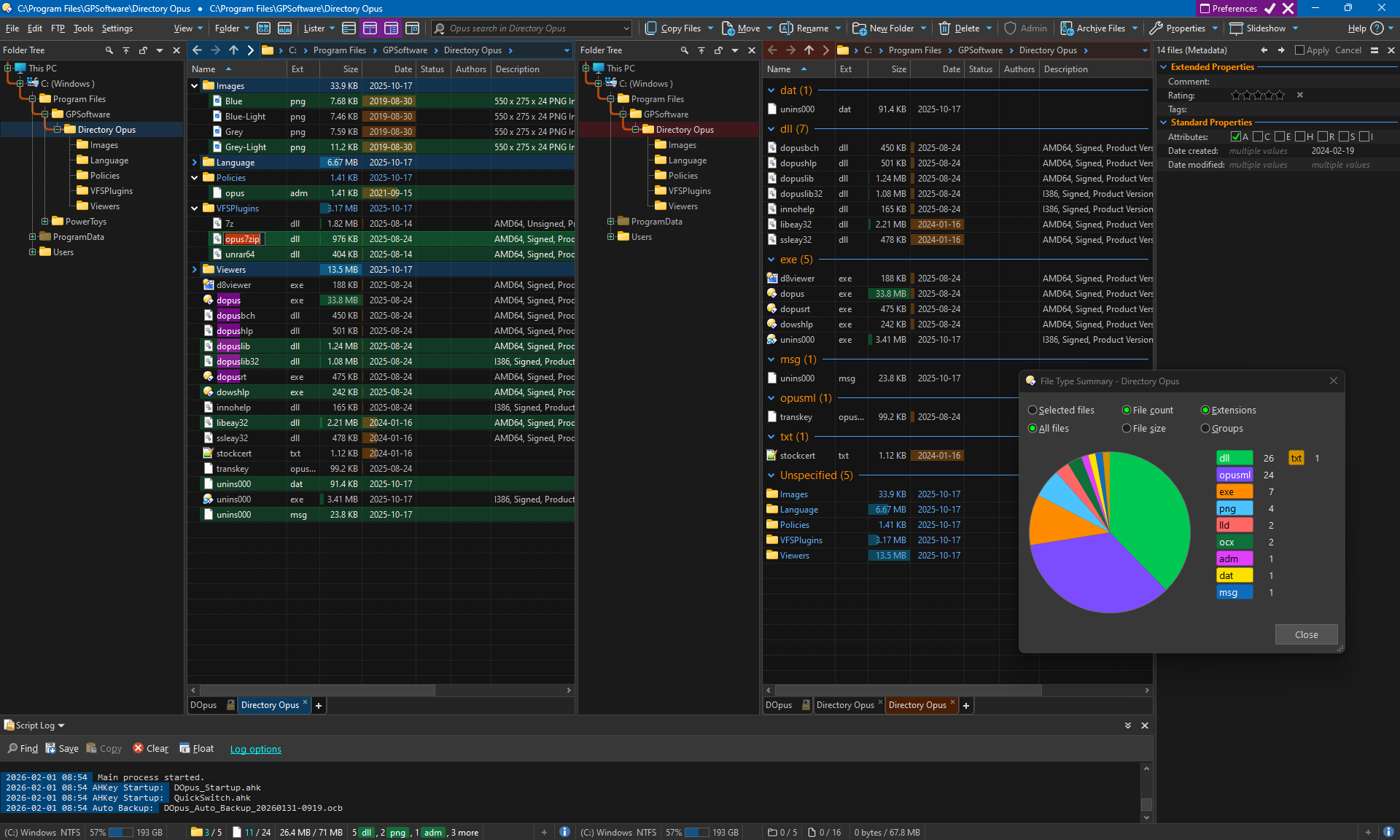
Dark grays are used for softer neutral elements; e.g. backgrounds, borders, frames, etc.
Light blue accent for key elements; e.g. headings, buttons, state, etc. (This compliments the amazing Fluent UI Dual Tone Icon Set by skinz).
Bright colors for consistent purposeful semantic elements; e.g. edit fields, menu toggles, file and folder selection, etc. (Some colors might seem unusual; I selected colors that do their job the best for me, somewhat subjectively.)
Fonts are defaults and Color Blending is slightly different to the defaults.
After importing the theme in Preferences, you can change every single attribute (blend, color, font) to suit your own requirements better.
Dark Gray Fluent.dlt (244.5 KB)