Is there any chance of getting the many FTP and SFTP requested improvements in the DO12 release?
This is a really important function for me on a day to day basis. Just about everyone I know that works in IT would love seamless good integration for FTP and SFTP, to help working with Windows and Linux servers at the same time.
Nope. That's it. I think there were 3 issues in there.
1 was the file handlers not being the standard type. ftp:// for FTP, sftp:// for SFTP, and similar.
2 was the fact that it doesn't handle going to 2 different FTP/SFTP connections in different windows.
3 was the trailing slashes for the hosts being non-standard. Such as ending in // for a directory.
Each of these issues make working with the built in support a bit more difficult and a hassle day to day. I've kept checking each release since then to see if there was any mention in the notes, but I haven't seen anything yet.
If these have been fixed, or will be fixed, that would be awesome, and I'll go back to using this again.
I was hoping for multi-file (multi-part) FTP up/download support. I find myself almost never using Opus FTP support due to it being really slow (compared to something like FileZilla) when lots of files need to be transferred.
NOTE: Thought I'd post in this thread rather than create another since the title fits with my request.
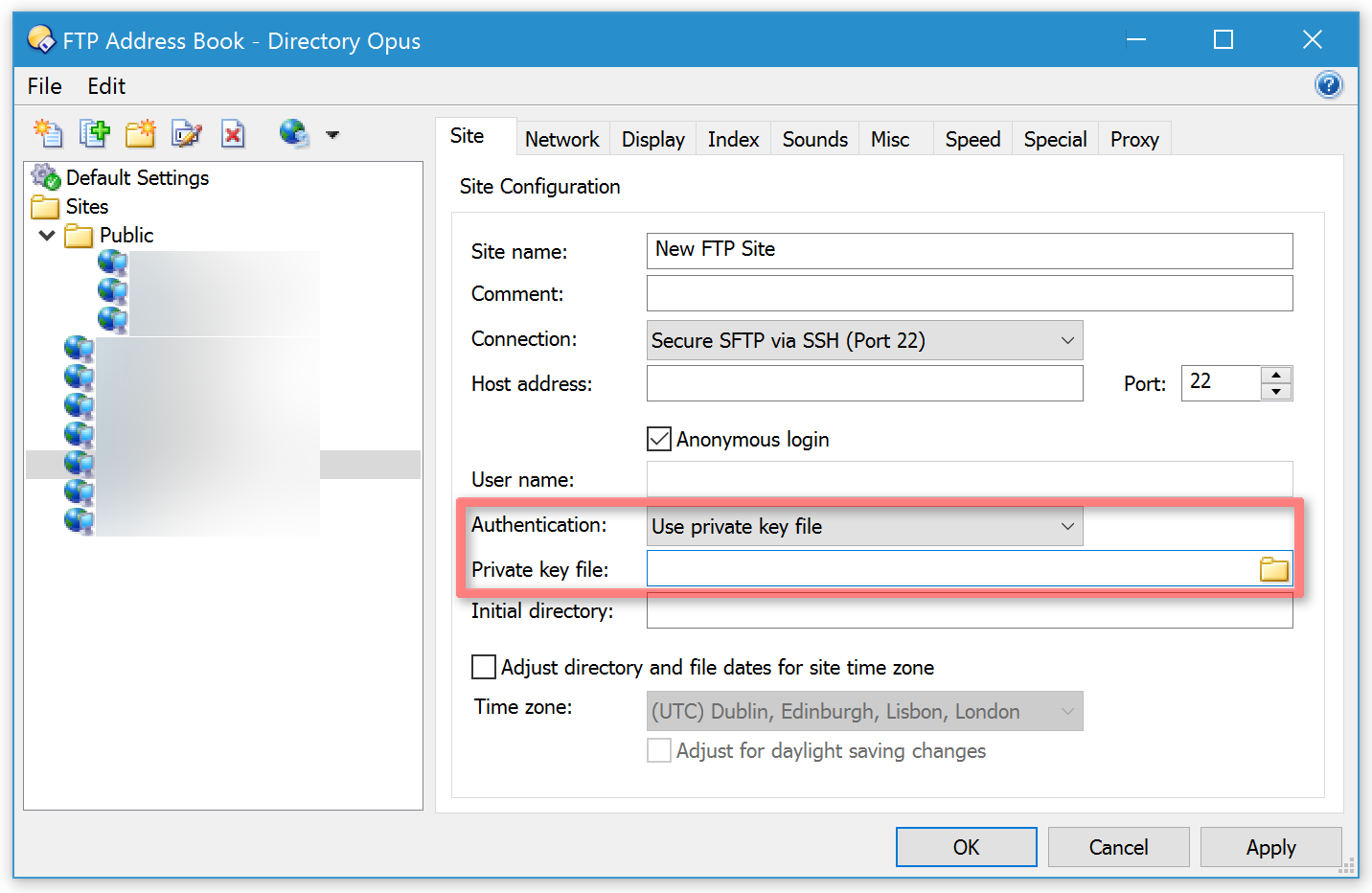
I regularly SSH to thousands of different servers for work, so saving each to the Address Book isn't practical. Currently, my workflow is painful:
Open FTP Connect dialog
Type hostname
Change "Standard Connection" → "Secure SFTP via SSH"
Uncheck "Anonymous login"
Enter username
Connect
Every. Single. Time.
What I want is to simply type sftp://username@hostname in the address bar and connect (using Pageant for auth). But:
sftp:// URLs can't be handled by DOpus?
ftp://username@hostname:22 should work but just hangs indefinitely
There's no way to set SFTP + username as the DEFAULT for new connections
How are others handling this? I'm coming from WinSCP where I can just type the hostname and go. The fact that SFTP is a paid add-on but still requires this much friction for basic connections is frustrating. Is there a way to:
Make the FTP Connect dialog remember my last settings (SFTP, username)?
Make sftp:// URLs open in DOpus instead of external programs?
Create a quick command/alias that prompts ONLY for hostname?
Running DOpus 13.11 with Advanced FTP enabled, using Pageant for SSH keys.
Making sftp:// work (instead of everything going via the ftp:// prefix) is being worked on at the moment.
Currently the easiest thing is to use the button bear the top of the Quick Connect dialog that recalls the last settings entered into it. Then you just have to change the address part.
I think there is also a way to specify the full connection details via the path (e.g. when typing or pasting into the location bar), but I’d need to look up the syntax and confirm that. Using the Quick Connect dialog is probably easier though, with the button I mentioned.
Thanks for getting back to me! The Quick Connect recall button is a big improvement for my workflow - didn't realize that was there, and it definitely helps for now.
If it is possible to specify all the connection details directly in the URL/path, it would be great to know the exact syntax. I tried variations like ftp://username@hostname:22 but haven't found the right format yet. If this syntax exists, I could potentially handle it with a script to streamline things further until the native sftp:// support lands.
Really appreciate the response and looking forward to the sftp:// implementation when it's ready!