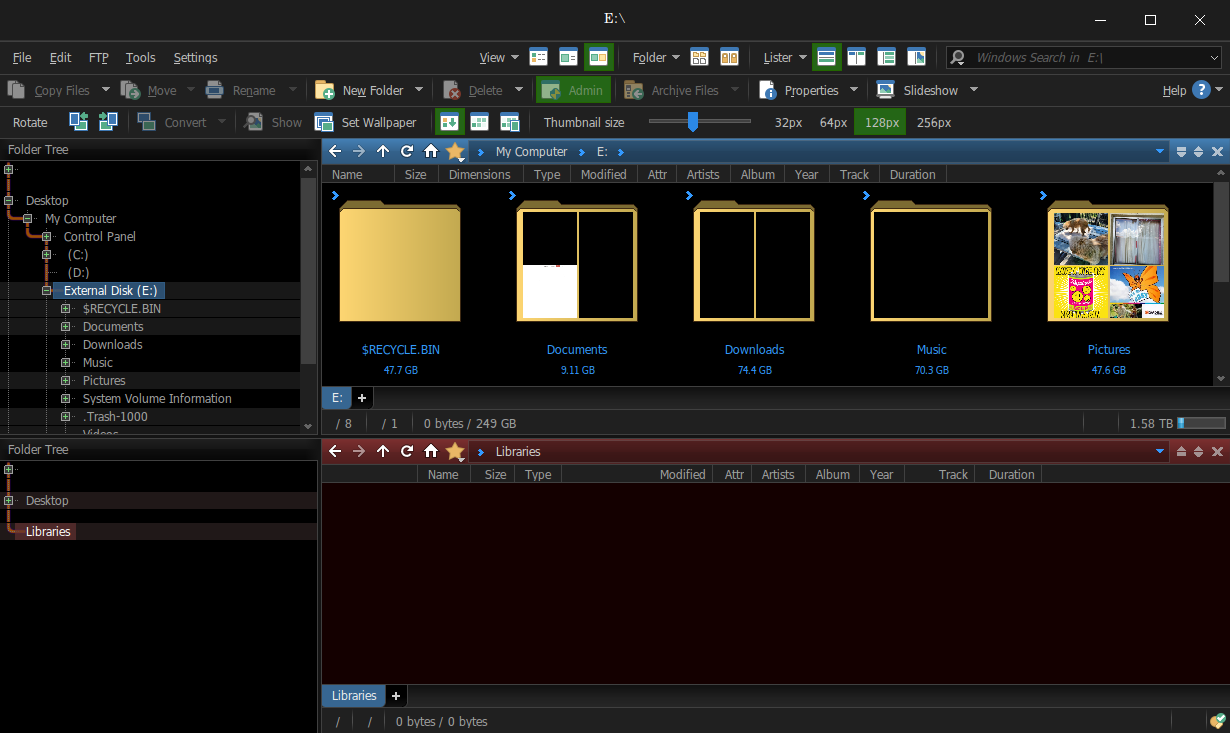
I have successfully installed DOpus v13.21.0 on Linux Mint v23.3 Cinnamon, via Crossover v26, with Wine installed over it via sudo. It sees both my Windows and Linux drives, and I was able to install the registration certificate. Also installed my config file okay. One minor glitch, E drive shows as external, but it's internal.
It did have a minor crash in the beginning, right after starting for the first time. I was asked if I wanted to shut the offending thread, and continue with DOpus, which still worked. I don't remember the DLL at issue. I'll have to write it down next time.
It seems to be able to read my Linux drive, but I haven't worked with any files yet.
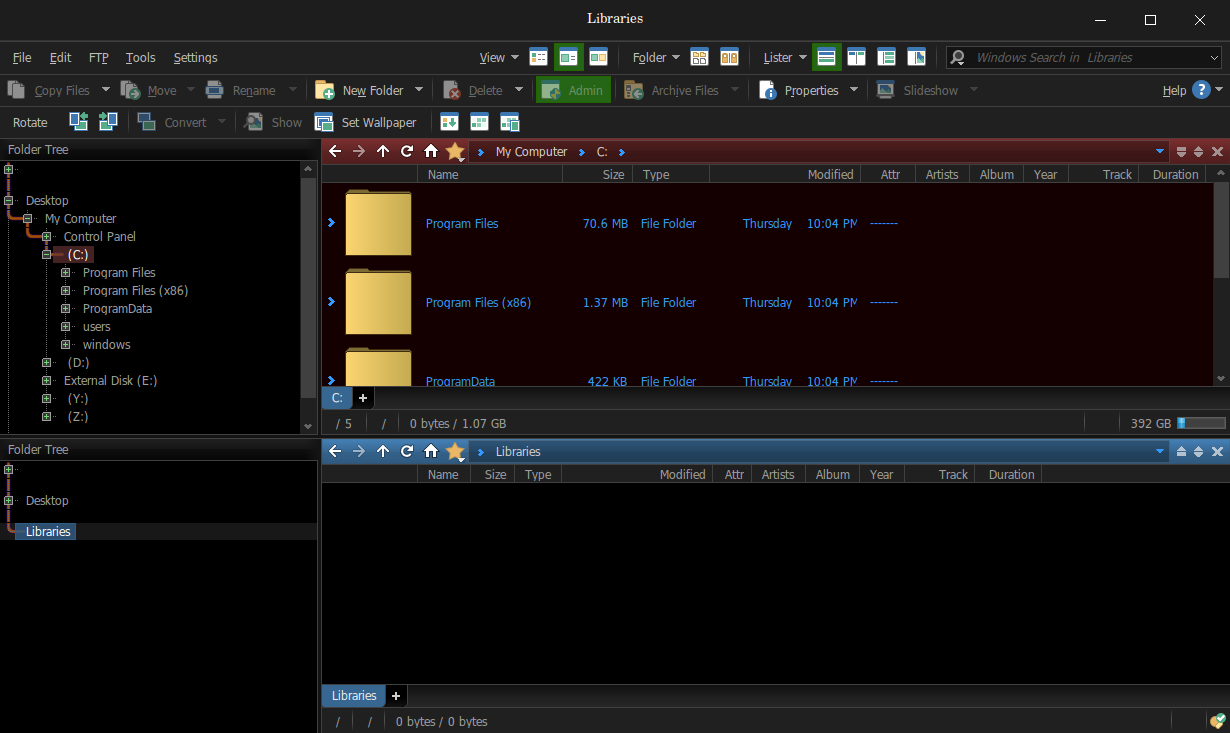
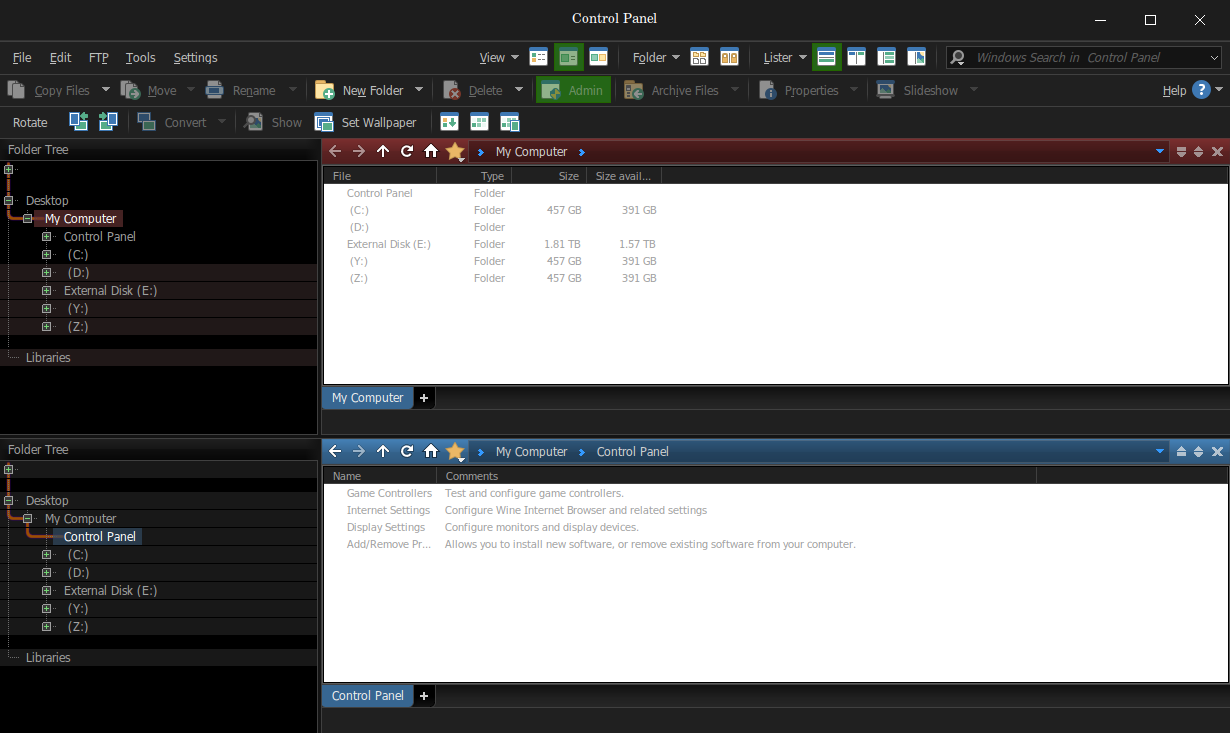
The display looks normal, although I can barely tell a difference between the Windows and Linux instances. I do have it skinned. I do remember the Listers showing up with a white background, when they should be dark, but clicking on empty space fixed it.
It might work without installing Wine over Crossover, but I had already done that to get iTunes to work, which unfortunately crashes after playing a few songs.
EDIT: I'm not sure installing another version of Wine makes any difference. It was v9, not 11, at that. Even after uninstalling, DOpus still worked in Crossover.
It sees the Linux drive in a separate entry in my tree, as well as along with the other drives, like normal. Also cannot read the drive via the normal way (as expected). Second link must be an interface to the drive provided by Crossover. I could see all the files and folders in the Linux installation, via the second link. So Dopus doesn't need to read an ext4 drive. Not sure if DOpus can handle Linux style paths directly, though. I suppose it does, however, perhaps to accommodate the WSL.
I can cut, copy, and move files okay. For instance, I moved an exe and a jpg file from C: to Linux /home and back with no issues. They survived the trip. Both by cut/copy/paste and drag/drop.
Things that don't work:
My 1TB drive plugged into a mobo USB port is not showing
No folder icons in the folder trees
Scroll bars in folder trees are glitchy. Sometimes the arrow
buttons don't work, and if you drag the bar to the bottom, it will
go back to the top. They work fine in the listers.
Folder overlays don't always display, except for image files
Always get a thread crash upon starting, involving
kernelbase.dll . I can close the thread, and DOpus will continue
to work
Libraries don't work. The stock libraries don't appear, and I get
an error when I try to create a new one
My Computer and Control Panel have white backgrounds in the
listers, but the links still work.
DOpus froze once, necessitating a "reboot" of the Windows 10 bottle it
resides in (Crossover can go all the way back to Windows 2.0).
Crossover won't complete the installation, so you won't be able
to open it in Crossover, or the Linux start menu. However, DOpus does install to the
taskbar tray, thereby letting you open it there.
If you are curious, Y: maps to /home and Z: maps to /root, which are really on my D: drive. I can't access D: directly, of course, being my Mint drive. Neither does "real" Windows, naturally.
EDIT: After playing around with Crossover more, I found that you can open the "fake" C: drive, and execute programs from there. You can also make a run icon in the bottle manually. It showed up in the Start Menu when I did that for DOpus.
I was missing my icons in the folder trees. I haven't looked at the command editor. And I also had glitches in the preferences similar to yours.
I wonder, do you know if the kernelbase.dll is from Windows, or is it a modified one from DOpus? If it's modified, I can override the stock kernelbase.dll in Crossover with the one from DOpus. And now that I think of it, that dll thread crashed a second time, when I tried to open preferences a second time, and I could not open preferences at all after that. Of course, I could again after close/restart of DOpus.
I was just thinking, I'll bet I won't be able to install Windows 12 when it arrives. I already had to use a cheat to get 11 to install on this 8 year old PC with an unallowed CPU. I can picture the M$ activation server not allowing a machine to be activated, if it doesn't like the hardware. They haven't done that yet, as far as I know. It's akin to how, with every iteration, they make it harder to install with a local account.
kernelbase.dll is part of Windows. It doesn't come from DOpus.
Crossover uses its own custom implementation of this DLL. I'm not sure you can just copy and paste the original kernelbase.dll from Windows into Crossover.
I think the best case if to create a bug on their forum asking to investigate.
I can picture the M$ activation server not allowing a machine to be activated, if it doesn't like the hardware.
MS never did something like that. Most probably, they will leave this workaround. You don't need to worry about it now.
with every iteration, they make it harder to install with a local account.
It is still possible, and the current Windows IOT still supports it. It gives you a lot of time. Most likely, you will replace your current PC within the next 10 years.
Don't get obsessed with the OS. Be obsessed with the task you need to accomplish and the tools you need to do it. Windows is just a "hypervisor" that allows you to run your apps. The best OS is the one that allows you to run all your apps with maximum stability and minimal effort.
What about feature updates? IoT Windows doesn't get them, does it?
The IOT only gets security updates. No new feature. On the other hand, what new features do you expect to be added to Windows anyway?
Also, you can still use Windows Pro, which will get new features, and it will most likely still support your hardware.
There is one feature I can think of at the moment. MS is supposed to release a new start menu this summer, adding back some of the things they took away. I guess that doesn't really matter though, since I am using StartAllBack.
The reason I am trying to get away from Windows is all this AI stuff they are adding. I would not be surprised to find it so tightly integrated into 12, that you can't get rid of it, like they did with Edge (another irritant). I also am having Bluetooth issues, and Intel stopped supporting my hardware in 2023. It works fine in Mint.
MS is supposed to release a new start menu this summer, adding back some of the things they took away.
Great. I think it is unlikely that they will drop the support of old hardware on such short notice.
The reason I am trying to get away from Windows is all this AI stuff they are adding.
At least in the horizon of the coming 10 years, you don't have anything to worry about. Windows will allow AI to be disabled, or there will still be a supported Windows IOT version without AI.
I don't know much about Edge. I think you can still disable AI features there. Otherwise, it would already be banned at my company.
I also am having Bluetooth issues, and Intel stopped supporting my hardware in 2023. It works fine in Mint.
Yes, this is a different story. Honestly, even if they stopped supporting the HW, the driver should still work. But there are exceptions, of course. In this case, you actually have a reason to think about moving from Windows. You can still use Windows 10 though. It will be supported for about 8 years.
What happens is that sometimes, when interacting with parts of the OS, Windows insists upon opening links in Edge, instead of Firefox, my default browser.
As far as the Bluetooth goes, they specifically tell you in the Win 11 driver, that they don't support my Bluetooth or Wifi hardware any more. I did think of another solution just now, get a Bluetooth dongle, and disable the mobo Bluetooth.
As far as the Bluetooth goes, they specifically tell you in the Win 11 driver, that they don't support my Bluetooth or Wifi hardware any more.
Ok, then, unfortunately, you don't have many options. Your HW is just too old . You might think about replacing it. There are no perfect solutions. Linux is far from a perfect option, either. If you earn money by working on your PC or use it for learning and increasing your professional skills, then I would recommend just buying a new PC. You are losing more money in the long run by fighting obsolete HW.
By the way, is it a laptop? Your wifi and bluetooth are probably connected via mini-PCI. You can replace this board with another more modern WIFI adapter. I did it for several laptops in the past.


 . You might think about replacing it. There are no perfect solutions. Linux is far from a perfect option, either. If you earn money by working on your PC or use it for learning and increasing your professional skills, then I would recommend just buying a new PC. You are losing more money in the long run by fighting obsolete HW.