Those were over $100 dollars, for combo boards. I don't see the need for new Wifi, since it's working okay.
However, given past experience, this machine is probably on its last legs anyway. The last one was nine years old, when the mobo blew a capacitor, and would no longer boot. So I might get a new machine anyway.
Crossover DOpus can see a USB memory stick, but only after closing and restarting DOpus.
I was able to manually create a DOpus icon to start it with in the Windows bottle. You can also open the C: drive in Crossover, and start a program there.
The tray icon will not be there if you restart Mint. It only appears if you run dopus.exe in the bottle.
Can't do a search in Preferences. It says "Please wait - building search index... " then kernelbase.dll thread crashes. Can't restart Preferences if you just kill the thread without restarting. Sometimes options don't show up until you move over them with the mouse.
File search does not work at all, except saving and deleting search history.
Automatic start up on boot doesn't work. I guess it might if I set Crossover Windows settings to do it. I don't know if you can set any of the bottles within to open when Crossover does. I'll ask their devs. They are picky about this. They won't give support for unlisted programs.
Does disabling "Explorer replacement mode" help for some of the issues (in case it is enabled)?
I don't see myself running DO on Linux with WINE / CrossOver or whatever, it makes no sense to me. DO is a Windows specialized application and whenever I tinkered with WINE, it was not fun at all. The file picker of WINE which comes up when a Windows application prompts you to open / save a file is the worst file picker on this planet. Which is odd, because it is one of the main interfaces between you, the Windows and the Linux side of things.
File pickers on Linux are bad anyway, but the one from WINE really stands out. There is not even a path bar in that thing, you always need to click through all the folders and trees manually. This fits the general Linux experience though, everything is "clunky" by definition. o)
No, didn't help at all. And it was even hard to pick the option, since all the text was black.
I'm just trying to get it to work because I hate to give it up. DOpus is the gold standard of file managers. It's the only thing that could nearly stop me. I don't think the Linux side has anything that comes close. The stock file manager in Mint, Nemo, can do dual listers, and work with NTFS drives, but not much else. Having said that, I'm fed up with MS enough to make the sacrifice. I already do my email and browsing on Mint, and am working on music and images. I'm told that GIMP is an excellent image editor, for one. And foobar2000 works nicely. Audacity has a Linux version. And there is Calibre for ebooks. Also, I certainly don't expect some Windows specific script to work, outside of Crossover, at least. But perhaps some wizard can come up with Linux specific scripts. I don't use any scripts currently, anyway. I use DOpus mostly because it can organize my media files and folders the way I like them. And it still does that much here, at least. The eye candy is an added bonus, not a deal-killer if I lose it.
I haven't tried doing this in Wine directly, just Crossover (Crossover is essentially a GUI for Wine, so I can't comment on that. There is also Bottles, and Steam/Proton (more for gamers)
For anybody curious about Wine, it's a translation layer that translates Windows API calls into POSIX API calls. I'm sure there is more to it than that. I'll bet there isn't always a one to one correspondence. It works nicely with some Windows apps, and fails spectacularly with others. One sometimes has to install dependencies, like any of the various .NETs or C++s. I wonder if that's the case with DOpus. Its always installed without asking for anything else.
My general experience with Mint has not been clunky. This is one of the only exceptions I've seen, and I expected it going in. It's unrealistic to expect otherwise. I can get by nicely without using CLI, which is not typical for Linux. I certainly will never go with some obscure Arch distro with no GUI at all.
You don't need to have reasons to switch to Linux if it works for you. You will also learn new things. It is good to know how to use Linux.
For anybody curious about Wine, it's a translation layer that translates Windows API calls into POSIX API calls. I'm sure there is more to it than that. I'll bet there isn't always a one to one correspondence.
Steam uses it for its portable gaming console. That is how they manage to run Windows games.
However, I wouldn't rely on WineHQ to run any serious, complex software. Especially if you use it professionally.
Well, they aren't necessary, but they certainly help with the decision. But I would never have thought to do it, if it weren't for what MS gets up to. But I am having fun with it.
As far as Mint goes, I like it better than Windows. Take something relatively unimportant, but nice. I can easily go into the font settings, and change the system font, which I did. To Times New Roman. Call me old-fashioned. On Windows it can be done, but with about 10 changes in the Registry. And you can't change the font in the lock screen or settings app, it's hard-coded. And the change doesn't carry well to programs sometimes. Itunes ends up with a mixture of the two fonts, for instance. Or some other programs, where you have to change their settings.
I agree. I wouldn't use anything critical in Crossover, unless I was 100% sure there were no issues. As it stands, I won't be using DOpus there. With the glitchy folder tree scrollbar, and glitches in the Preferences, it's just not doable. Maybe another version or two of Wine or Crossover away, or I am missing something in the settings. I'll still have my license for awhile.
Yes, Steam is generally used for gaming. But you can try other kinds of apps with it. Of course, games that use kernel-level anticheats won't work.
I tried Bottles, and the DOpus installer won't even execute, so that is out.
I have encountered someone who has had a bit better experience. They claim to have fixed a lot of the glitches by adjusting the DirectX controls in the bottle. I might play with it some more.
Krusader is the most advanced file manager for Linux I guess, unfortunately it pulls in half of the KDE environment if you want to use it on something different than the KDE desktop. There also is no AppImage to be able to use it without "bloating" your Non-KDE desktop environment.
Krusader has the advanced user in mind, but the GUI of Krusader, I don't know. It feels very stiff, old and it is not very flexible in regards to the lister layout (you basically only have the dual pane view). It has some interesting and very functional panels though (search e.g.), it's much more functional than the other Linux file managers, but it is not a Directory Opus replacement. Krusader feels like it got stuck around the year 1993, more or less.. o)
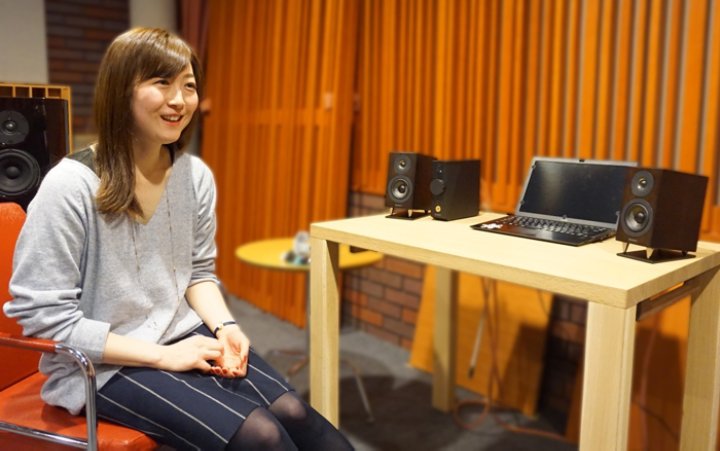
My computer(s) are hooked up via toslink to the stereo and a nice set of ALR speakers. I picked these myself in the "audiophiles" shop back then (20 years ago?!). I'm still very satisfied with this setup. It can do the subtle background music and it can also tell the neighbours what music I play, hehe. o)
I also have some kind of speaker bar at the monitor and smallish directional microphone for the regular audio related tasks during the day. It's not that of a rich experience, but the lower quality output also allows to consume all the "bad audio" more easily.
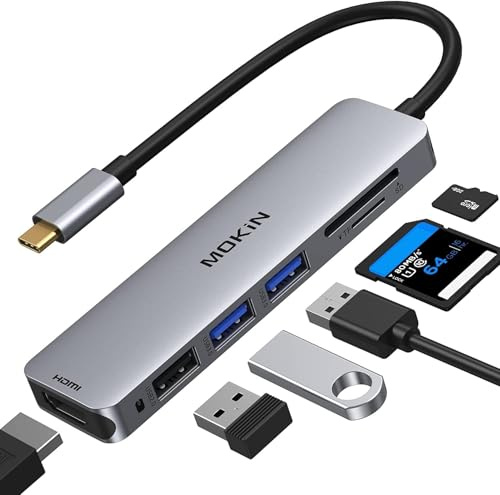
That dongle you posted, that's the thing the Mac users always forgot when I was working with them in the office! o) So, we often gathered around the Mac(s) instead of using the projectors of the meeting rooms (doh!). I'm not convinced about stripping this 3 dollar PCB from the Macs, just so they look more slick and Apple can sell the same thing in an external plastic case for 30x the price. I assume it makes sense for Apple and the share holders only?! o)
I have a regular computer everywhere I go, so I'm not a laptop person obviously, don't take my words too seriously! o) Even when I was in "IT consulting" back then, I never really used the laptop for anything other than work related tasks. I think laptops are kind of inconvenient to use in general, but they have their purpose of course, for people on the go and students and those who feel bad, when they put a real computer in the living room, but I don't. o)