DopusWorX
Latest release: v1.0.0-beta.3 — 2026-06-20 (first released 2026-06-19)
DopusWorX grew out of mdWorX and has been rewritten from the ground up for a more robust and efficient design. What began as a Markdown viewer is now a document workspace inside Directory Opus, with a full maths workspace, more file types, thirty palettes and a much sturdier save path. It ships under its own name to mark the change.
What it is
A native Directory Opus viewer plugin: a Windows x64 DLL that renders documents in the Opus viewer pane and the pop-out viewer window. It is not a separate application (watch this space), it loads inside Opus and uses the Microsoft Edge WebView2 runtime to draw itself.
It is file-type aware. Open a file and DopusWorX picks the right view for it based on your preferences.
The design ethos has always been to keep it easy and non-intrusive. There are a lot of features, but you have complete control over what is on and what is not. Don't use maths? Turn it off. Don't like the toolbars? Hide them. And so on.
Key highlights
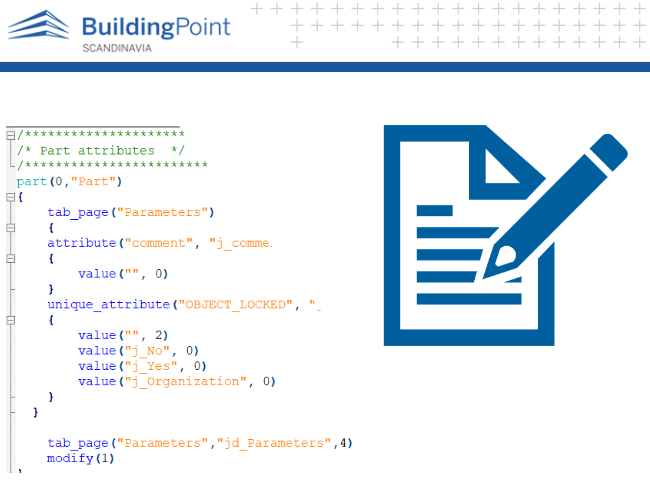
- Source-file viewing with syntax highlighting for around 150 languages, up from ~35.
- Choose the highlighting grammar per file type with the new Highlight Grammar setting. Ambiguous extensions are resolved by reading the file's content, not the extension alone.
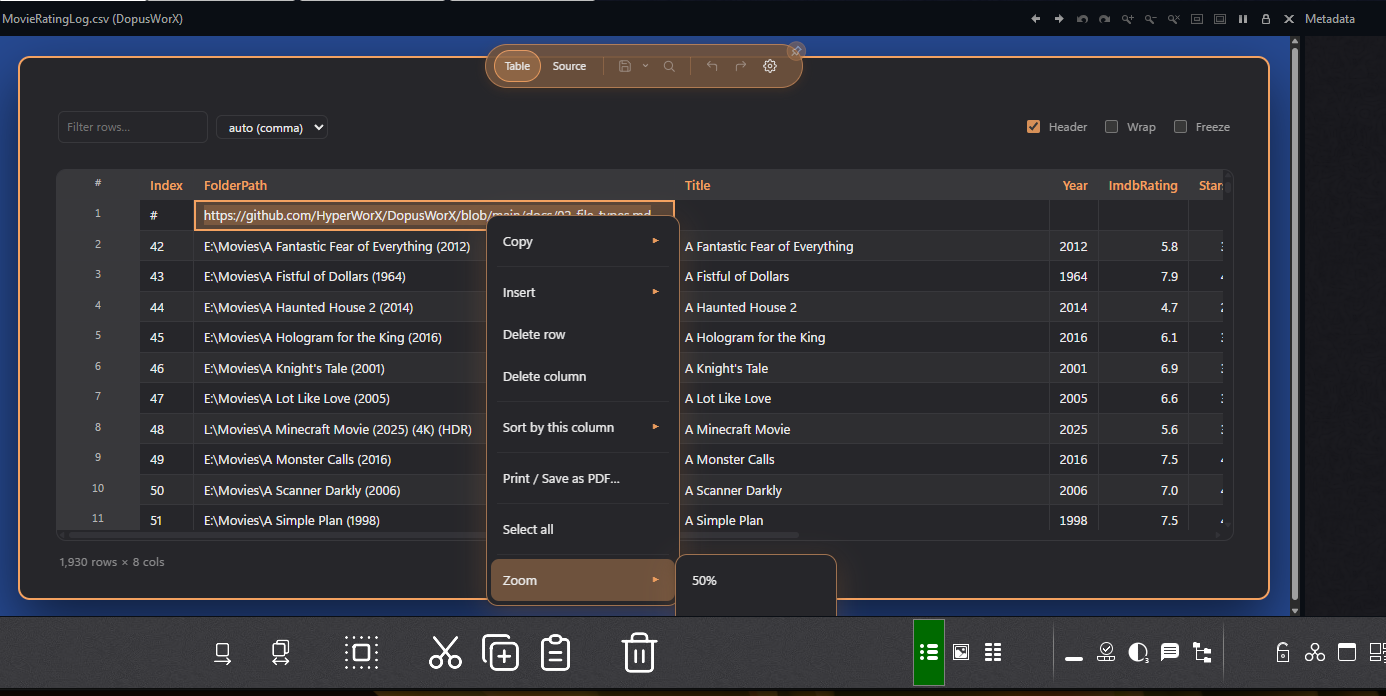
- CSV editor and viewer, with text input, sorting, filtering, and row/column add or remove.
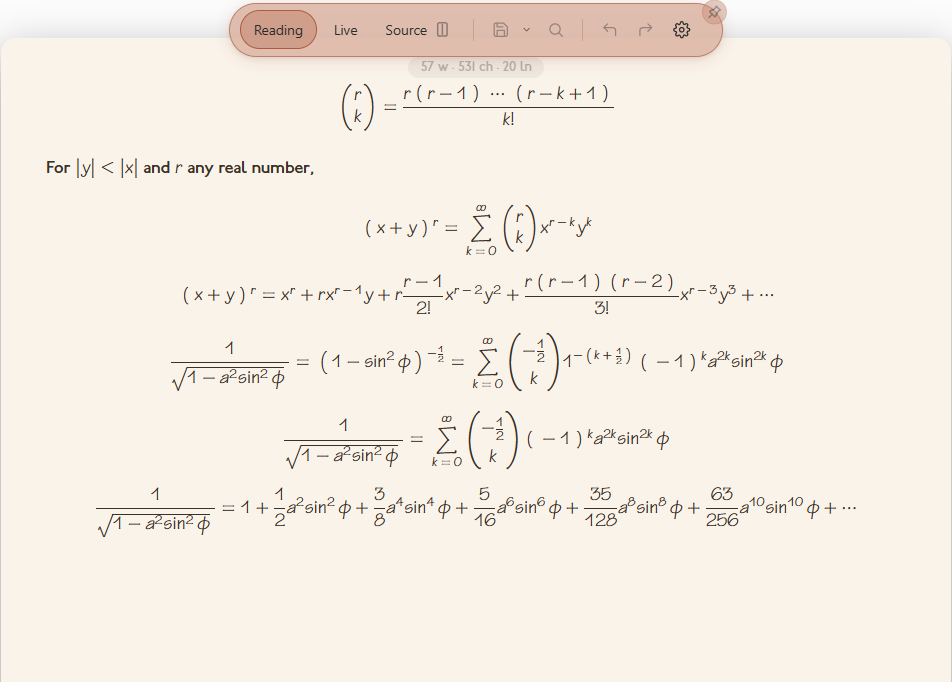
- Maths renderer with WYSIWYG live preview for Markdown, supporting both AsciiMath and LaTeX.
- HTML rendering and source, with a split-pane view.
- Obsidian image and reference link support.
- Word, character and line count status pill.
- More custom palettes built in-house, like ProWorX.
- Updated UI and extended options compared to mdWorX.
- File-type association and custom extensions, all from the settings menu.
- A lot of work on the stability and robustness of file operations, aiming to make sure your work is never lost to crashes or background apps editing files.
That's off the top of my head. Below is a longer list I was keeping track of, though I won't claim it's exhaustive...
Full Feature List
Views and editing
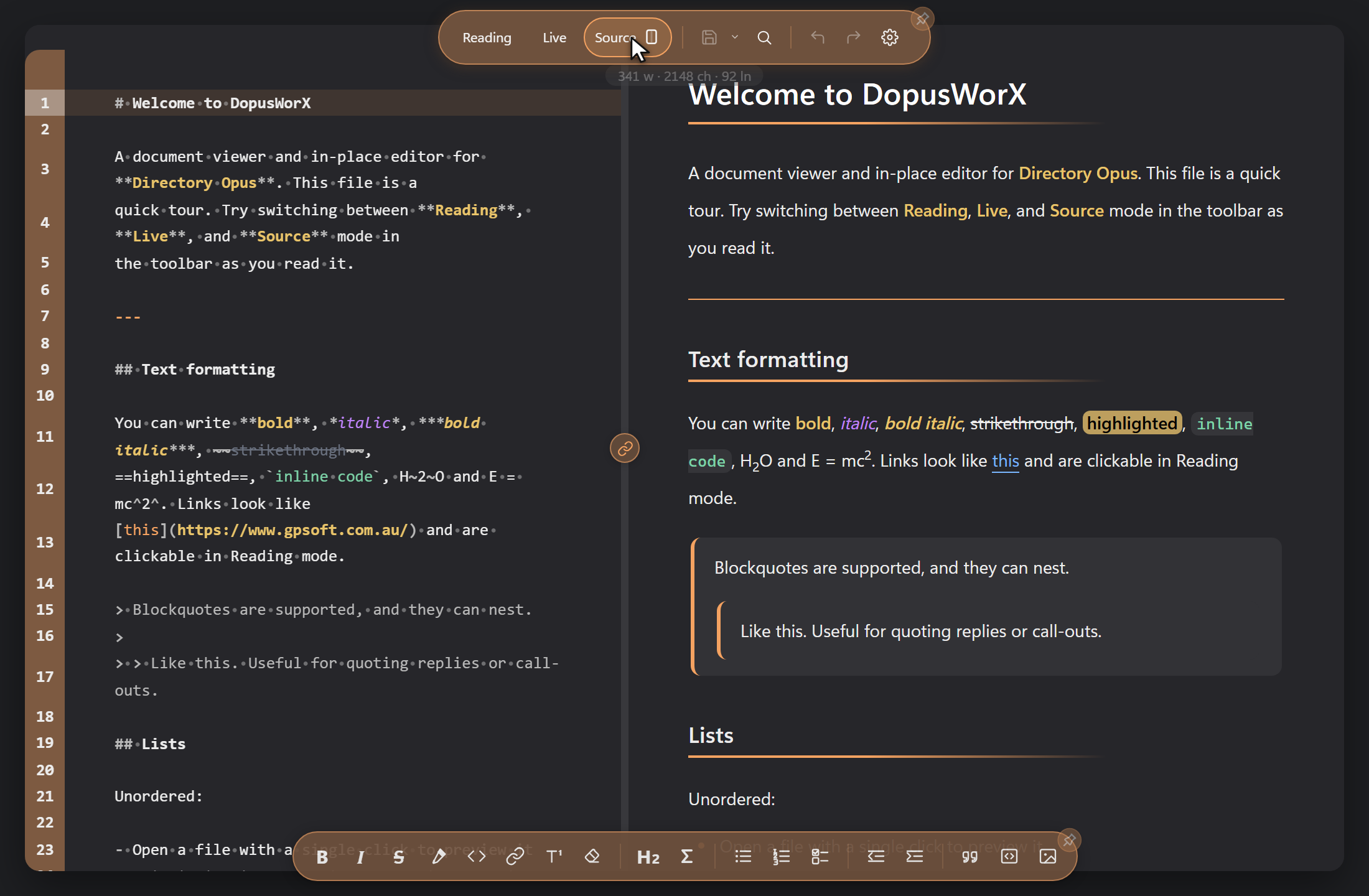
- Reading view, fully rendered output
- Live view, edit in place with markers on the cursor line
- Source view, raw text with syntax highlighting
- Split screen in Source, raw left, preview right
- Draggable divider, link or unlink synced scrolling
- Per-file scroll position remembered on reopen
- Ctrl+wheel and trackpad pinch zoom, toolbars stay put
- Zoom menu with presets and reset, 50 to 200 percent
- Full formatting toolbar, reorder or hide buttons
- Auto-hide toolbars, reveal on hover
- Word, character and line count pill
- Undo and redo with a history dropdown
- Find and replace, case, whole word, regex, count
- Print or save the whole document as PDF
- Export Markdown to a standalone HTML file
- Export code or source as plain text
- Undo an accidental reload from a toast
Markdown
- GitHub flavoured Markdown, tables, task lists
- Footnotes, editable in place
- Definition lists, abbreviations, sub and superscript
- Highlight with ==text==, mark styling
- Clickable task checkboxes that edit the source
- Auto-link bare URLs as you read
- Smart typography, curly quotes, dashes, ellipsis
- Optional hard line breaks, one newline one break
- Inline HTML passes through, sanitised
- Heading button cycles H1 to H6
- Smart clear-formatting eraser, line or selection
Obsidian syntax
- Wiki-links, [[note]] and [[note#heading]]
- Block anchor links, [[note#^block-id]]
- Embeds and transclusion, ![[note]] and ![[note#section]]
- Section and block extraction for embeds
- Image embeds with size, ![[picture.png|420]]
- Obsidian alt-text image syntax, size and alignment
Maths
- Inline $...$ and display $$...$$ rendering
- AsciiMath input, inline, display and ```am fences
- Auto-render, detects LaTeX or AsciiMath per equation
- Lock input to LaTeX only or AsciiMath only
- Mix both styles in one note
- Convert an equation between styles in place
- Multi-line environments, align, gather, cases, matrices
- Symbol panel, browse symbols by category
- Symbol inserts match your current style
- Live preview of the equation under the cursor
- Click an equation to edit, click away to redraw
- Smart caret lands inside the equation body
- Slanted fractions, \sfrac and \nicefrac
- Eight maths fonts, Latin Modern, STIX Two and more
- KaTeX or Temml engine
- Prices stay text, $5 is safe, $ is literal
- Custom macros from a box or a file
- Maths only loads on notes that use it
Code and source files
- Syntax highlighting for around 150 languages, the common ones built in and the rest loaded on demand
- Pick the grammar per file type in Settings (Highlight Grammar), or map any custom extension to any language
- Content detection for ambiguous extensions, e.g. .m between MATLAB/Octave, Objective-C and Mathematica
- Plain text and logs open as syntax-aware source
- Fenced code highlighted in all three views
- Copy button on every code block
- Word-wrap toggle and configurable tab width
- Line-number gutter, several styles
- Active line highlight, optional
- Code folding and bracket matching
- Comment, duplicate and move-line buttons
- Show whitespace and line-ending marks
- Markdown source highlighted too, headings and marks
- Code theme picker, many built-in themes
- Use the syntax theme in Source view too
- Colour values detected in source, with a picker
- Diff and patch files highlighted, changes coloured
CSV and tables
- CSV and TSV grid, sortable columns
- Sort ascending, descending or clear
- In-cell editing, header row editing
- Add or delete rows and columns
- Insert several rows or columns at once
- Drag to resize columns and row height, saved per file
- Select cells and copy as TSV
- Live filter box, freeze first column
- Manual delimiter override, remembered per file
- Cell wrap toggle
- Copy the grid out as a Markdown table
HTML
- HTML files render in an isolated, sanitised view
- Source tab alongside the rendered page
- Split view, edit source with live preview
- Refresh the rendered preview on demand
Themes and palettes
- 30 built-in palettes, 18 dark, 12 light
- Default Auto follows the Opus pane background
- Visual colour editor, save as a named theme
- Per-token marker colours, bold, italic, strike, code
- Per-heading colours, H1 to H6
- Blockquote and table-header colours
- Independent source-editor font, size and colours
- Tunable borders, rules, shadows and page surface
- Heading underline and rule thickness
- Page shadow depth, six levels
- Custom themes stored as JSON in your profile
Images
- Insert a local file or paste an http(s) URL
- Set alt text, width, height and alignment
- Copy the image next to the doc, rewrite path relative
- URL images downloaded, real format sniffed and fixed
- Collision-free naming when a file already exists
- Remote-image privacy gate, off by default, no network
- Configurable image search folders for attachments
Context menus
- Cut, copy and paste in editable views
- Copy document as Markdown, HTML, rich or plain text
- Copy a link address or open it in the browser
- Copy an image address
- Insert image, find or replace from the menu
- Maths menu, convert, insert, copy as LaTeX or AsciiMath
- CSV menu, insert or delete rows and columns, sort
- Print or save as PDF, select all, zoom
Encoding and file safety
- Auto-detect UTF-8 and UTF-16 LE or BE by BOM
- Fallback codepage picker for legacy files
- Shift-JIS and Windows codepages 1250 to 1258
- CJK, Arabic, Hebrew, Devanagari, Thai, Greek, bidi text
- Line endings, LF or CRLF, preserved on save
- Encoding and line ending shown in the toolbar
- Save, Save As, Save a Copy split menu
- Optional auto-save, your interval, never clobbers outside edits
- External-change conflict banner, keep or reload
- Conflict detection by content hash, not just mtime
- Empty-write floor guards against data loss
- Atomic writes, temp file then MoveFileEx
- Recovery stash in AppData survives an Opus crash
Settings
- Settings dialog, Formats, File Types, About tabs
- Live preview of palette and theme changes
- Toolbar layout editor, drag to reorder
- File association panel, per extension
- Pick the highlighting grammar per file type
- Back up the registry before changing associations
- Add your own file types, with a grammar of your choice
- Plain-language help popups
- Support button on the About tab
Directory Opus integration
- Native viewer plugin DLL, pane and pop-out window
- Rendered with the system Edge WebView2 runtime
- Shows a download link if WebView2 is missing
- Opens any text file, catch-all for unknown types
- Double-click setup to open .md in the viewer
- Admin Install and Uninstall scripts, into the Opus folder
- In-app updater, HTTPS only, host allowlist, SHA256 gate
- The viewer DLL writes no registry keys, settings in AppData
Head over to the repo and click on 'Releases' to download the plugin with install/uninstall scripts to make it simple:
https://github.com/HyperWorX/DopusWorX
It still carries a beta tag while it sees real-world use. Released free for the Opus community. A standalone product is on the table and will come shortly.
Any feedback is more than welcome.
Cheers.