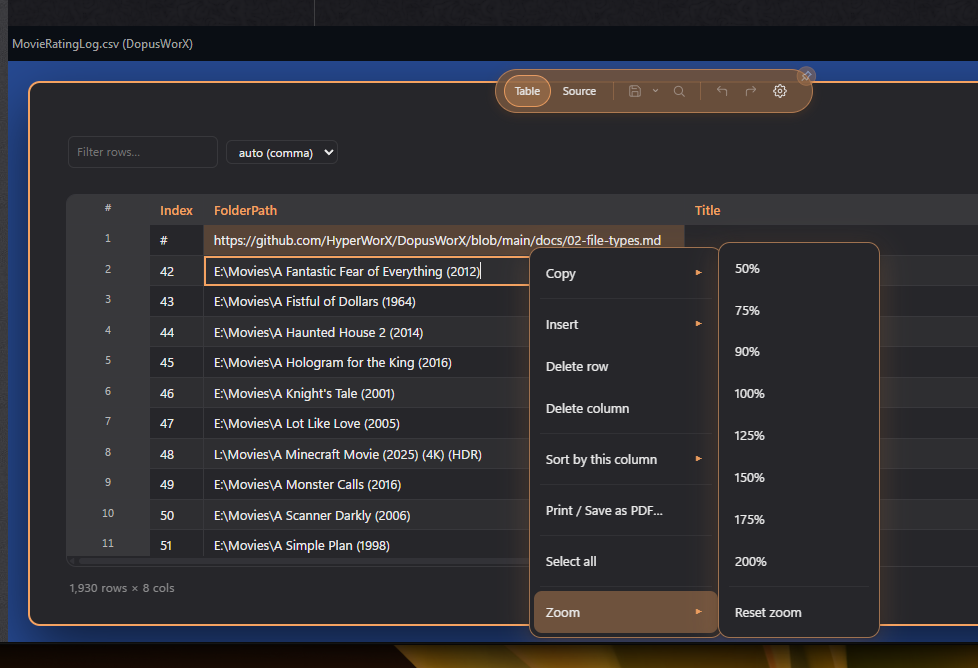
Awesome, many thanks, zoom fixed and url's clickaable with CTRL
1 Like
Recommend any good movies?
and wow ~2k rows of movies.... How big is your server  ....nice!
1 Like
Work in progress, rating them atm, using claude, hit weekly reset limit.
A few more issues:
-
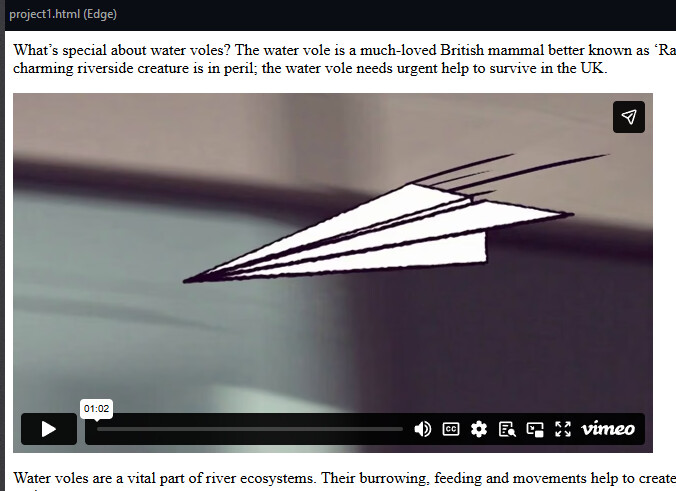
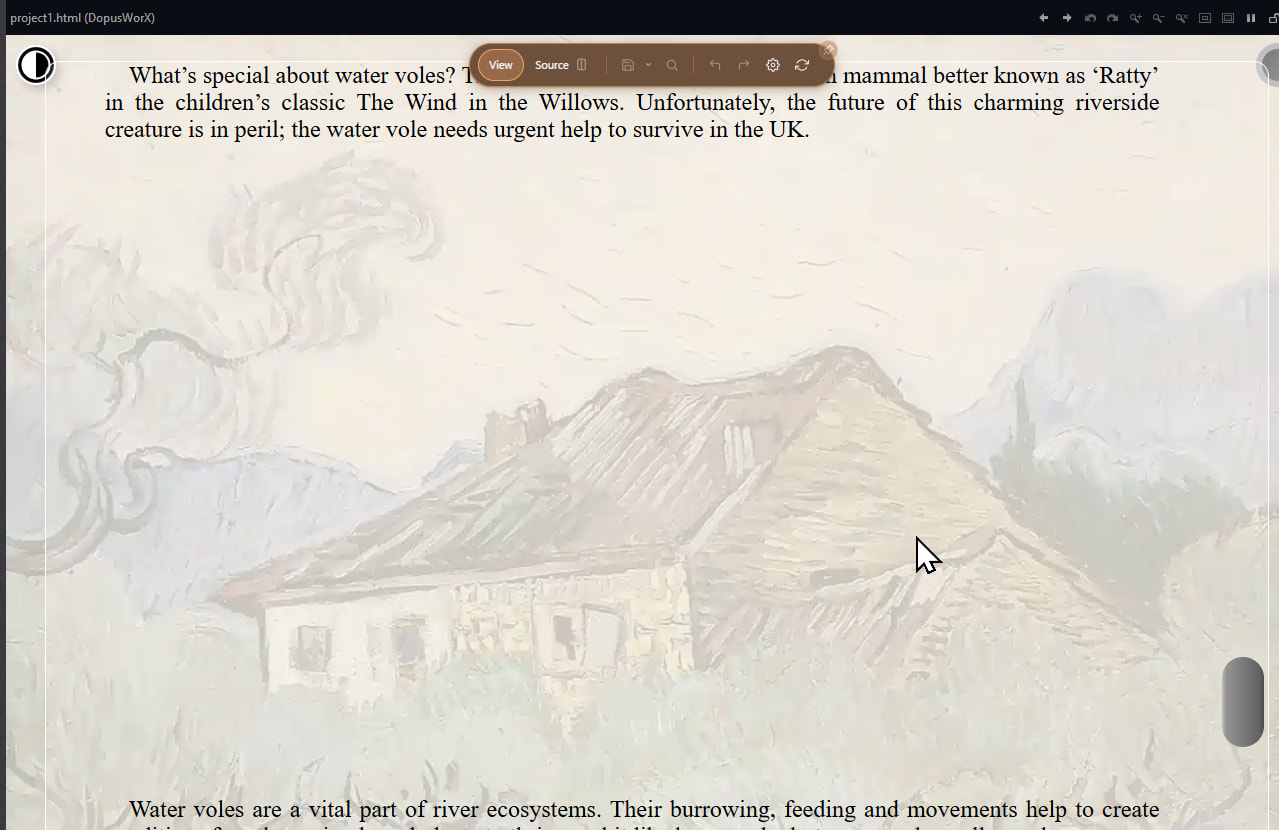
HTML not rendering iframe videos, 2 SS show Edge preview and DopusWorX preview.
-
HTML fonts not rendering, 2 SS show Browser view and DopusWorX view:
-
Tooltips in settings: Start of tooltip is covered by mouse pointer and makes it difficult to read:



EDIT:
- HTML: internal and external links not working

1 Like
Thanks for the shots, that helps.
Don't expect too much from the html side, it was only ever going to be source view like the rest but I figured a basic renderer was better than nothing. So it's not a browser and never will be. The vimeo/iframe thing and the fonts are both just the sanitiser doing its job, not bugs. Iframes get stripped, and I didn't put in external gets, so any web font off a CDN just falls back to a local serif. A proper secure browser needs a whole lot more than this plugin is built for, and that's not something I'm willing to compromise on.
Links are the same deal as before, all dependent on the sanitiser and they'll only pass if certain security measures are met. If it doesn't open with ctrl+click then it didn't pass. But u said external ones don't work either and that shouldn't really happen, so paste me the exact a href ur testing (internal anchor, relative path, or full https) and I'll know if it's the sanitiser or the click handler.
The tooltip one's a real bug though... will nudge it clear of the cursor in the next build.
1 Like
There's a bug when viewing a file in the standalone viewer:
Opening a file in the standalone viewer (Command: Show PLUGIN "DopusWorX") makes the viewer toolbar show hidden. The toolbar is still there but not visible. Moving the mouse cursor to the toolbar area the tooltips of the toolbar buttons are shown and clicking executes the button command. The top toolbar of DopusWorX doesn't work because the unvisible viewer toolbar is above it. The screenshot shows the cursor above the "Save" button but showing the tooltip of the viewer toolbar for "toggle fullscreen". Clicking would execute "toggle Fullscreen" but not "Save".

I am really struggling to reproduce this problem. What version are u running of DOpus?
If you right click the title bar and select toolbar. does that still raise the default viewer toolbar (Dopus)?
Could you screen shot more of the UI for me?
right-clicking the title bar shows the toolbar activated. I have to toggle it twice to get the toolbar visible. When I click on the space shown in the screenshot I get fullscreen but can't toggle back. The unvisible toolbar is gone and only the context menu of DopusWorX is available. No hotkey for the viewer toolbar is working so I have to kill the window.
Toggling to fullscreen via doubleclick to title bar ist different. It will show title bar and toolbar of the viewer.
1 Like
Ok I have it I think after trying a few things. It's essentially this setting
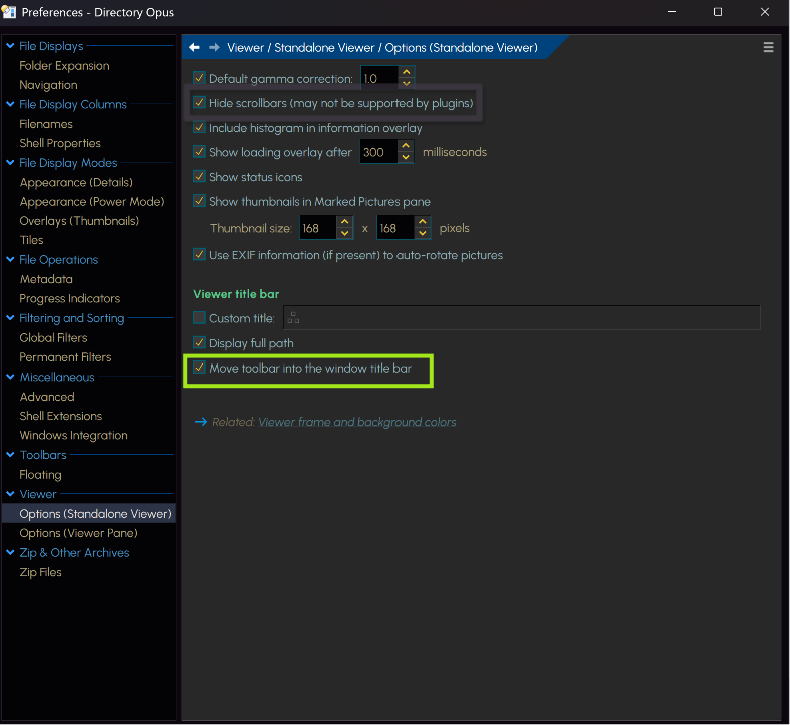
Let me work on it. If for now you want to disable the highlighted options it should work. It's a quirk of the sequence of file opening. I think if you autohide the DW toolbar it helps as well but not when pinned. See below.

It is a real bug and I will prioritise it to be fixed soon.
1 Like
It's much better than the Edge(Chromium) renderer - I am getting almost the same as my browser, animations working, js dark/light mode toggle working, bg images working - amazing.
Using both web based and local fonts, neither are working.
CTRL click - works for urls not for internal(local) links.
An old project I was doing when learning HTML. Here is zip:
Project 1.zip (1.9 MB)
2 Likes
The option to move the toolbar to the title bar wasn't activated here but activating it makes it worse: no title bar will be shown so I can't toggle the toolbar anymore and the only way to close the window is via taskbar.
I'm always using the newest beta of DOpus.
1 Like
Having an issue with md checkboxes - cannot get them to change in Reading mode - are they formatted correctly ? Here is the example md I am using:
Vivillon checklist.zip (1.7 KB)
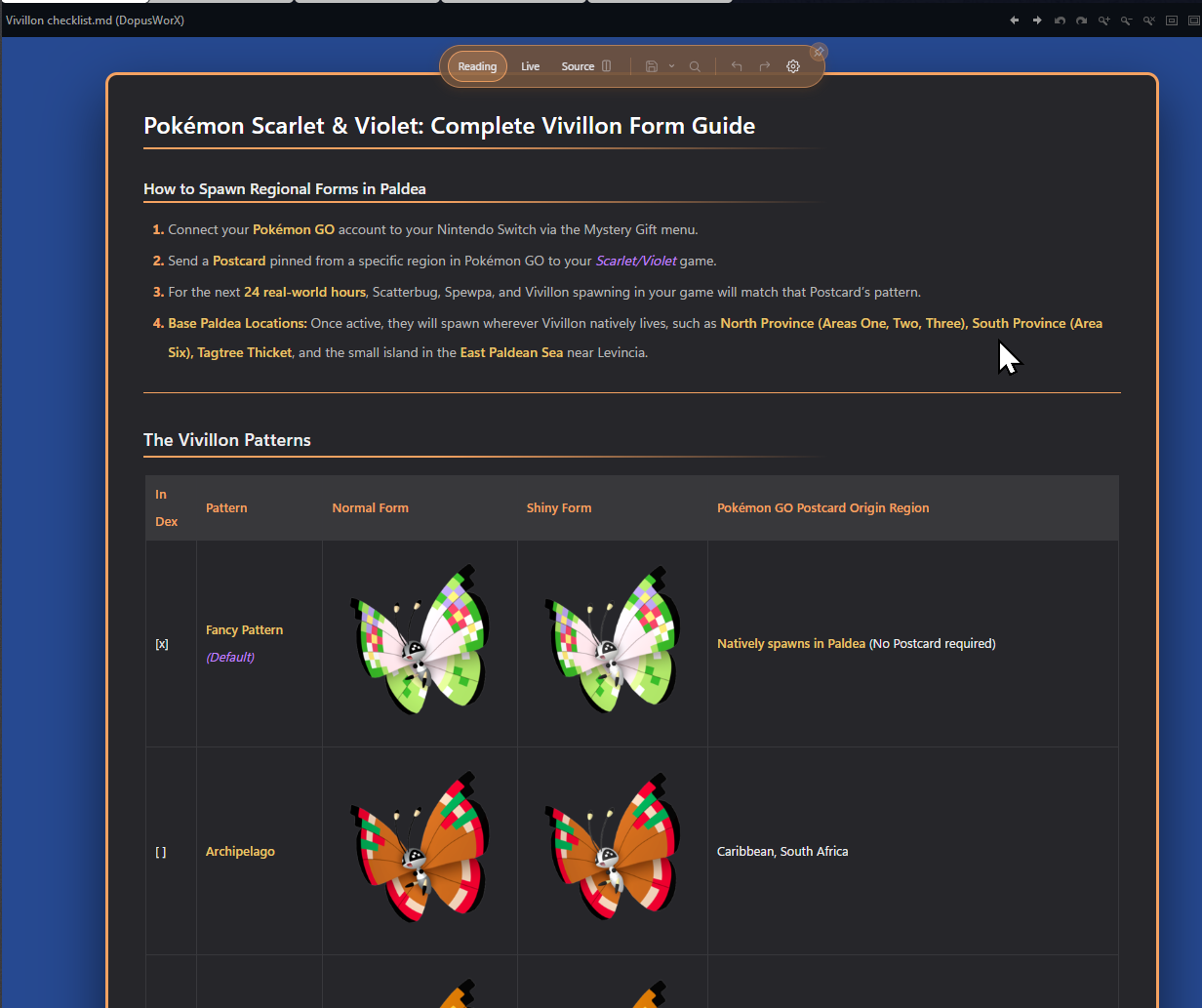
(the check on first entry was added in source mode and saved manually)
1 Like
I think I have worked through and cleared most of what got flagged in this thread. So v1.0.0.beta.4 is live now to update.
Big thanks to everyone testing DopusWorX and posting when something breaks; the screenshots especially make things much easier to chase down.
What's fixed
- The popped-out viewer window was sitting on top of the Opus toolbar so you couldn't get at it. It tucks under the toolbar properly now.
- Checkbox rendering in tables.
- Right-click submenus (zoom, sort, etc) were getting cut off when the viewer was a short pane at the bottom of the lister. They shift up to stay on screen now.
- Web and local fonts in HTML docs weren't rendering. They load now.
- The
?help tooltips in Settings were opening right under the mouse pointer (and the pointer covered them if you run a large cursor). They should sit clear of it now. - Further strengthening of file retention on external edits.
A couple of settings bits too: the font list no longer lags when you open settings, and the File Types column toggles only save when you actually hit Apply.
Still chipping away at a few other things, the in-page HTML links being one, but I wanted to get the edit-safety work out to you all first.
Grab it by checking and installing updates in settings or at the repo:
https://github.com/HyperWorX/DopusWorX/releases/tag/v1.0.0-beta.4
Cheers
Great stuff 
-
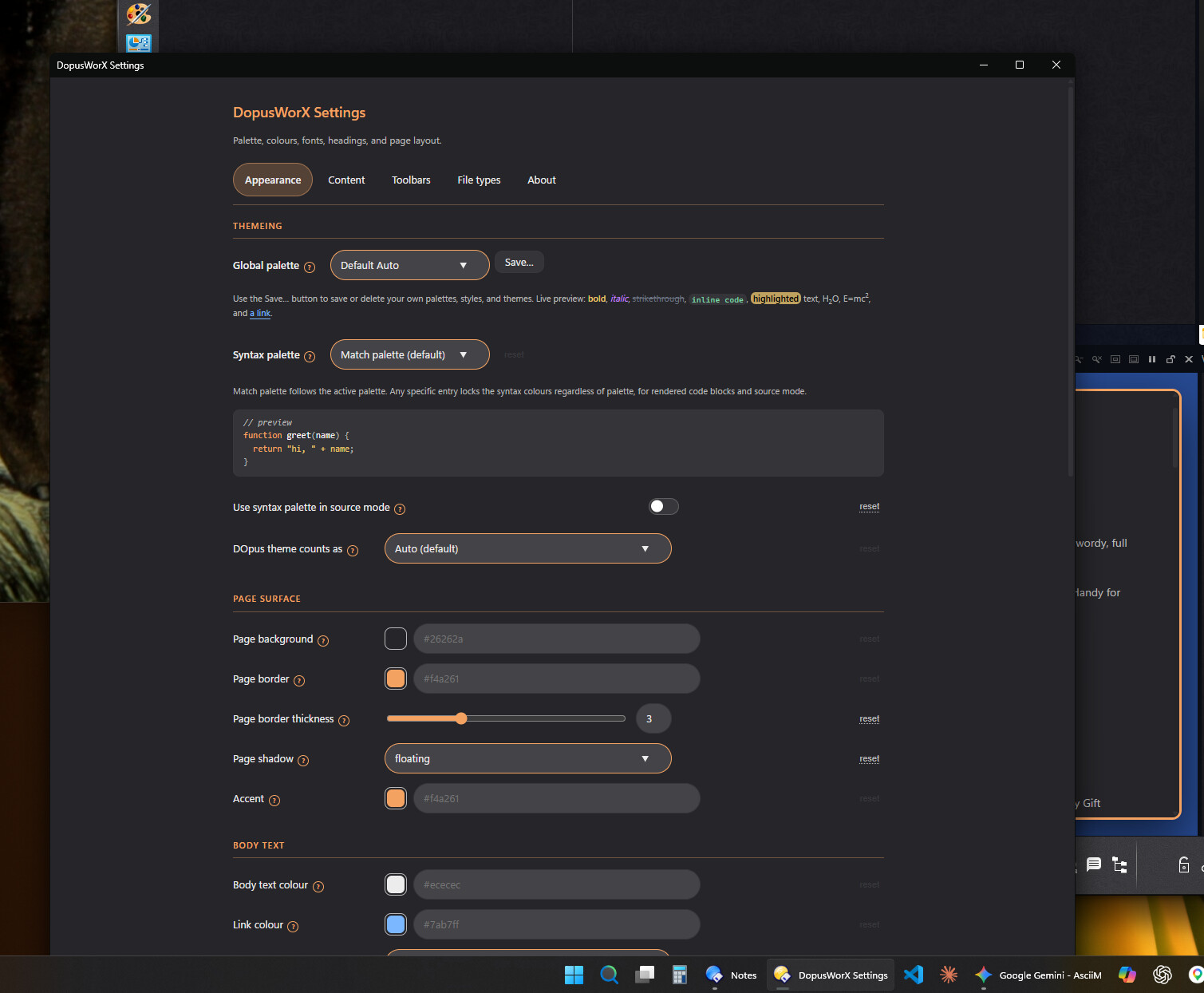
settings dialog - bottom part is showing off screen when viewer is horizontal and DO is at bottom of screen.
-
there is small delay when viewing, showing all black. Small price to pay for such a feature rich viewer/editor - but have got used to instant viewing with the other plug-ins (now legacy). If this cannot be avoided, maybe a centralized image or message (splash screen).
-
source editor - no line select by clicking in gutter and no multi-line select by dragging down in gutter
-
after an update DO is re-launched in administrator mode, is there a reason for this ?
1 Like
Everything is working fine now with standalone viewer and fullscreen except one little thing: When I click the settings button in fullscreen mode (no title bar no toolbar) the settings dialog opens below the main window instead of on top of it.
1 Like
Thanks I will look into those.
Not sure what you mean with the settings, can you not move the window and scroll down?
Instant loading would require pre-warm and cache which isn't worth the overhead for the minor annoyance. Splash screen adds overhead. It's because the settings is a separate instance and as you said, small price to pay.
Source editor ideas are simple enough and will look into it. It's a bottomless pit of things I could add. Just look at VS Code or NPP. Drew the line at some point for now (I wanted to get it out for the community). Will add to the todo list though.
It's simply so it can have permission to update the DLL in Program Files, so needs UAC. Since the script launches Dopus as well, it does so elevated. The alternative is have that script call another cmd instance afterwards without admin or chain it through explorer then dopus. But then errorlevel and arg-passing is awkward which is not usually an issue but in the development stage it's useful. That said, it's all a few lines of code, so will make sure it works at medium integrity when moving from beta.
FYI you can launch Opus unelevated with this command:
"%ProgramFiles%\GPSoftware\Directory Opus\dopusrt.exe" /runopus
Thanks for the help. So does dopus de-elevate?
If dopusrt.exe is run elevated, it uses Task Scheduler to launch Opus as a standard user.
You can also use /runstd to run any arbitrary command unelevated.
1 Like
That's funny, I just wired the task scheduler approach in manually. Pays to read documentation. Thanks again. much appreciated.
New release available addressing this plus some extras like the install script fix, @galaxyhub