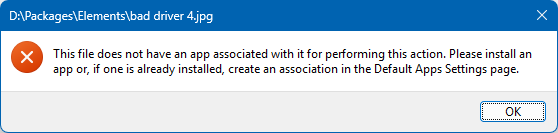
version 13.24 Windows 11 24H2, every file type has a context submenu "File ownership" with a single item "Personal" next to an icon of an unlocked lock. I can't find it anywhere in file type group "Images", and clicking on "Personal" pops up this error. Is it any use? And if not, how to remove it?
Sounds like this: https://www.tenforums.com/tutorials/87475-add-remove-efs-file-ownership-context-menu-windows-10-a.html
It's added by Windows so it wouldn't be in the Images file type group, since File Type Groups are an Opus thing.
hoo-boy, a 5-year-old windows 10 registry hack. Who wants to guinea pig for a windows 11 registry in 2026? Should I dare?
Almost everything that worked for Windows 10 also works with Windows 11 (other than things like being able to move the taskbar or having functional scrollbars :)).
You can always undo the registry change if it doesn't work. There's no reason to second guess it. Just try it and see if it works, and remove it if it doesn't.
So far so good. I have to wonder why me? Don't all windows 11 users see this?
I see it too, but I've hidden the windows and third-party context menu elements.
I looked at that, but it hid too much
You can bring context menu entries back with ContextMenu SHOWCMDS.