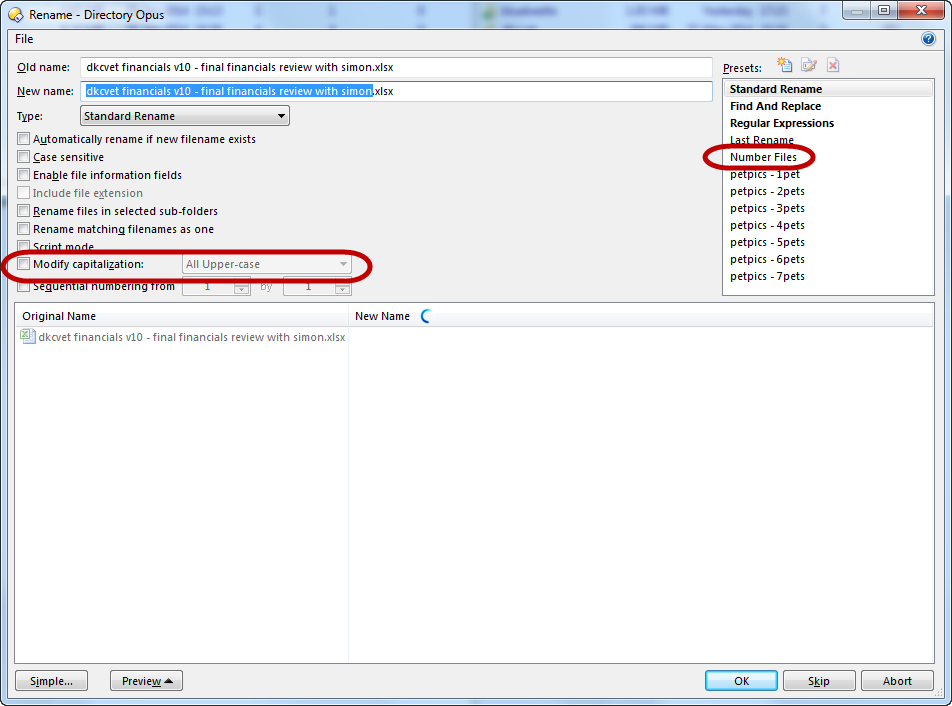
Is there a way to change the default settings for the Advanced Rename dialog box? I usually want to use the "Number Files" option and have "Modify capitalization" set to "Lower-case Extension", but of these are not the default settings when the dialog opens. See attached screenshot.
Thank you Leo, very helpful. However, we're not quite there. The command-line you gave me does pre-select the "Number Files" option but it does not also set the modification of the extension to lowercase. I have tried adding that argument to the commandline but it does not seem to be working. Perhaps I have done it incorrectly. Here is what I have now:
[quote="toddcarson"]Thank you Leo, very helpful. However, we're not quite there. The command-line you gave me does pre-select the "Number Files" option but it does not also set the modification of the extension to lowercase. I have tried adding that argument to the commandline but it does not seem to be working. Perhaps I have done it incorrectly. Here is what I have now:
Todd[/quote]
It looks like your preset has been saved without the "modify capitalization" option switched on. You will have to switch it on and re-save before it will work as expected.