Context:
- This has been a long time obsession of mine: What is the dopus URI scheme on Windows 10?
- Why? I use the task app Amazing Marvin and Obsidian and they both (AM natively, Obsidian with Advanced URI plug-in) allow for URI linking.
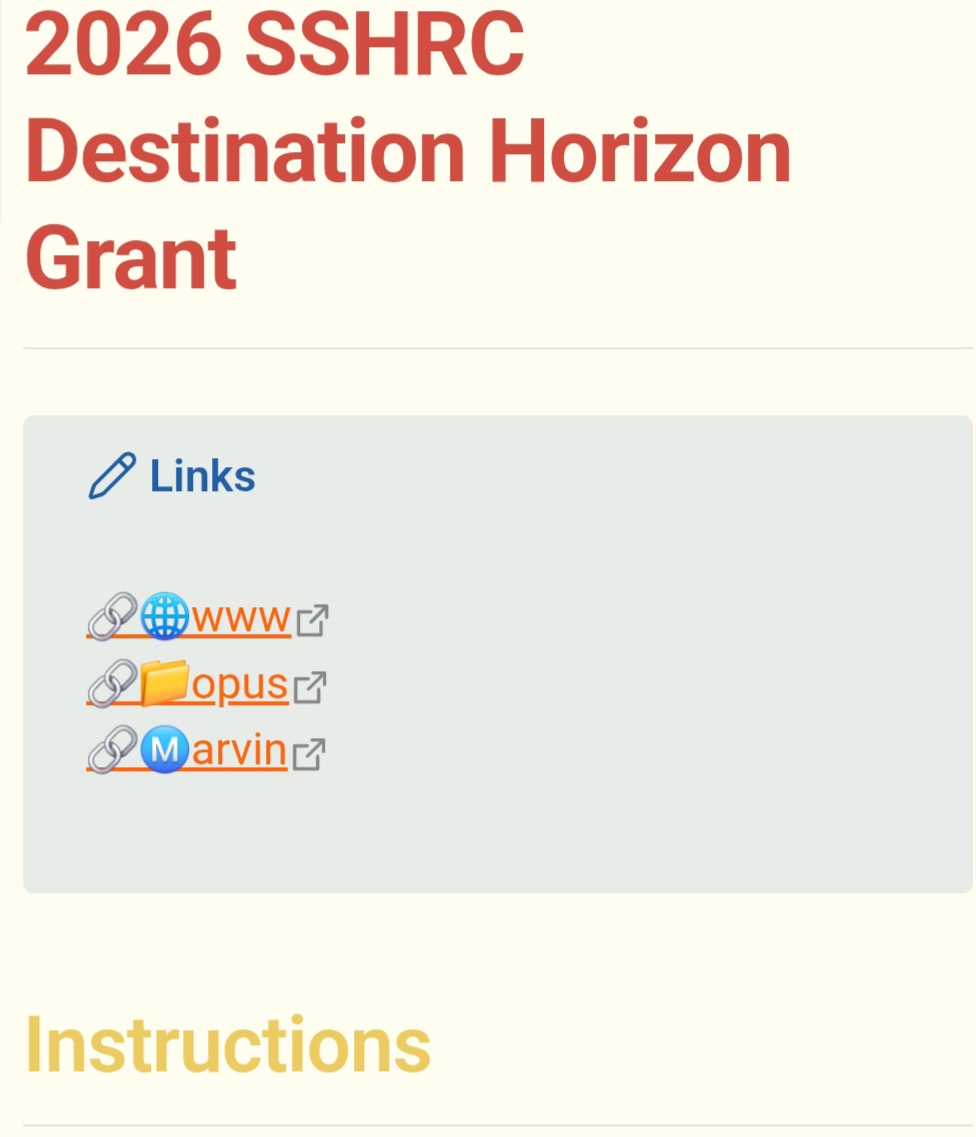
- Why, part 2: I have ADD&ASD and context switching is my worst enemy; if I can click a link and go directly to where I want it reduces the risk I'll get distracted by a file not on the correct folder or something else. Now when I start working on a task all I have to do is click for the files (opus) and the Obsidian note I'm using and start working. It looks like this:

I'm posting this here as a tutorial & to get feedback and insight from folks who know more about how dopus and windows works. Also because I only know batch file editing (though not very well, I had to double check it with claude/an LLM to make sure)--I'm sure there might be a better powershell or vbs way to do this
How - To
1. Registering the URI
You'll need to create a URI in Windows registry so it knows what to do with the link in opus.
I made mine at HKEY_CLASSES_ROOT\dopus\shell\open\command because that seemed sensible and put it close some other dopus regkeys:
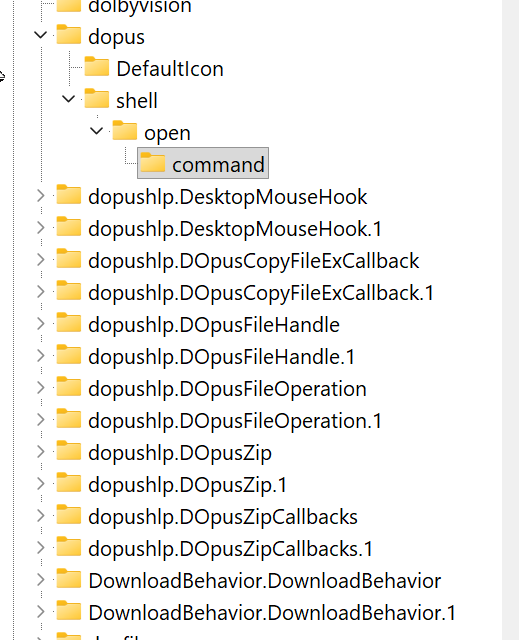
The registry key is
"C:\Program Files\GPSoftware\Directory Opus\dopus-handler.bat" "%1"

2. Corresponding batch file
Next, you'll need to create a batch file as the registry key opens a batch file in C:\Program Files\GPSoftware\Directory Opus\dopus-handler.bat
Here's what mine looks like:
@echo off
setlocal enabledelayedexpansion

REM Get the full URI
set "fulluri=%~1"

REM Remove dopus:/// prefix
set "path=!fulluri:dopus:///=!"

REM Convert forward slashes to backslashes
set "path=!path:/=\!"

REM URL decode special characters (expanded list)
set "path=!path:%%20= !"
set "path=!path:%%2C=,!"
set "path=!path:%%2D=-!"
set "path=!path:%%28=(!"
set "path=!path:%%29=)!"
set "path=!path:%%26=&!"
set "path=!path:%%27='!"
set "path=!path:%%2B=+!"
set "path=!path:%%23=#!"
set "path=!path:%%5B=[!"
set "path=!path:%%5D=]!"

REM Launch Directory Opus in a new tab (NEWTAB instead of NEW)
"C:\Program Files\GPSoftware\Directory Opus\dopusrt.exe" /cmd Go NEWTAB PATH "!path!"
endlocal
3. Enabling functionality in dopus.
Finally, I created several dopus buttons to make this a single click process:
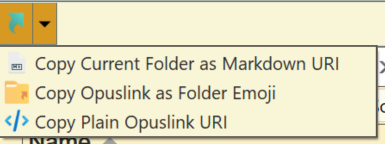
They are all JScript.
- The first button, a modified markdown one
function OnClick(clickData) {
    var path = clickData.func.sourcetab.path;
    var folderName = path.filepart;
    var formattedPath = String(path).replace(/\\/g, '/').replace(/ /g, '%20');
    var markdownLink = '🔗📁opus:\n[' + folderName + '](dopus:///' + formattedPath + ')';
    DOpus.SetClip(markdownLink);
}
- Markdown:
function OnClick(clickData) {
    DOpus.SetClip('[' + clickData.func.sourcetab.path.filepart + '](dopus:///' + String(clickData.func.sourcetab.path).replace(/\\/g, '/').replace(/ /g, '%20') + ')');
}
- As an emoji:
function OnClick(clickData) {
    DOpus.SetClip('[📂' + '](dopus:///' + String(clickData.func.sourcetab.path).replace(/\\/g, '/').replace(/ /g, '%20') + ')');
}
- As a plain URI
function OnClick(clickData) {
    DOpus.SetClip('dopus:///' + String(clickData.func.sourcetab.path).replace(/\\/g, '/').replace(/ /g, '%20'));
}
That's all! happy for feedback/comments! 